



cbright14
Participating Frequently
May 19, 2026
Question

photoshop wont open

  • May 19, 2026
  • 1 reply
  • 76 views

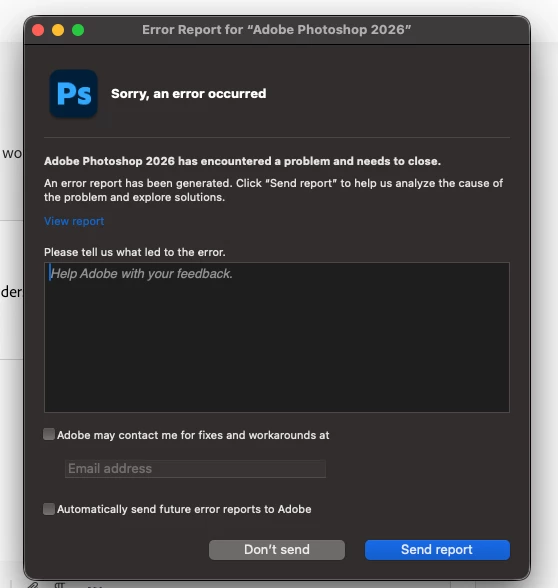
When I try to open photoshop it prompts me with “quit unexpectedly” and I am unable to even access the settings within the app. I have uninstalled and reinstalled multiple times and Im still getting the same result. I have done the same with creative cloud as well and nothing is working. I am on the lates version of photoshop and my computer is fully updated as well. 
 

    1 reply

    J E L
    Community Expert
    Community Expert
    May 19, 2026

    @cbright14, I’m not sure if you’ve tried this yet, but if you were stable on the previous version, close all Adobe programs and relaunch the Creative Cloud Desktop app. Under Photoshop in the three-dot menu, choose “Other versions” and select 27.5. Let us know if that works for you!


    cbright14
    cbright14Author
    Participating Frequently
    May 19, 2026

    I did try that, I just went in and deleted every file associated with photoshop and adobe and then reinstalled once again and that still didn’t work. It might also be worth metnioning that this only started because earlier today it said something to do with the disk storage but now I cant even open the app. So I am still very unsure what to do.

    J E L
    Community Expert
    Community Expert
    May 19, 2026

    Okay, how much free disk space do you have? Just to be sure, are you trying to open Photoshop from the Creative Cloud Desktop app, and not from a shortcut or an image file? What happens? Does it hang up or nothing? Are you on Windows 11 or something else?