


Participant
June 4, 2025
Answered

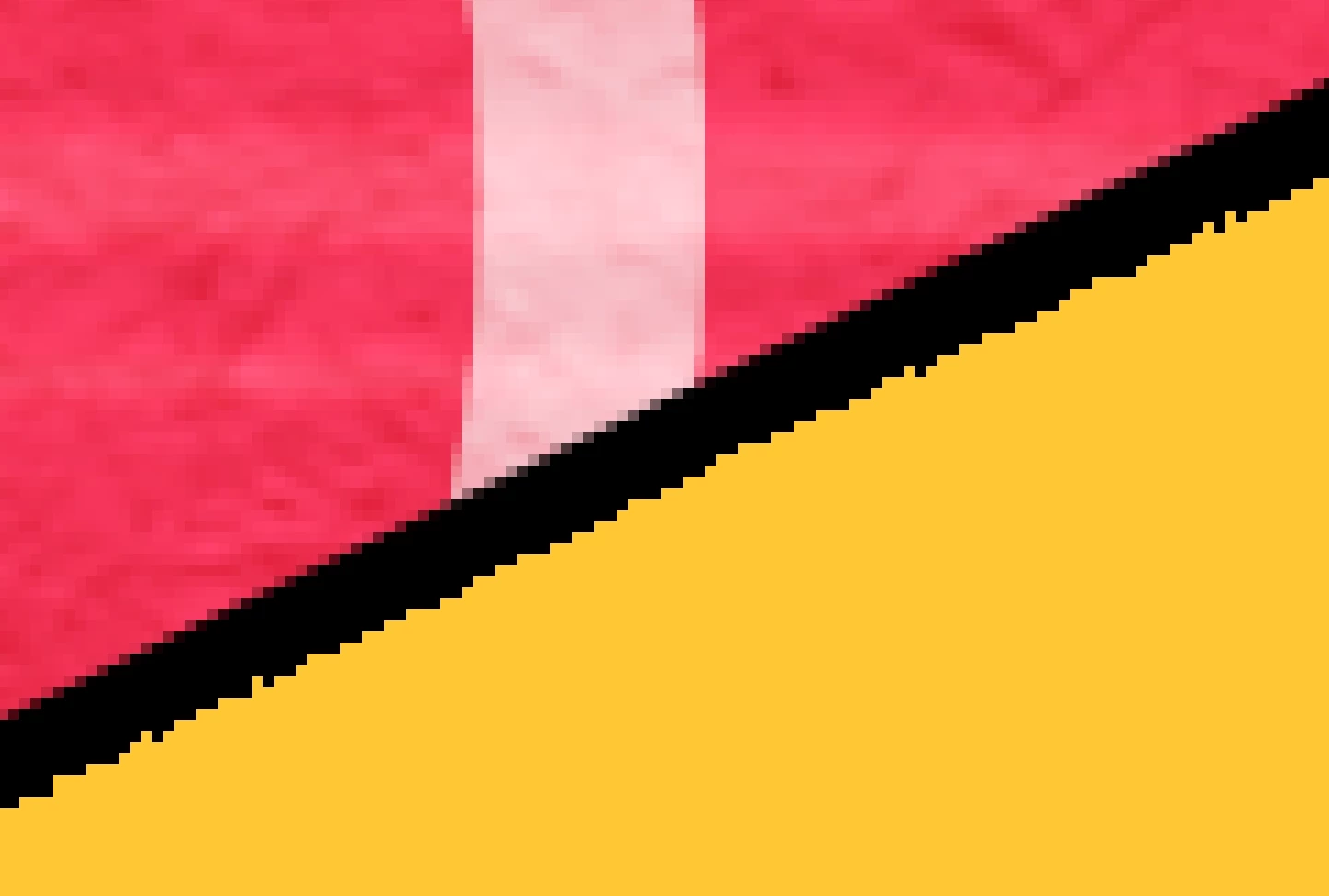
Pixellated drawn edges

  • June 4, 2025
  • 1 reply
  • 247 views

Hello,


Part of my work involves draweing in Photoshop. Everything has worked just fine. However suddenly I'm getting pixellated edges on my drawn edges. Usually I draw withnthe pen tool then convert to a selection and fll with colour. For comparison in the image attacehd you can see the old edges, which are good, on the black shape, and the nedw, bad effect on the yellow shape. This is also happening with selection tools. But if I make a shape and concert to a selction its still good.


Any help gratefully received! Many thanks

Richard


Correct answer davescm

Can you check the following:

a. When you make a selection from your path, is 'Anti-Aliased' checked?

b. When you fill what is the blending mode? It looks like it is set to dissolve instead of normal.


Dave

1 reply

davescm
Community Expert
davescmCommunity ExpertCorrect answer
Community Expert
June 4, 2025

Can you check the following:

a. When you make a selection from your path, is 'Anti-Aliased' checked?

b. When you fill what is the blending mode? It looks like it is set to dissolve instead of normal.


Dave

Participant
June 4, 2025

Thanks for your help Dave,


a. Yes, 'Anti-Aliased' is checked.


b. Layer mode is 'normal' but interestingly when I change it to 'dissolve' it stayes the smae. Coul I have accidentally set 'dissovle' as 'normal'


Participant
June 4, 2025

I nthink you've solved it Dave!! The blending mode was set to 'dissolve' on the fill. Apologies, I thought you meant was the layer mode set to 'dissovle'.


Awesome, thank you!
