Participant
October 31, 2025
Answered

Place Embedded Speed Key

  • October 31, 2025
  • 2 replies
  • 87 views

Was the Place Embedded speed key (CTRL+SHT+P) eliminated in Photoshop 2026?

Correct answer Jeff Arola

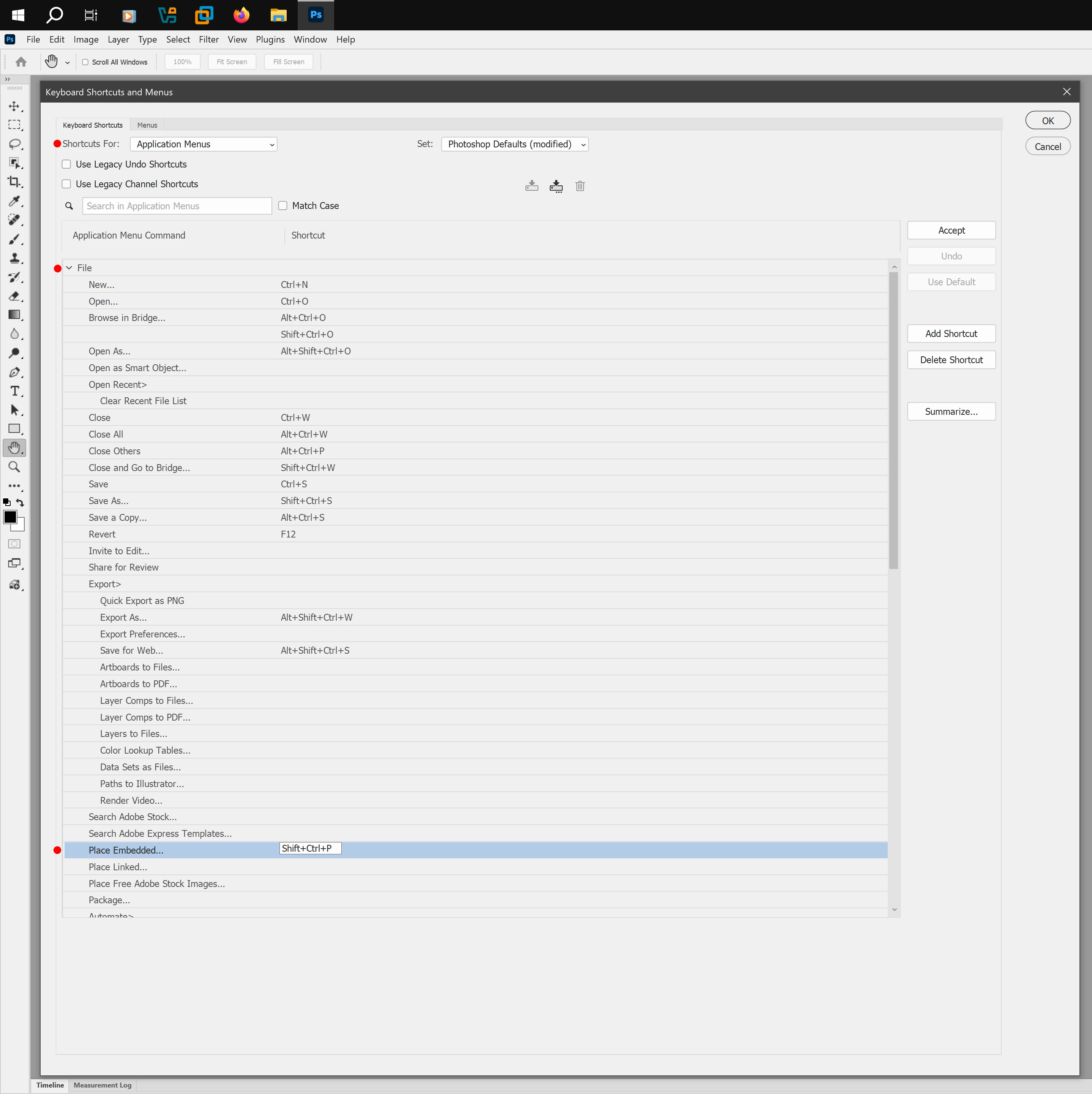
Maybe your thinking of Illustrator that has a Place shortcut of Shift+Ctrl+P, but anyhow you can add one in Photoshop by going to Edit>Keyboard Shortcuts>Applcation Menus and under File find the Place Embedded


Click on Place Embedded, type your Shift+Ctrl+P, click Accept then Ok
 

2 replies

Conrad_C
Community Expert
Community Expert
November 1, 2025

I don’t think Photoshop ever had a keyboard shortcut for Place Embedded. In addition to Jeff Arola’s good suggestion to define your own keyboard shortcut, another shortcut for Place Embedded, the one I use all the time, is to just drag and drop the file into the Photoshop document window.

Jeff Arola
Community Expert
Jeff ArolaCommunity ExpertCorrect answer
Community Expert
October 31, 2025

Maybe your thinking of Illustrator that has a Place shortcut of Shift+Ctrl+P, but anyhow you can add one in Photoshop by going to Edit>Keyboard Shortcuts>Applcation Menus and under File find the Place Embedded


Click on Place Embedded, type your Shift+Ctrl+P, click Accept then Ok