


MahaB82A
November 26, 2024
Answered

Placing a Image Vs Drag & Drop

  • November 26, 2024
  • 1 reply
  • 440 views

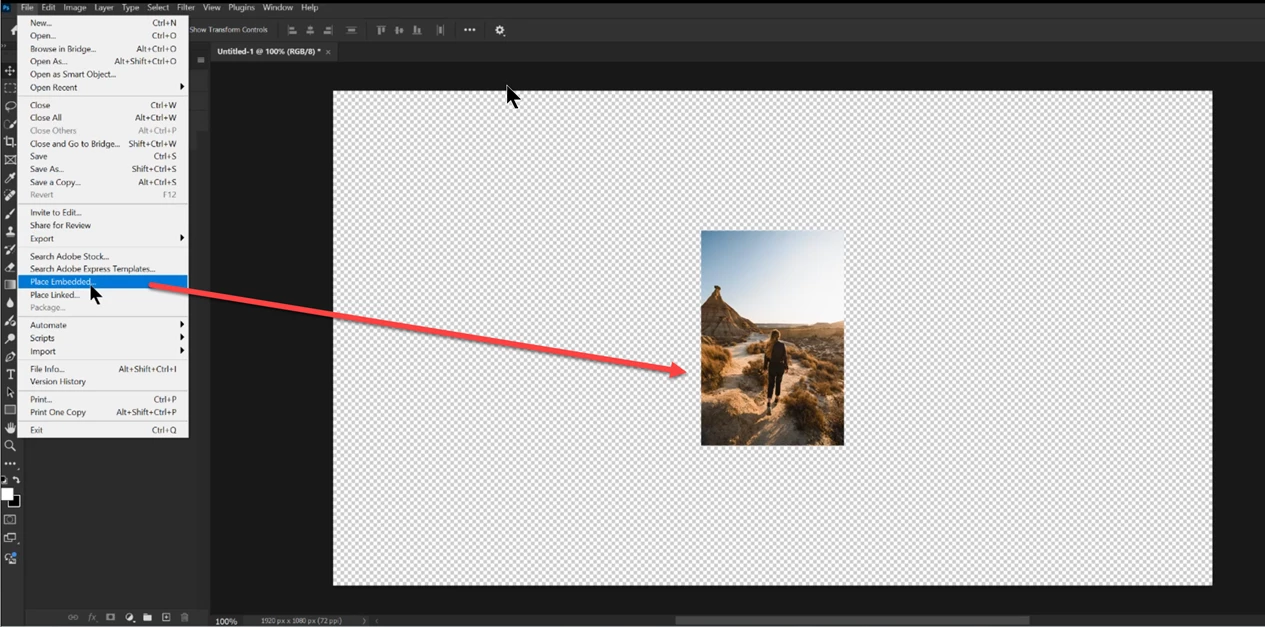
Prior to place an image you have to create an canvas. But if you drag & drop the image on Ps icon on the task bar you do not need canvas. But drag & drop does not work in the latest version. How to place an image without creating canvas?



Correct answer D Fosse

Again: why can't you just File > Open? Do you specifically need a smart object? You can convert any open file to a smart object if that's what you need.


Place means adding a smart object to an already existing file. That's what the Place command does. There is no such thing as Place if it's not into another file. It's meaningless by itself.


1 reply

D Fosse
Community Expert
Community Expert
November 26, 2024

What's wrong with just opening the image?

MahaB82A
MahaB82AAuthor
November 26, 2024

Without canvas Place Embedded is gray. 


D Fosse
Community Expert
D FosseCommunity ExpertCorrect answer
Community Expert
November 26, 2024

Again: why can't you just File > Open? Do you specifically need a smart object? You can convert any open file to a smart object if that's what you need.


Place means adding a smart object to an already existing file. That's what the Place command does. There is no such thing as Place if it's not into another file. It's meaningless by itself.