Known Participant
February 18, 2023
Question

Please help ?

  • February 18, 2023
  • 2 replies
  • 1389 views

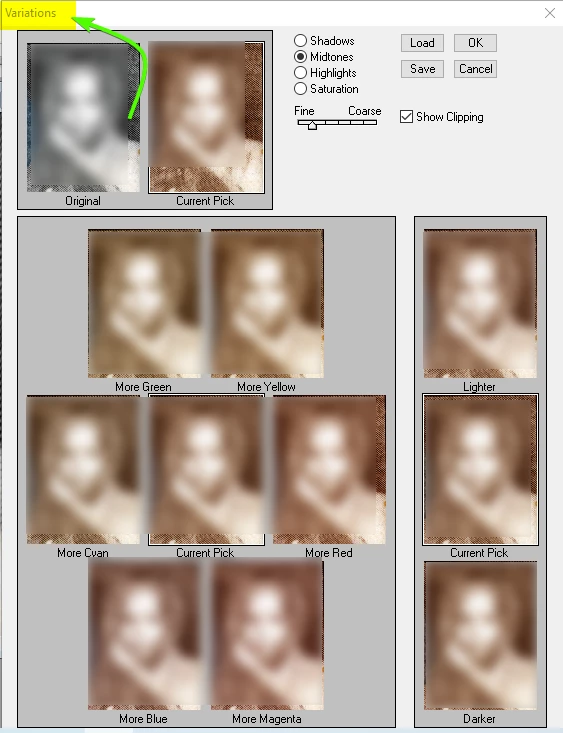
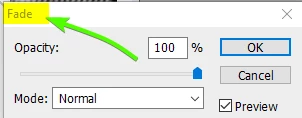
Fade & Variations option how to use in photoshop cc ?
This topic has been closed for replies.

2 replies

NB, colourmanagement
Community Expert
Community Expert
February 20, 2023

@nandu nag I'd recommend you give your post a more meaningful title, the volunteers here get pretty busy and have to skim message titles seeking ones they can help with. You can edit the title - why not "Please help with Fade & Variations"


I hope this helps
neil barstow, colourmanagement net - adobe forum volunteer - co-author: 'getting colour right'
google me "neil barstow colourmanagement" for lots of free articles on colour management

Imaginerie
Community Expert
Community Expert
February 18, 2023

Hello!

I need to take a trip down memory lane as Variation no longer exist in current versions 🙂
Basically, it was way of "testing" different variations of colour balance and exposure.
Meaning that you could gradually add some light and some colour by clicking on each relevant square. Instead of dealing with sliders like in the Levels or Hue saturation adjustments, you'd deal with - not very precise - "more magenta" or "lighter/darker". The more you click on a square, the more it adds the selected colour/level to the original image. It's cumulative.
You obviously had to highlight a layer (it's a layer adjustment, you'd find it in layers>variations)

As for "fade" that still exists, it's a way to alter any adjustment or filter IMMEDIATELY after having performed it on a layer.
For example say you want to apply a blur filter on a layer, but then lower the effect by half and apply it only on the darker parts of the layer, you'd select a layer, go to filter>blur and then IMMEDIATELY after, go to layer>fade and set the fade settngs to 50% (half the effect) and "darken" blending mode (applies only in the dark parts).
Same with adjustements like curves, hue/saturation and so on...

Hope it helps!

c.pfaffenbichler
Community Expert
Community Expert
February 18, 2023

Fade can even be applied after pasting pixel content in a Channel, which can be useful for combining Layer Masks. 

jane-e
Community Expert
Community Expert
February 18, 2023

Fade & Variations option how to use in photoshop cc ?

By @nandu nag


There is a thread in Ideas where you can add your comments and upvote bringing back Variations:

https://community.adobe.com/t5/photoshop-ecosystem-ideas/p-want-variations-tool-adjustment-returned/idi-p/12249550


This thread from 2014 (the second version of Photoshop CC) sums up its history:

https://community.adobe.com/t5/photoshop-ecosystem-discussions/cc-equivalent-to-image-gt-adjustments-gt-variations/m-p/6296506


As was said, Fade can be used for many, many things. It just has to be the very next thing you do or it won't be available.


Jane