
Participant
September 22, 2021
Answered

PLEASE help, language won't change for the life of me.

  • September 22, 2021
  • 2 replies
  • 5256 views

I can't figure out how to change my Photoshop from Korean to English. I've tried going to interface and UI language but the only option there is Korean for some reason. I've tried changing my Macbook's language, uninstalling, installing, force quitting, I have no idea why it won't let me. Please help!
Correct answer Ged_Traynor

Hi

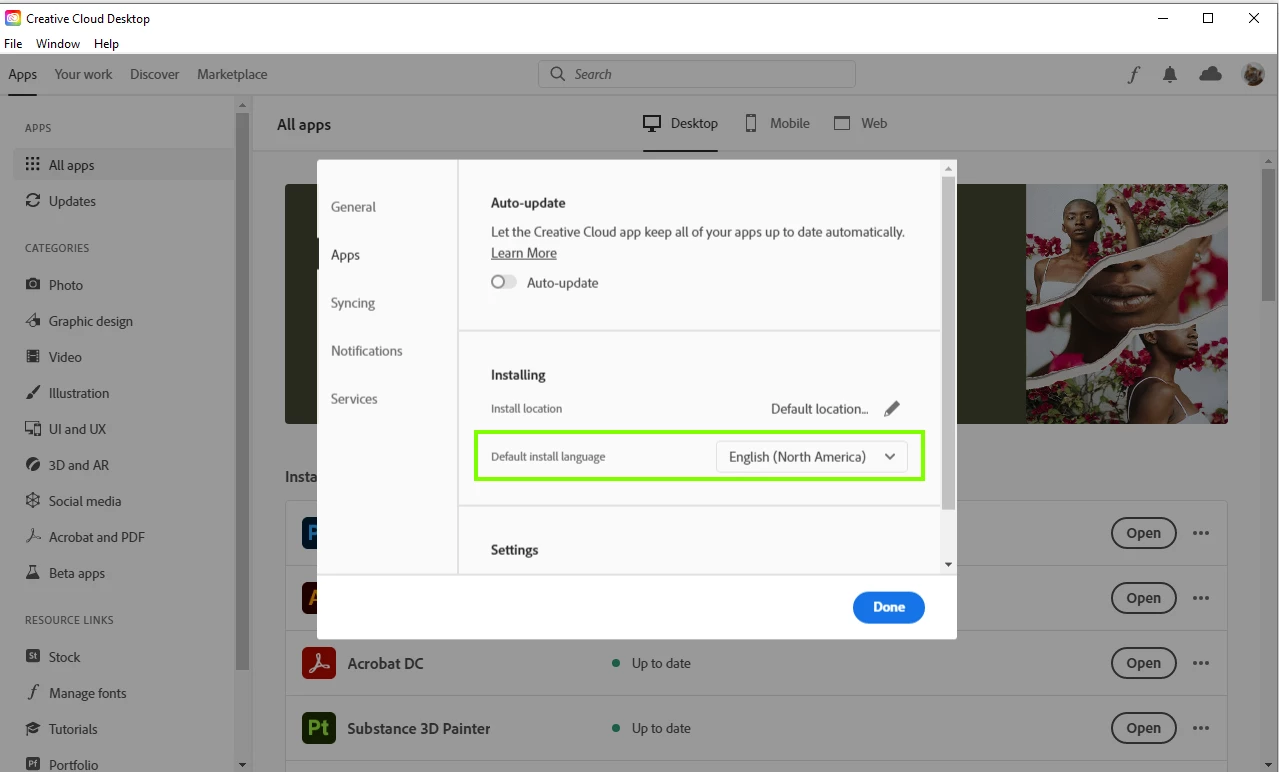
You'll need to uninstall and then before you reinstall go into the Creative Cloud preferences and set you language from there.

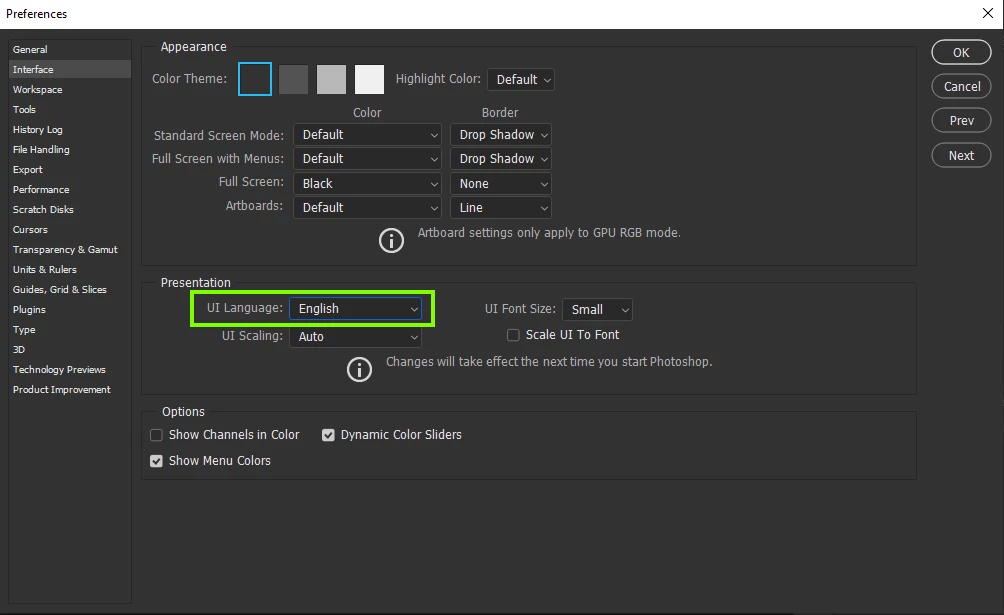
When you launch Photoshop again you should see both languages in the preferences

2 replies

Legend
September 22, 2021
Ged_Traynor
Community Expert
Ged_TraynorCommunity ExpertCorrect answer
Community Expert
September 22, 2021

Hi

You'll need to uninstall and then before you reinstall go into the Creative Cloud preferences and set you language from there.

When you launch Photoshop again you should see both languages in the preferences

jindogartAuthor
Participant
September 22, 2021

YES!!! It worked, thank you so much!

Ged_Traynor
Community Expert
Community Expert
September 22, 2021

You're welcome 🙂