fzmann
Participant
May 29, 2025
Question

Plug ins greyed out in one user account, but OK in others

  • May 29, 2025
  • 3 replies
  • 295 views

Hi everyone,

I just got a new M4 MacMini (latest version of MacOs Sequoia), and because of the small internal SSD, I plugged in a an external SSD with much higher capacity.

The internal SSD has a temporary Admin account (let's call it Account A), and the external drive has my admin user account (call it Account B) and contents from my old Mac, and a new user I setup for testing (Account C).

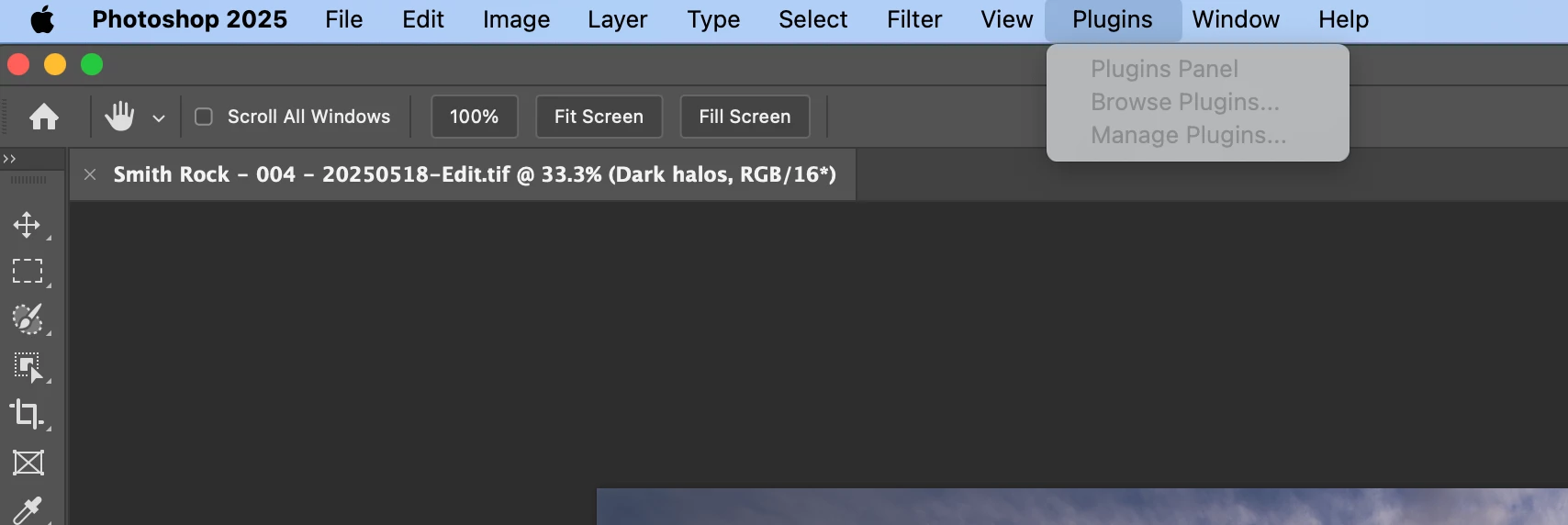
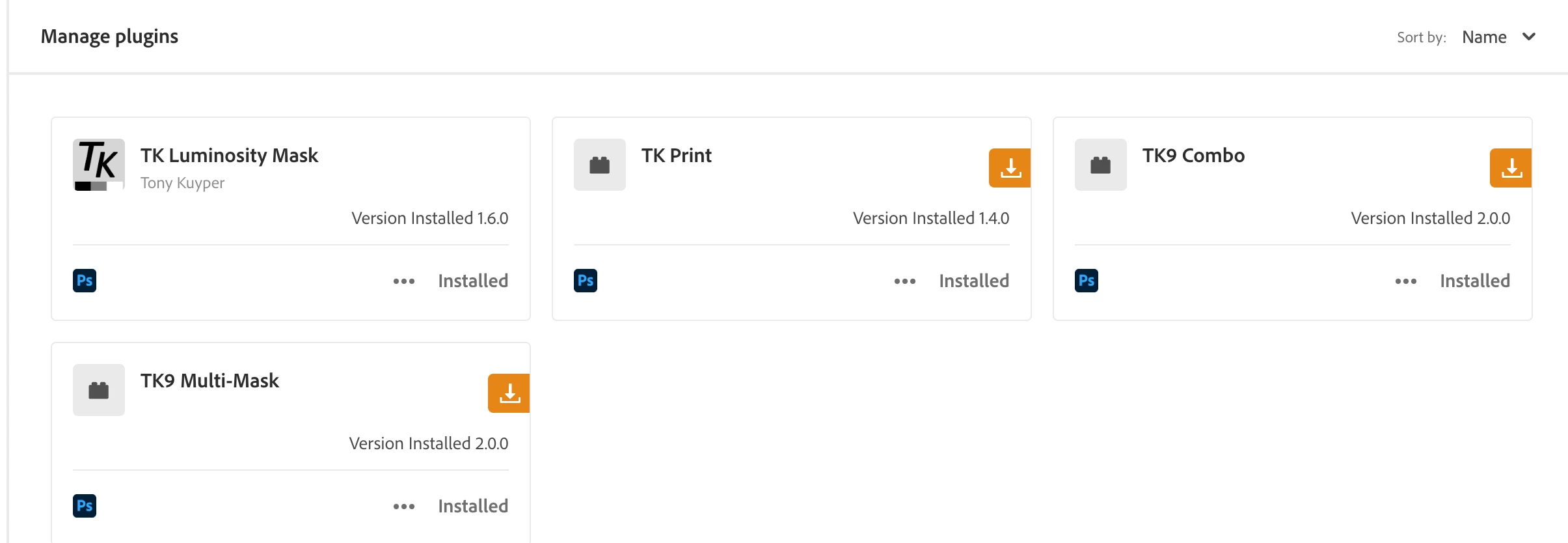
While in each account using my CC account, I can use my purchased plug ins in Accounts A and C, but not in my main Account B. Here are screenshots of PS and CC from my Account B that show purchsed 3rd party plug ins, and how they're not showing up in PS. Again, not a problem in the temporary accounts (A & C) I setup in order to troubleshoot the issue.

TIA.
3 replies

Glenn 8675309
Legend
June 8, 2025

Deactive one of the devices from your Adobe account and giver er a whirl.

fzmann
fzmannAuthor
Participant
June 9, 2025

Hi,

I think this is the right path, but when I deactivate the device on the internal drive, I can't seem to add a new device based from the external drives. When I login from the external home account, the activated device is on the internal drive, so the plug ins menu is grayed out from my external account, but OK from the account on the internal drive (like in my original post).

I will try to install Adobe cloud on the external device, but I'm not sure that will be possible.

Thank you


nikunj.m
Legend
May 30, 2025

Hi, thanks for reaching out! Just to confirm, the testing account (C) you created is on your computer's local storage, right? If that's right, it might be due to an issue with permissions and how the application is accessing system resources while you're working on the user account you have on the external drive. 


Thanks,
Nikunj

fzmann
fzmannAuthor
Participant
May 30, 2025

No, only account A is on the local drive, B & C are on the external drive, so I'm not certain permissions are an issue as Account C has no issues with plug ins whereas Account B (the account that contains the original files before buying the new machine) has the behavior as shown on the screenshots of my original post.


kglad
Community Expert
Community Expert
May 29, 2025

in the future, to find the best place to post your message, use the list here, https://community.adobe.com/

p.s. i don't think the adobe website, and forums in particular, are easy to navigate, so don't spend a lot of time searching that forum list. do your best and we'll move the post (like this one has already been moved) if it helps you get responses.


<"moved from cc desktop">