


Participant
February 6, 2018
Answered

PNG Distortion in Photoshop

  • February 6, 2018
  • 4 replies
  • 3836 views

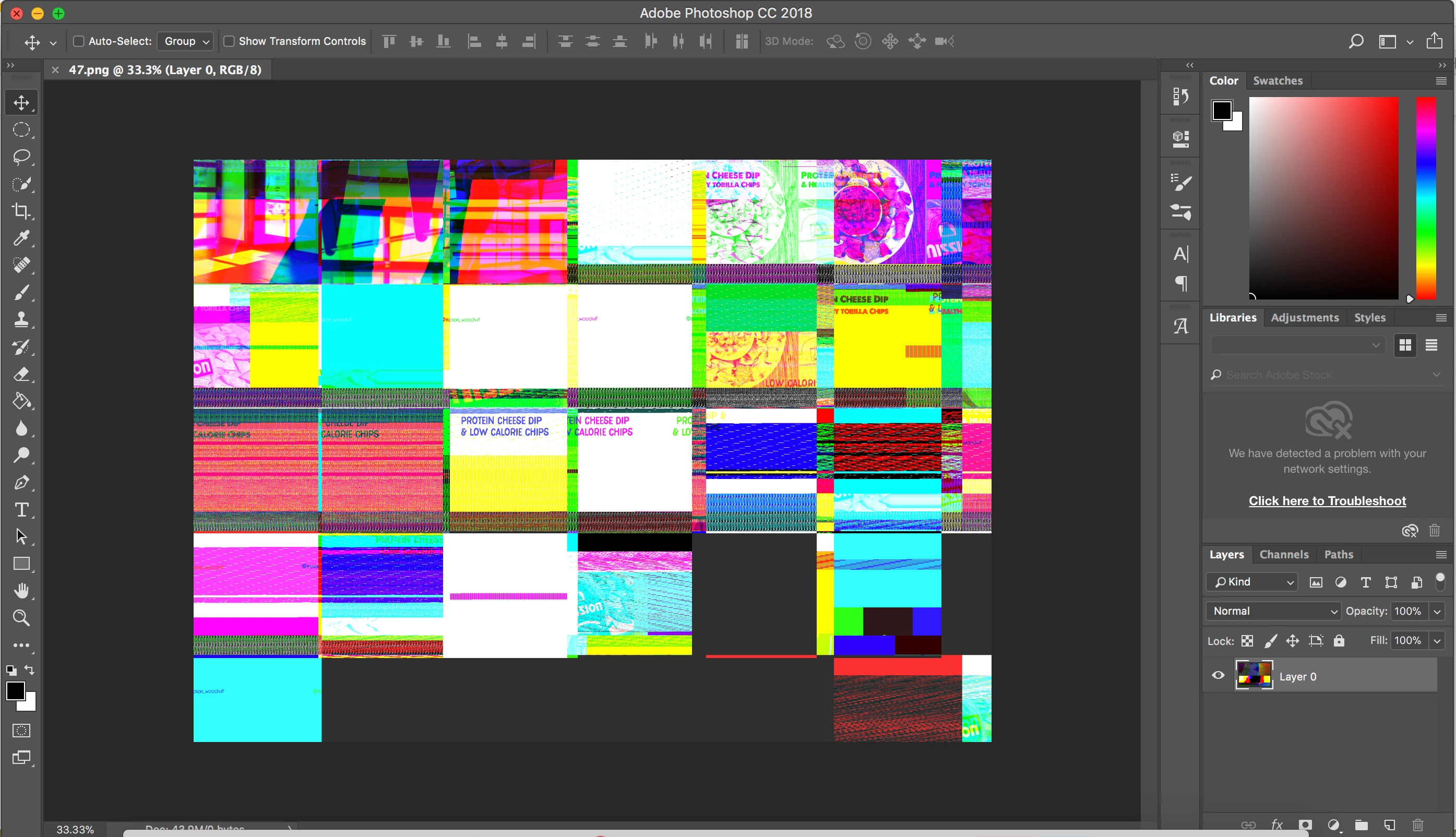
I recently upgraded to Adobe CC, and when I place a PNG file into any Photoshop file, the image is distorted (see below). I read another forum that suggested that the "Use Graphic Processor" option should be unchecked. I did that, but unfortunately, it did not resolve the problem. What is also strange is that the little pieces of photos the are visible in the image are from several different recent projects but have nothing to do with the PNG I'm trying to open. I'm using a mac. Any help with this would be greatly appreciated.

Correct answer Mohit Goyal

Hi All,

This issue should be fixed after the Photoshop 19.1.2 update. You can update your Photoshop via Creative Cloud desktop.

Also, you can refer the list of the fixed issue in Photoshop 19.1.2 update, here: Fixed issues in Adobe Photoshop CC

Regards,

Mohit

4 replies

Participant
June 12, 2025

I face the same problem, in my case I solve it by disabling my 2nd attached graphic card.

Mohit Goyal
Community Manager
Mohit GoyalCommunity ManagerCorrect answer
Community Manager
March 14, 2018

Hi All,

This issue should be fixed after the Photoshop 19.1.2 update. You can update your Photoshop via Creative Cloud desktop.

Also, you can refer the list of the fixed issue in Photoshop 19.1.2 update, here: Fixed issues in Adobe Photoshop CC

Regards,

Mohit

evanjed
Participating Frequently
October 11, 2018

I actually really enjoyed using this glitch to make some interesting digitally distorted versions of my art. I'd really like to do more, but even when I switched to the 19.1.1 update, the glitch doesn't happen anymore. Any suggestions on how I can make this glitch happen again?

zaxgarner
Participant
February 7, 2018

Hi, I had the exact same issue!

This seemed to work as it appears to be an extensions issue:

Preferences / Plug-Ins / UNCHECK BOTH Boxes: 1.Allow extensions to connect... & 2.Load Extension Panel

Then restart the program

JJMack
Community Expert
Community Expert
February 7, 2018

That is interesting but I do not know why Place or Png support  would be an extension. Perhaps you using a cloud library png resource which needed to be downloaded to your local machine. On my windows machine they are both checked and I have no problems.

JJMack
zaxgarner
Participant
February 7, 2018

mine were fine as well and checked... the issue appeared after the 2018 CC update

FYI I'm on a late 2015 27" iMac R5k 3.2Ghz 8GB

JJMack
Community Expert
Community Expert
February 6, 2018

Check with Apple to seen if the have a newer Display driver for your hardware.  The problem looks like it could be a device driver problem.

JJMack
Participant
February 7, 2018

Thank you for the suggestion, although, I just bought this computer two weeks ago. I would have hard time believing that I need to update the hardware already.

JJMack
Community Expert
Community Expert
February 7, 2018

The first thing I do when a buy a new electronic device is to update them they never seem to be up the date.  Firmware and software is at the level of the device first manufactured level. Computers, mobile devices, HDTV , routers ,games, etc need to be updated out of the box.....

JJMack