
Participant
January 25, 2018
Answered

PNG not displaying properly.

  • January 25, 2018
  • 4 replies
  • 4569 views

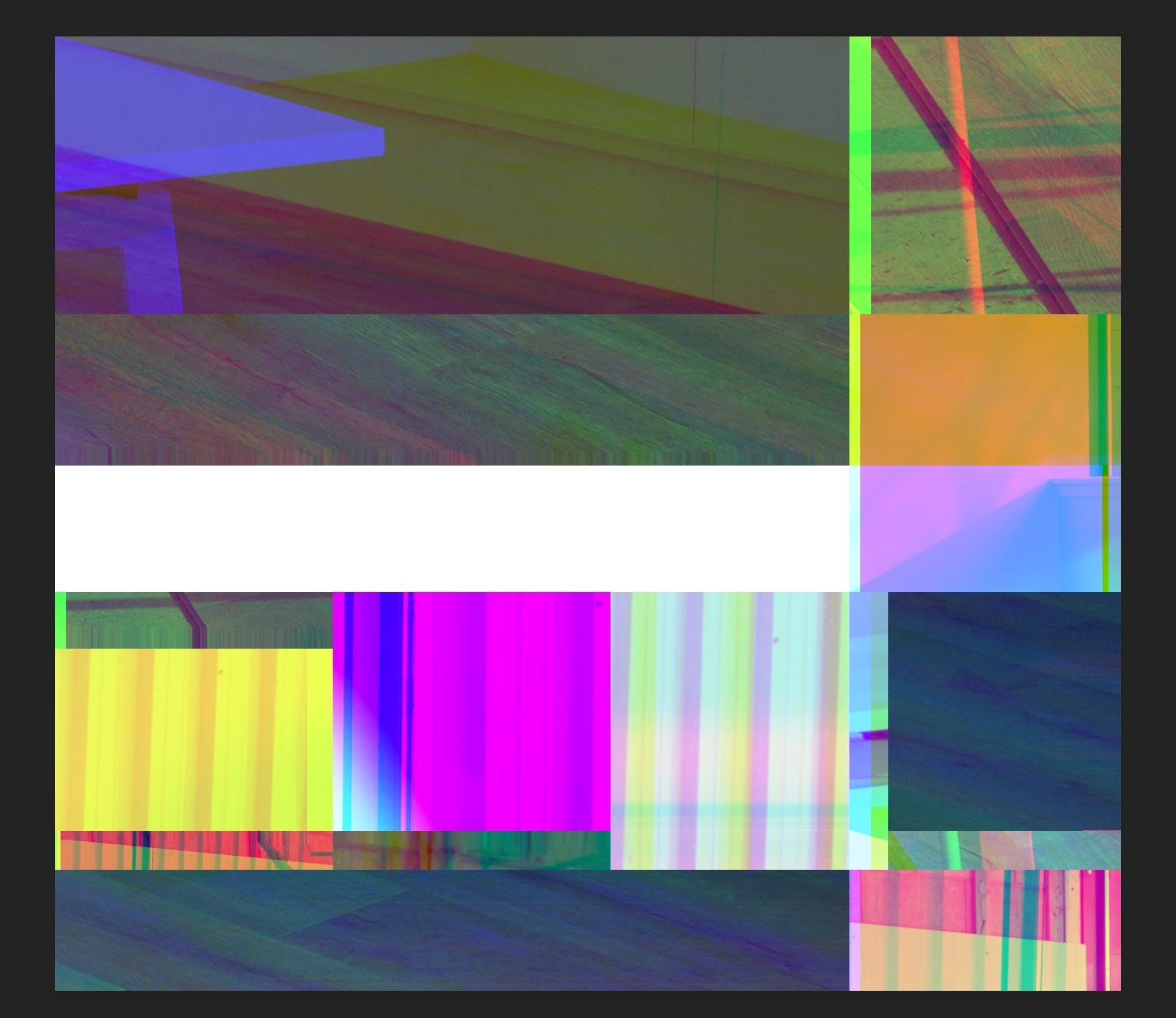
After installing yesterday to the latest Photoshop update I am having trouble with PNGs displaying properly. They display fine in other applications but not Photoshop. It is almost like a cache issue because the files display as a mosiac with bits of other files in them. Has anyone else experienced this? I am on a Mac running the latest High Siera and latest version of Photoshop. Specs are below:

4GH Core i7 imac

32 GB Ram

Graphics AMD Radeon R9 M295X 4GB
    This topic has been closed for replies.
    Correct answer Mohit Goyal

    Hi All,

    This problem should be fixed after the Photoshop 19.1.2 update. You can install this update via Creative Cloud desktop app.

    Also, you can refer the list of the fixed issues after the Photoshop 19.1.2 update, here: Fixed issues in Adobe Photoshop CC

    Regards,

    Mohit

    4 replies

    28112676ddp6
    Participant
    January 20, 2024
    Participant
    February 13, 2018

    They seem to have figured out a fix for now: Photoshop CC 19.1: PNG Images Opens with Distortion | Photoshop Family Customer Community

    1. Go to Preferences > Plug-Ins > Filters & Extension Panels and then uncheck the boxes in the screenshot below

    2. Restart Photoshop and open your png again.

    creativen61565172
    Participating Frequently
    February 13, 2018

    It initially seemed to fix the problem, but now I've encountered again.

    Mohit Goyal
    Community Manager
    Mohit GoyalCommunity ManagerCorrect answer
    Community Manager
    March 14, 2018

    Hi All,

    This problem should be fixed after the Photoshop 19.1.2 update. You can install this update via Creative Cloud desktop app.

    Also, you can refer the list of the fixed issues after the Photoshop 19.1.2 update, here: Fixed issues in Adobe Photoshop CC

    Regards,

    Mohit

    creativen61565172
    Participating Frequently
    February 9, 2018

    Having the same problem. Workaround is open in preview, save out as tiff file. Then open that in Photoshop.

    Participant
    February 13, 2018

    Yes that does work but why do I even have to do this? I tried saving the png to a TIFF from photoshop but it saved just as the PNG displayed, messed up. I thought that my original post was a fluke since I haven't experienced this again until yesterday. Seems like the same situation, working all day on many large multilayered files and then have to open a PNG which it displayed as a mosaic. I think next time I will try a restart and see if that helps.

    c.pfaffenbichler
    Community Expert
    Community Expert
    February 13, 2018

    Have you updated to 19.1.1 yet?

    Participant
    January 26, 2018

    Following the update, I am having the exact same issue.

    Participant
    January 26, 2018

    What I am noticing is that when I first open Photoshop they will open OK.  However once I start working on other files and then try to open a PNG new they display as the mosaic.