


Participant
July 14, 2025
Answered

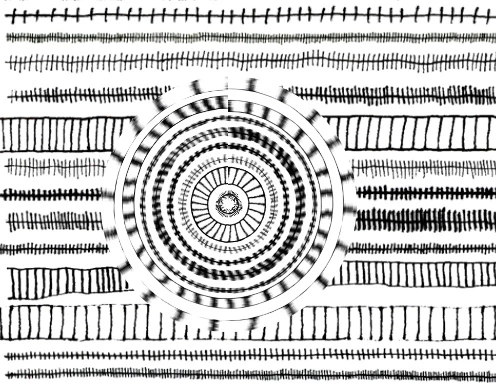
polar coordinates not giving me this effect with circular selection. How did I get it?!
  • July 14, 2025
  • 1 reply
  • 193 views

I like this effect but I can't get it now. The filter was applied to a circular selection. Now when I try all I get is a blank space. I tried it again in the original file and it worked fine, but won't in my new file. Many thanks for your help!

Correct answer Chuck Uebele

If the file flattened so that you're applying the filter to the entire image? Or are you sure that you have the correct layer selected?  Can you post a screen shot of the layers? What exactly are you trying to accomplish: appy tje filter to the circular part or the entire image?

1 reply

Chuck Uebele
Community Expert
Chuck UebeleCommunity ExpertCorrect answer
Community Expert
July 14, 2025

If the file flattened so that you're applying the filter to the entire image? Or are you sure that you have the correct layer selected?  Can you post a screen shot of the layers? What exactly are you trying to accomplish: appy tje filter to the circular part or the entire image?

Participant
July 14, 2025

Thanks Chuck, I've just tried it with a flattened layer and it worked fine. I was trying to apply it as a smart filter to a smart object, I believe, consisting of about 100 layers of the vertical lines you can see. The effect I wanted was for the polar coordinates filter to effect the horizontal lines, but for some reason it didn't work. it works fine in a rasterized normal layer, so thats OK...

Participant
July 14, 2025

to the circular selection