


Polygonal Lasso Tool Closing Automatically: Solution
Hello Everyone..!
Problem: Polygonal Lasso Tool Automatically Connects After A Glitch
I've finally found the solutoion, I'm using Adobe Photoshop 7.0 right now, I think this is applicable in later versions too.
You're going to use Pen Tool instead of Polygonal Lasso Tool.
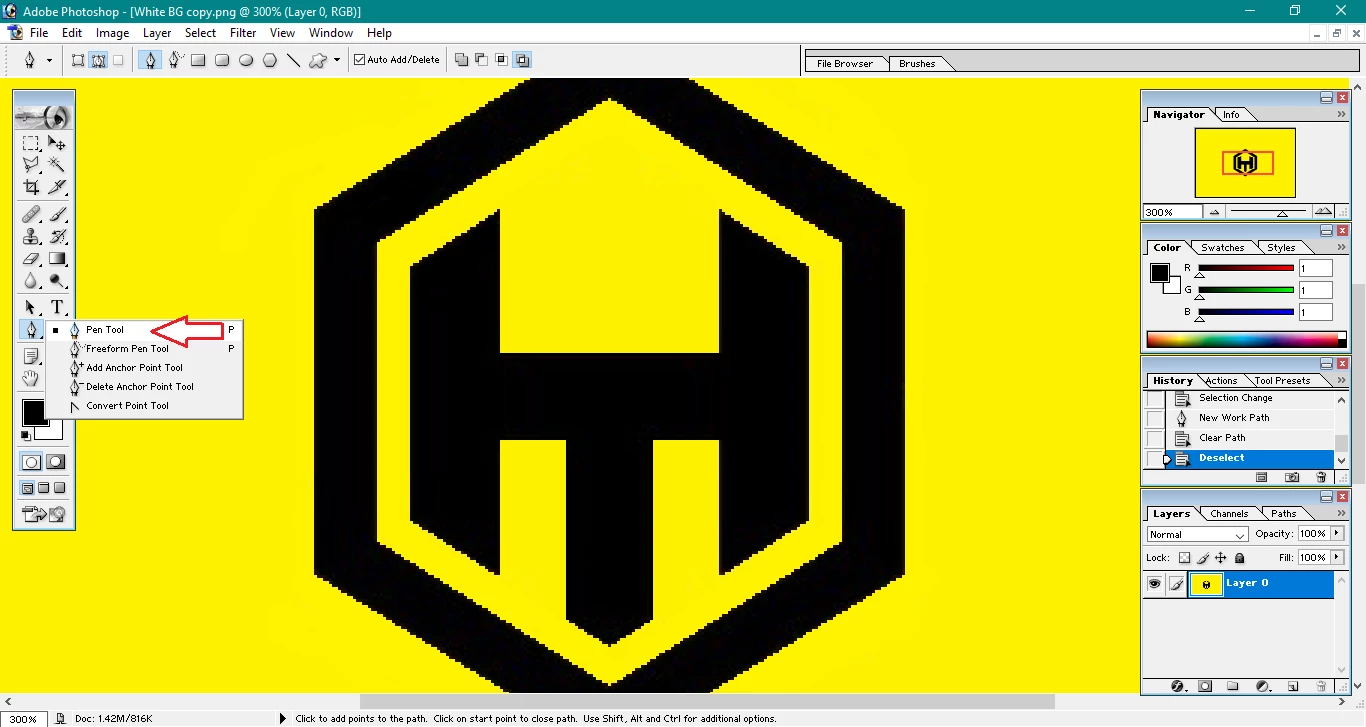
Step 1: Select the pen tool "Default One"
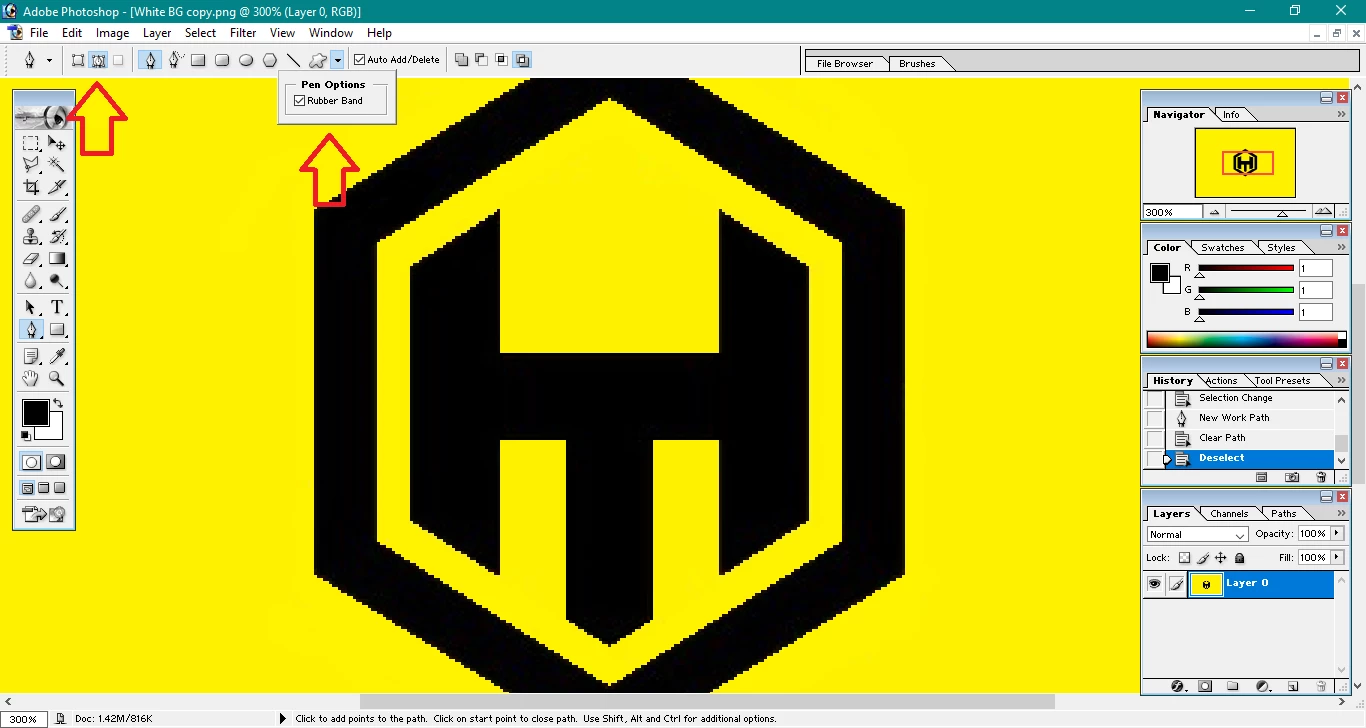
Step 2: Change setting from "Shape Layers" to "Paths" and in "Geometry Options" tick "Rubber Band".
These are the only settings you need to change.
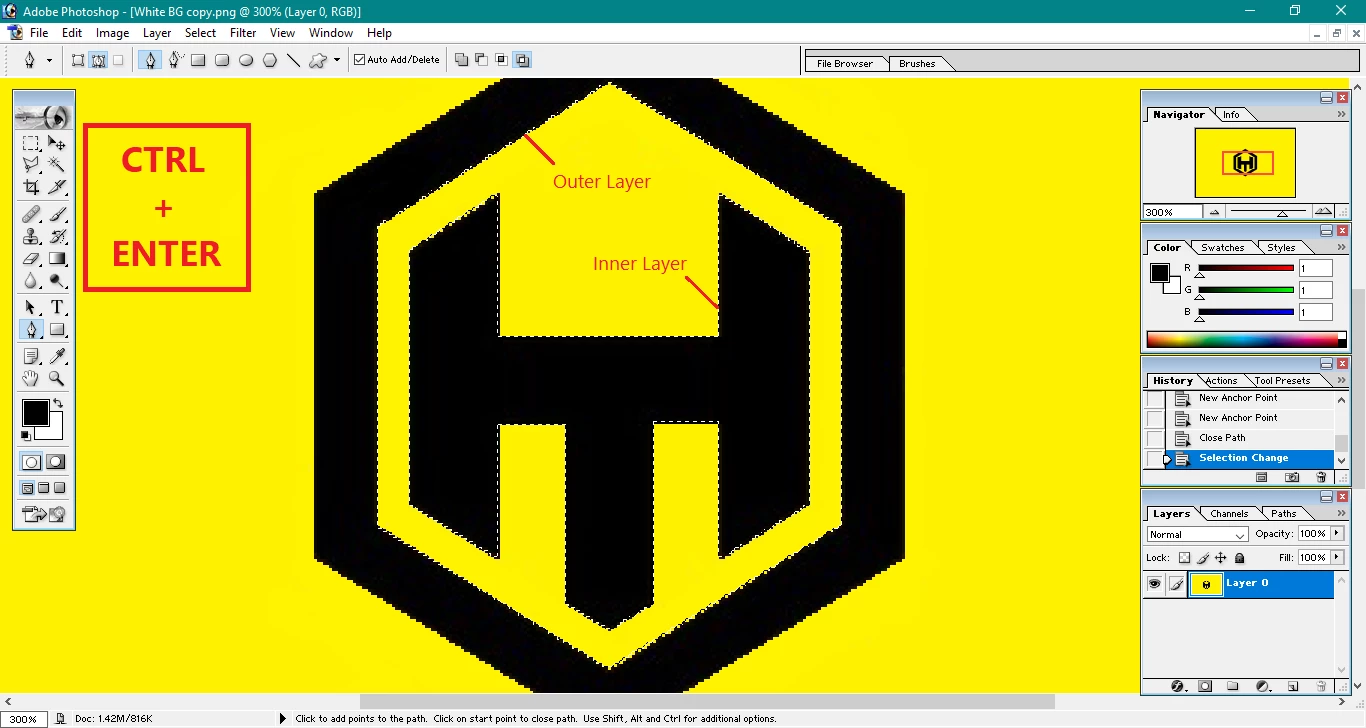
Step 3: Now go on and select the shape you want to remove, if you want to select some inner portion of an image, you can select two paths/layers.
Step 4: Now Press "CTRL + ENTER". Portion to be removed will be selected.
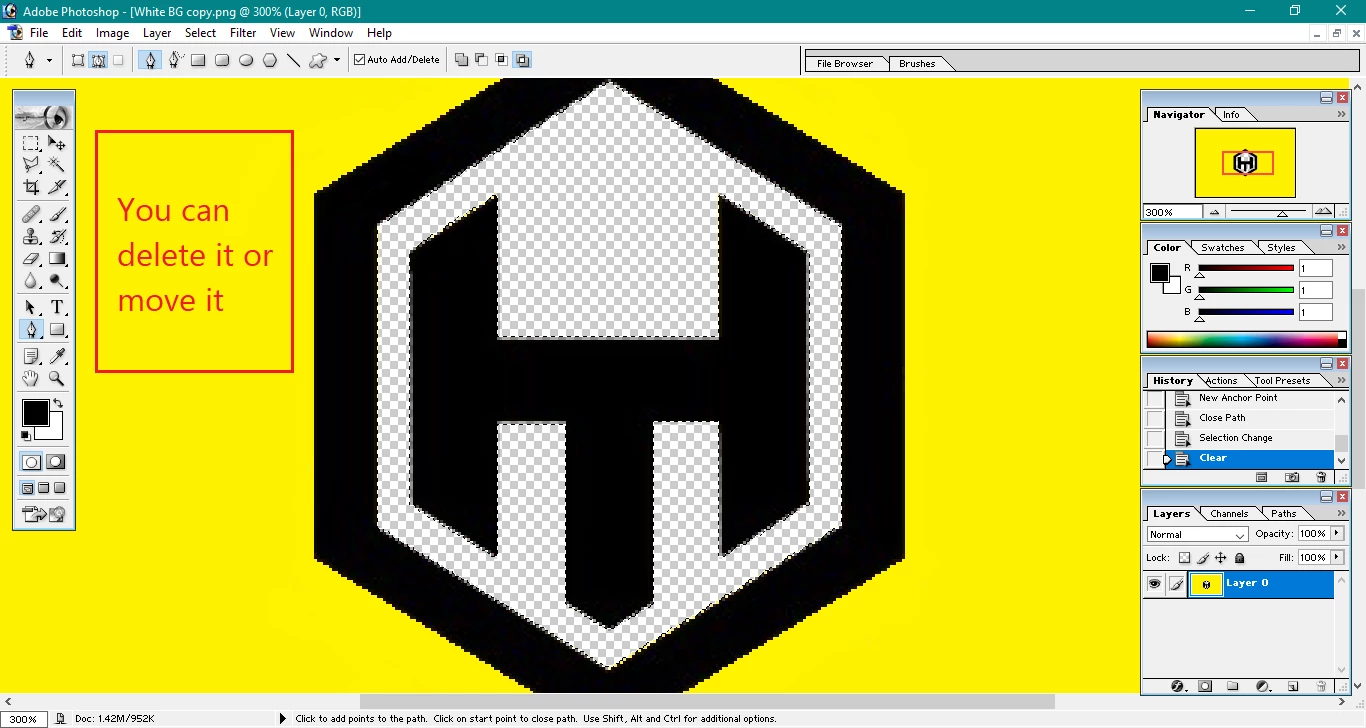
Step 5: Simply hit "Delete Button" and there you go you selection is now gone.
Using Pen Tool is easier than Polygonal Lasso Tool (in my opinion).
This is Salsabeel
Thank You
 AdChoices