
Participant
September 19, 2023
Question

Portraiture 4 PS 2023 not working with any updates

  • September 19, 2023
  • 4 replies
  • 6572 views

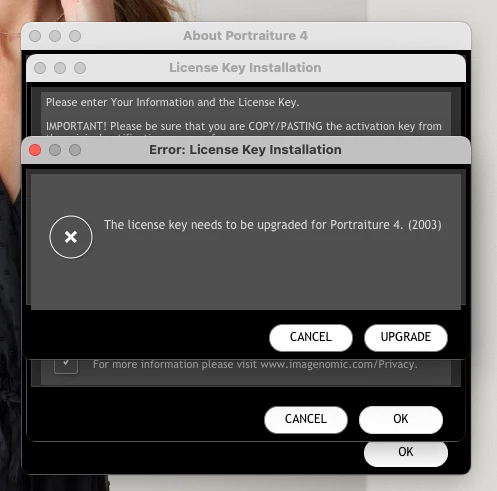
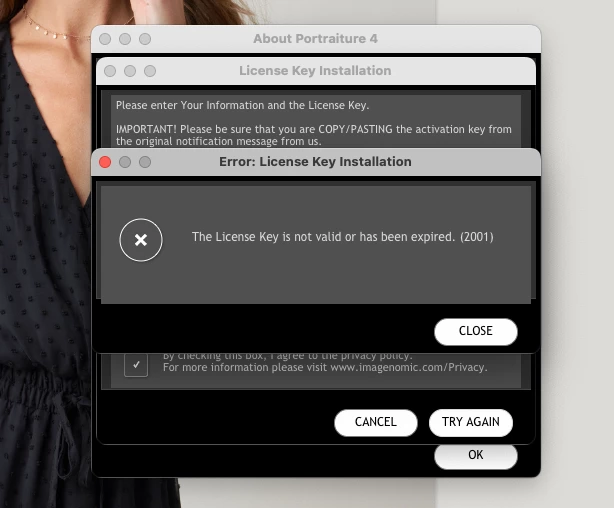
Hi, I have the paid licensing key for Imagenomic, Portraiture 4. This past Friday my PS kept crashing at random- i have more than enough storage, I went between updating my PS version to installing a bit of a later version, I decided on v 24.7.1 since my coworkers have it and is working great for them. After uninstalling and settling on said version, my Portraiture 4 will no longer work- any time I go in to enter the licensing key it randomly will say its either expired or needs an update despite downloading the latest updated Portraiture 4 plug in directly for Imagenomic, I've also noticed that both my History Brush and Eraser are super slow and lag, I literally watch my screen/history tabs slowly update after using the tool on the areas. Imagenomic hasn't responded to my email so my coworkers and I are at a loss, the key  isn't shared,  I have ample space on the laptop and have uninstalled/installed both action and PS multiple times now. Does anyone have any suggestions? TIA!
4 replies

Legend
March 15, 2025

Need to include OS you are using. There are several post regarding the futility of running PS on a Windows laptop computer. I am not sure of a Mac laptop. My guess is you are overwhelming the system and causing the shutdown. 

Participant
March 15, 2025

Portraiture 4 PS 2023 not working with any updates

jane-e
Community Expert
Community Expert
March 15, 2025

@wubetu_1607 


What did Imagenomic say when you told them that Portraiture 4 does not work with the older version of Photoshop 2023?

The current version of Photoshop is 2025 (26.4.2)

https://imagenomic.com/Support


Jane


Trevor.Dennis
Community Expert
Community Expert
September 19, 2023

Kim I am not familiar with the Mac file structure, but if you look at your program folders with Finder, I expect you'll see something left from the previous Photoshop version.  Search that for a file that looks like the Portraiture license key, and copy it to the same folder in the current Photoshop version.  Or you might be able to create a shortcut to that file, that you can move to the current version.


Note: this is a guess.  I am not familiar with that plugin. 

Participant
September 19, 2023

I have, that was my initial reaction to drag and drop, figured I may need to request an automated download link from Imagenomic when that didn't work either, I'm thinking it's a bug in their newest plug in since it states it needs an upgrade but then their website says any updates needed will allow your key to rollover. 

jane-e
Community Expert
Community Expert
September 19, 2023
quote

I'm thinking it's a bug in their newest plug in since it states it needs an upgrade

By @Kim264129402k43


If it's a bug in their plug-in, Kim, then we can't help you on the Adobe forums. You'll have to keep trying to contact Imagenomic.


One thing you can do is to download an earlier version of Photoshop that worked for you until you hear from them. The whole number releases (23.x, 24.x. 25.x) can be installed without removing the others. The dot releases (25.1, 25.2, 25.3) override the previous.


Jane


jane-e
Community Expert
Community Expert
September 19, 2023

@Kim264129402k43 


What did Imagenomic say when you told them Portraiture said it was expired or needed an update?

https://imagenomic.com/Support


Jane

Participant
September 19, 2023

They haven't responded, my coworker who manages our licensing keys mentioned it may take a while and read on here that theyre not the most responsive. Hopefully i hear something soon and will share in case someone runs into similar trouble on here.