
Possible Bug in the latgest Photshop update
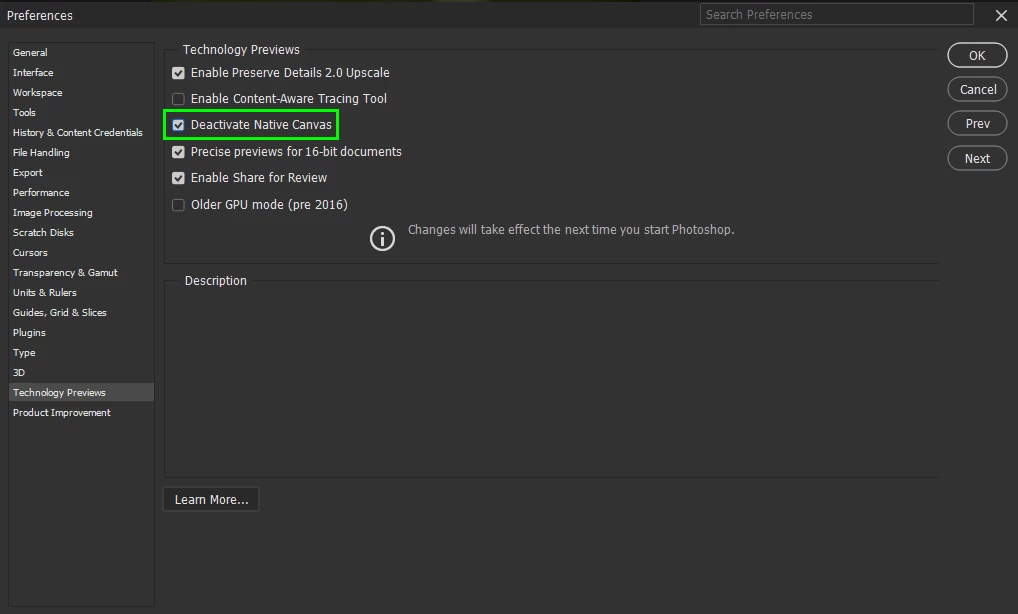
I am unable to edit JPEG-Files in Photoshop the file will not open up all I get is a flashing White screen.
I can go through bridge and open the JPEG up by selecting "Edit as RAW File." in Photoshop
I have uninstalled Photoshop and re-installed and end up with a flashing white screen. I can open up RAW-Files and edit them. I have the Std Creative Cloud 20-GB Subscription and I am able to download all files to the other Apps but I can't do iny Editing in Photoshop from Lightroom Classic.
I have managed to sent an e-Mail to [Moderator deleted private information. Please do not post private information like e-mails and phone numbers]
As yet I have received any confirmation of receipt and I am still awaiting for a reply from the tech dept...
It there are any members that are experiencing the same problem I would like to hear from you. I am using Windows-10 on my PC. I'm wondering if the my latest Ps version has been corrupted in some way



 AdChoices