
Participant
February 6, 2025
Answered

Pourquoi la couleur de mon fichier n'est pas la même entre Photoshop 2024 et 2025 ?

  • February 6, 2025
  • 2 replies
  • 403 views

Bonjour à tous,

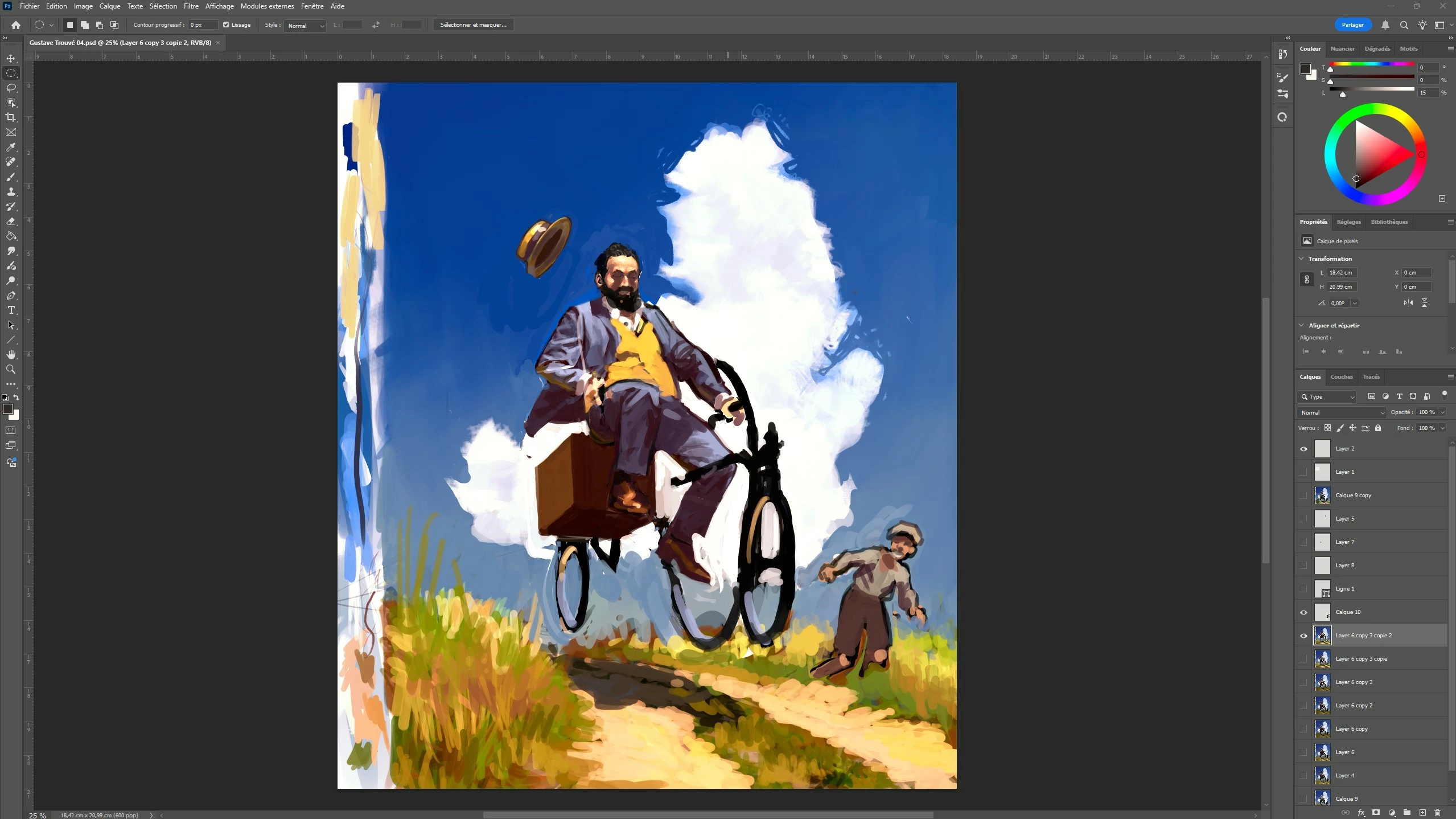
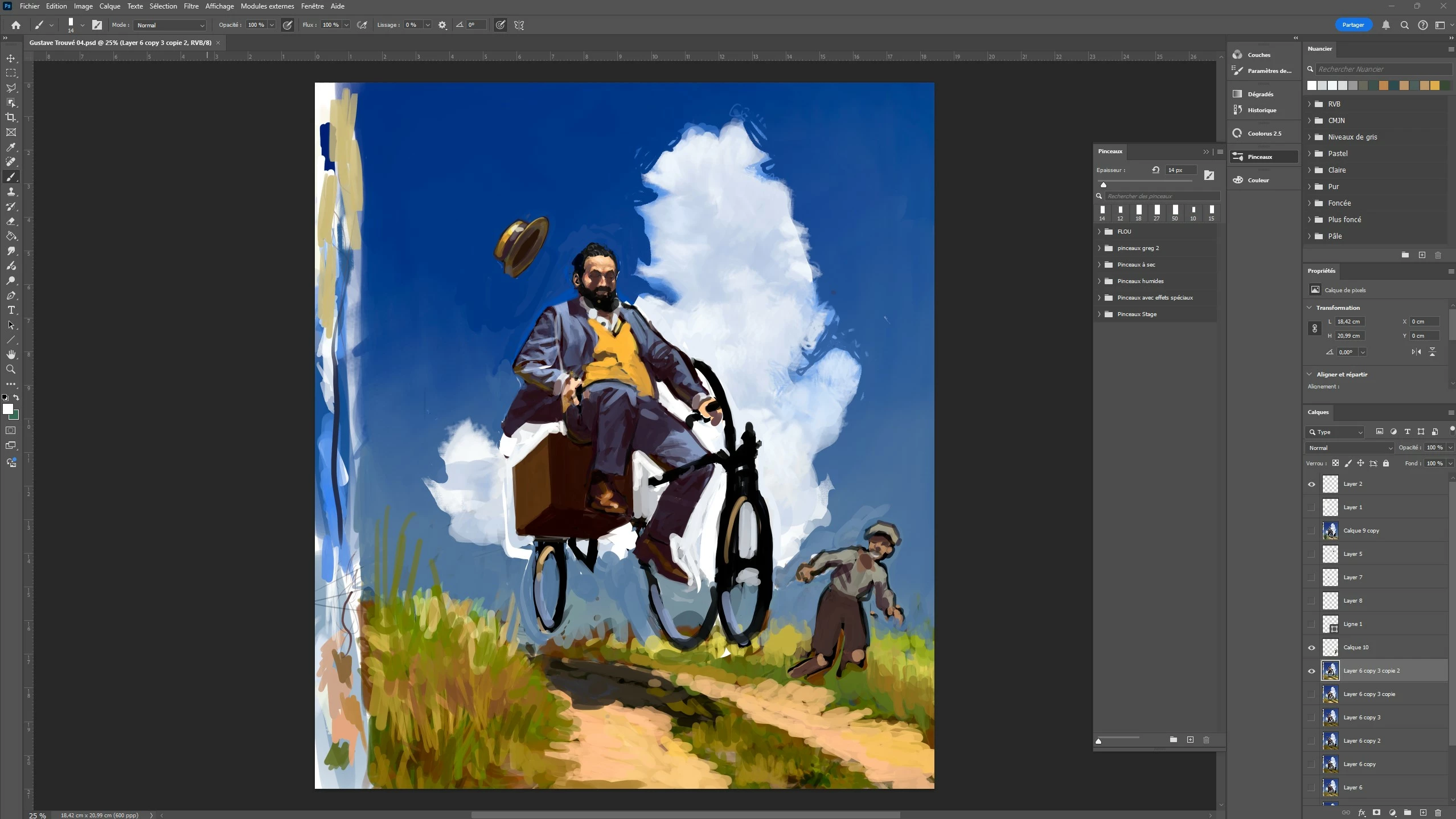
Est ce que quelqu'un pourrait m'aider s'il vous plait ? Mon ordinateur fonctionne sous Windows 11, j'ai une nvidia gerforce RTX et je travaille sur une Cintiq 27 QHD. Il y a quelques jours, je  suis passé de Photoshop 2024 à 2025 et le fichier sur lequel je travaille actuellement a litteralement changé de couleurs. Je cherche depuis quelques jours mais je ne trouve pas d'ou vient le problème. Je précise que j'ai deja desinstallé et réinstallé Photoshop 2025 et ça n'a rien changé. comme une image est plus parlante que des mots, voici les deux versions de mon travail le premier de haut en bas est sur Photoshop 2025 et le second est sur Photoshop 2024. On voit bien que les couleurs de Photoshop 2025 sont plus saturées et tirent vers le rouge, mais pourquoi ? Si quelqu'un a une solution je lui en serai tres reconnaissant. D'avance merci.
Correct answer Sameer K

Hey, @patrickl97248616. Welcome to the Photoshop Community. Please share the system info from Photoshop Help > System info > Copy and paste into a text document > upload and attach here.


Does this happen when you use any image? 

Here is a recent conversation that may help you figure this out: https://adobe.ly/4gxrszw


Let me know if it helps. Thanks!
Sameer K

(Type '@' and type my name to mention me when you reply)

2 replies

D Fosse
Community Expert
Community Expert
February 6, 2025

What's the embedded color profile in this file?

Participant
February 7, 2025

Hi @D Fosse,

Thanks for your response, Sameer K gave me a link that solved my colorimetry problem. This link suggested that I first disable HDR on my monitor, which I did, and this restored the colorimetry of the 2025 version of Photoshop. That's very reassuring. The question now is why does the 2024 version of the software work so well with HDR and the 2025 version does not? It's a real paradox, it seems to me, since the 2025 version is newer.

In the meantime, thanks again for your help.
Have a nice day.
Best regards.

Patrick

Sameer K
Community Manager
Sameer KCommunity ManagerCorrect answer
Community Manager
February 6, 2025

Hey, @patrickl97248616. Welcome to the Photoshop Community. Please share the system info from Photoshop Help > System info > Copy and paste into a text document > upload and attach here.


Does this happen when you use any image? 

Here is a recent conversation that may help you figure this out: https://adobe.ly/4gxrszw


Let me know if it helps. Thanks!
Sameer K

(Type '@' and type my name to mention me when you reply)

Participant
February 7, 2025

Hi @Sameer K, thank you for the link you gave me. It was very useful as it helped me understand that the problem was due to the HDR function being enabled on my monitor. From the moment I disabled it, the colors returned to normal. It would be interesting to know why the 2024 version of Photoshop is not affected by the monitor's HDR and why the 2025 version doesn't support it. Since it's newer than the previous one, it seems like a strange paradox to me.

In the meantime, thank you again and have a good day.
Best regards.