
Known Participant
December 30, 2020
Question

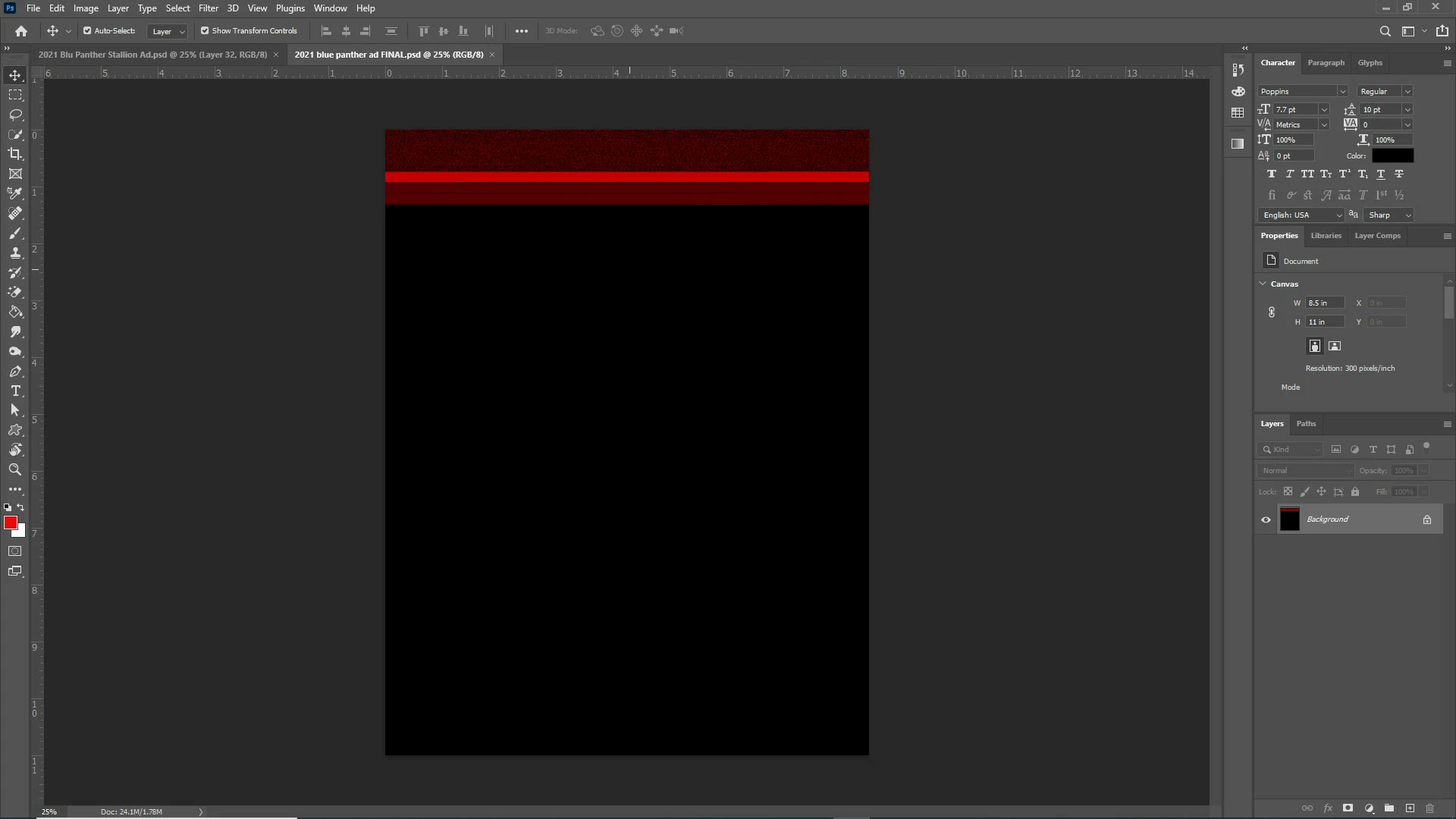
Power went out and this is what I get on "auto save"

  • December 30, 2020
  • 5 replies
  • 3028 views

This is completely unacceptable. The issues with the Adobe Programs (specifically Photoshop) has cost me days of work and has put me behind on other projects. I was working on this file today, the power went out, and instead of saving the layered file like it should, it saved it like this in a corrupted flattened file (see screenshot). This project is due today and now I'm going to have to go in and completely recreate this ad. I'm about to throw my hands up with this disaster of a program. I am beyond pissed... calling Adobe to ask for my money back until they get this crap fixed. Anyone have any ideas on how to recover my file?
 

This topic has been closed for replies.

5 replies

Participant
November 16, 2024

Same thing just happened to me, years later. Not only had I just saved prior to the power outage (a few minutes prior so the save process was completed), it wrote over that save file with compressed static just like the OP. It also removed all "previous versions" in the file manager. 

I don't rely on "restored" files to save me after an outage, but I do want my own manual saves to.. you know.. be saved.

Amjad Habash
Participant
October 17, 2023

I have the same problem
If you can solve your problem help me, please

Amjad Habash
Participant
October 17, 2023

I have the same problem
If I can solve your problem help me, please

josephlavine
Community Expert
Community Expert
January 2, 2021

I am sorry you ran into this issue. The Auto Save feature does not save over the original file but instead creates a new file with Recovered added to the name. Do you by chance have another file saved with this added?

As others have mentioned, a battery backup adds peace of mind.

Warmly/j

Known Participant
January 3, 2021

josephlavine: I manually saved/uploaded the file to my OneDrive online account. So I'm not sure why the file was corrupted when the power went out. I did have the PSD file still open in my Photoshop after I manually saved it (just 5 minutes before) when the power went out. When I reopened my Photoshop, the "recovered" file was there but it was flattened and it had the black and white "fuzz" on a black background with a big red band at the top. The document was not flattened prior to the power going out. I then went to my OneDrive and tried to open the original previously saved file, but when I opened it, it was also flattened and had the black BG with the red band at the top. I have no idea how this could have happened.

But on another note...I just ordered an APC battery backup so this won't happen again 🙂

December 30, 2020

Hi

You could try this https://www.psd.repair/#/

Do you not keep backup copies of your important files for situations like this, I have never trusted Photoshop auto recovery and never had the need for it thankfully, I backup all my important files and then I backup the backup.

You could also try opening the PSD in GIMP sometimes that can open corrupted PSD's

Known Participant
December 30, 2020

Thanks for your reply. Yes, I backed it up and saved right before the power went out. Was still putting some finishing touches on it when this happened. I always manually save my work because of issues with the new versions of Photoshop. But apparently, even this doesn't work.

D Fosse
Community Expert
Community Expert
December 30, 2020

This is why I have a UPS (uninterrupted power supply). It keeps the whole system running for about 40 minutes in a power outage. At $150-180 it's an essential investment:


https://www.bhphotovideo.com/c/product/1322673-REG/apc_back_ups_pro_bx1350m.html