


Known Participant
Apr 13, 2023 10:48 PM UTC
Answered

Prevent AI Watermark removal

Hi team, (please see Image) I need to color fill the GRAY scale dots using some color samples from the girls face on top. I know I can do this manually using eyedropper & brush tool, but is there a way to achieve this without doing it manually or more efficiently? using color sampler tool maybe? Thanks
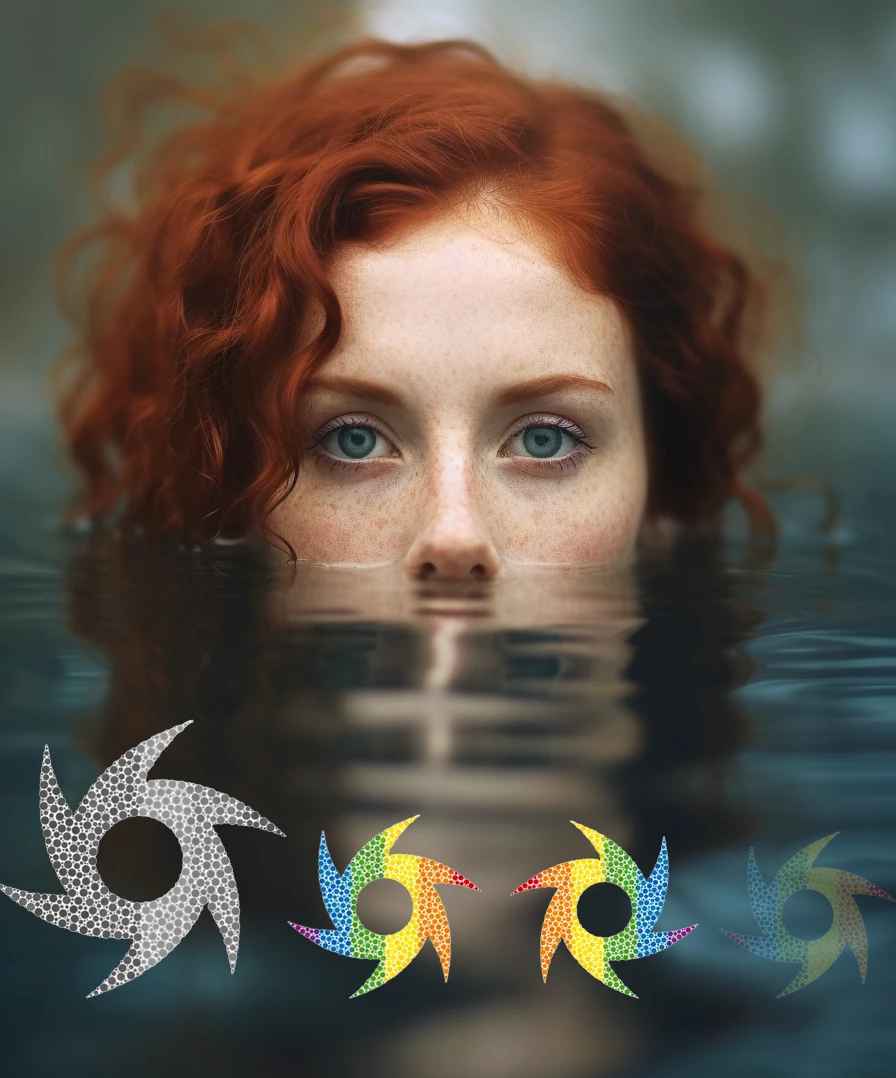

This topic is closed to new replies. Start a new post to keep the conversation going.
Semaphoric
SemaphoricCorrect answer
Community Expert
Apr 14, 2023 2:35 AM UTC

Maybe the Clone Stamp tool in Color mode. Could tweak it in the Brush Settings panel if desired.

7 replies

Semaphoric
Community Expert
SemaphoricCommunity ExpertCorrect answer
Community Expert
Apr 14, 2023 2:35 AM UTC

Maybe the Clone Stamp tool in Color mode. Could tweak it in the Brush Settings panel if desired.

Translate
Nal5C2AAuthor
Known Participant
Apr 14, 2023 5:15 AM UTC

Clone Stamp tool in Color mode Works! I'm trying to create a low opacity color Watermark that is harder to detect and  remove by AI-based watermark removal tools. I know its a long short, hope this works. Thanks again!

Translate
Nal5C2AAuthor
Known Participant
Apr 14, 2023 7:15 AM UTC

Update! Applied the color sampler settings suggested by Semaphoric. Ran the image on a popular web based Ai watermark removal tool (removed by moderator). below are the results.

I think Opacity level between 15%-20% should be ideal. Will run it on couple of more sites to test. 


Translate