


Known Participant
September 12, 2019
Answered

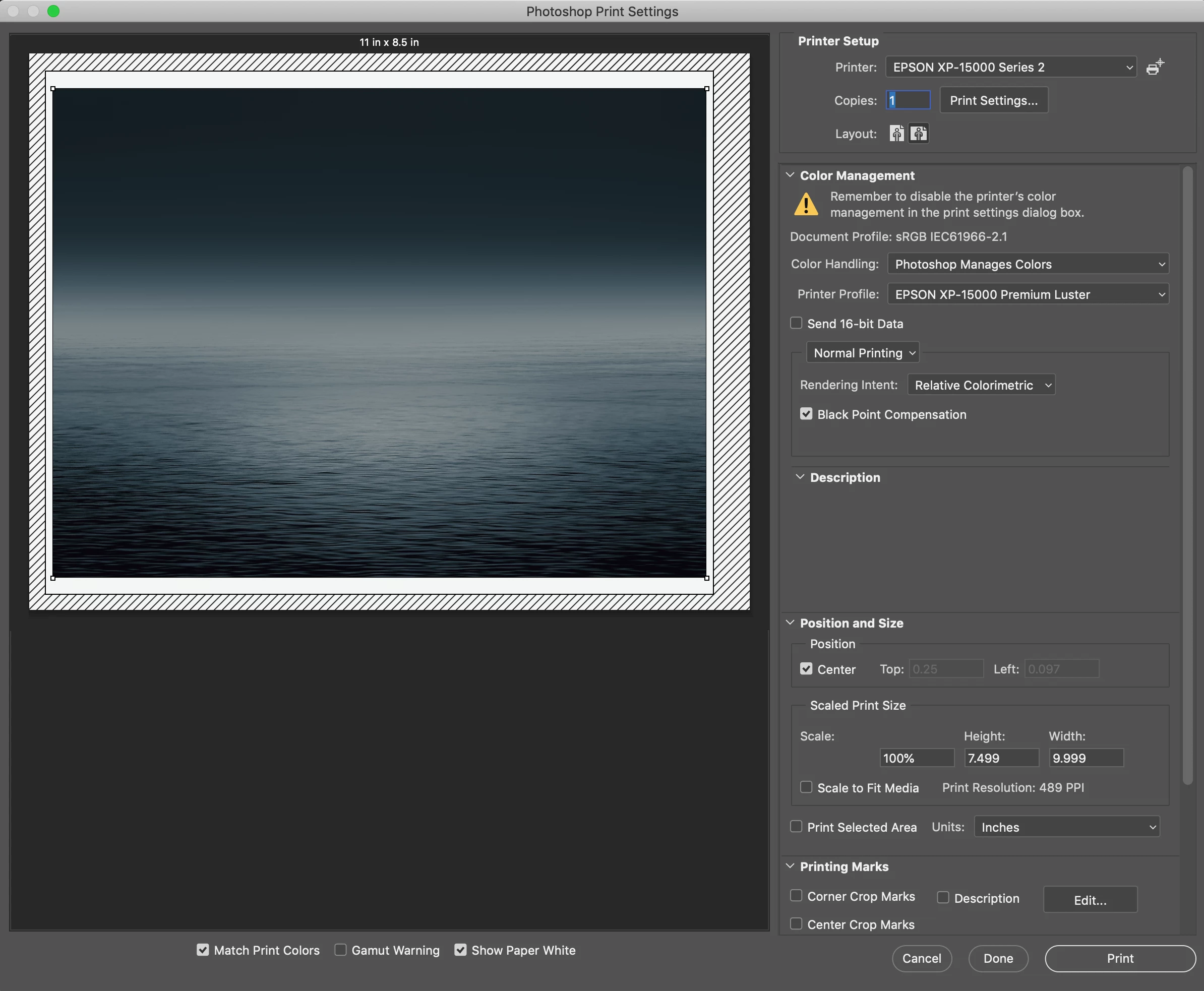
print is off center (even in preview) and can't center

  • September 12, 2019
  • 4 replies
  • 8872 views

Printing from Photoshop had been going fine but now when the print setup window comes up the "canvas" (the white rectangle on the diagonal lined background) is itself off center. And sure enough my prints are, too. What can I do to fix this?

In the screenshot is my attempt to print a 7.5" x 10" image on a 8.5" x 11" paper.
    Correct answer Shannon23134077iv2v

    I finally solved this problem by creating a custom paper size in my printer's settings.  Just choosing 8.5x11 didn't work.  I created a custom 8.5 x 11 with custom borders the same all the way around.  If I select this custom size instead of the installed 8.5x11, I get perfect borders.

    4 replies

    Conrad_C
    Community Expert
    Community Expert
    September 12, 2019

    Although you have selected the Epson printer in the Printer Setup section at the top of the Print dialog box, my guess is that the margins are wrong because you also need to click Print Settings and select the printer and paper size…even if you already looked in there and they already appear to have the correct settings. This is not obvious to anyone, so it isn't your fault.


    In the picture below, the top version has the wrong margins for the Epson printer, and the bottom version has the correct margins. The only difference between the two was that before taking the second screen shot, I clicked Print Settings and selected US Letter in the Paper Size menu, even though it was already selected.


    This has been a long-standing quirk somewhere in the communication between the macOS printing system, the Epson printer driver software, and the Photoshop printing code. But it's taught me to always preview the margins before printing, and if they aren't right, go into the macOS printer driver dialog box (by clicking Print Settings in the Photoshop Print dialog box), and manually re-select the printer and paper size until the margins preview correctly, matching the margins the printer is actually capable of.

    Participant
    May 8, 2025

    I always go into the printer's software, and this problem remains in Preview and in printing both. 

    Community Expert
    September 12, 2019

    As the other Dave mentioned, I would check the margins in the printer driver.

    italosan
    Community Expert
    Community Expert
    September 12, 2019

    Hi, by chance do you only happen with a specific file or even with other files?

    davescm
    Community Expert
    Community Expert
    September 12, 2019

    Hi

    Do you have any borders/margins set for that paper size in your printer driver or in the menu of the printer itself?


    Dave