
Print orientation wrong
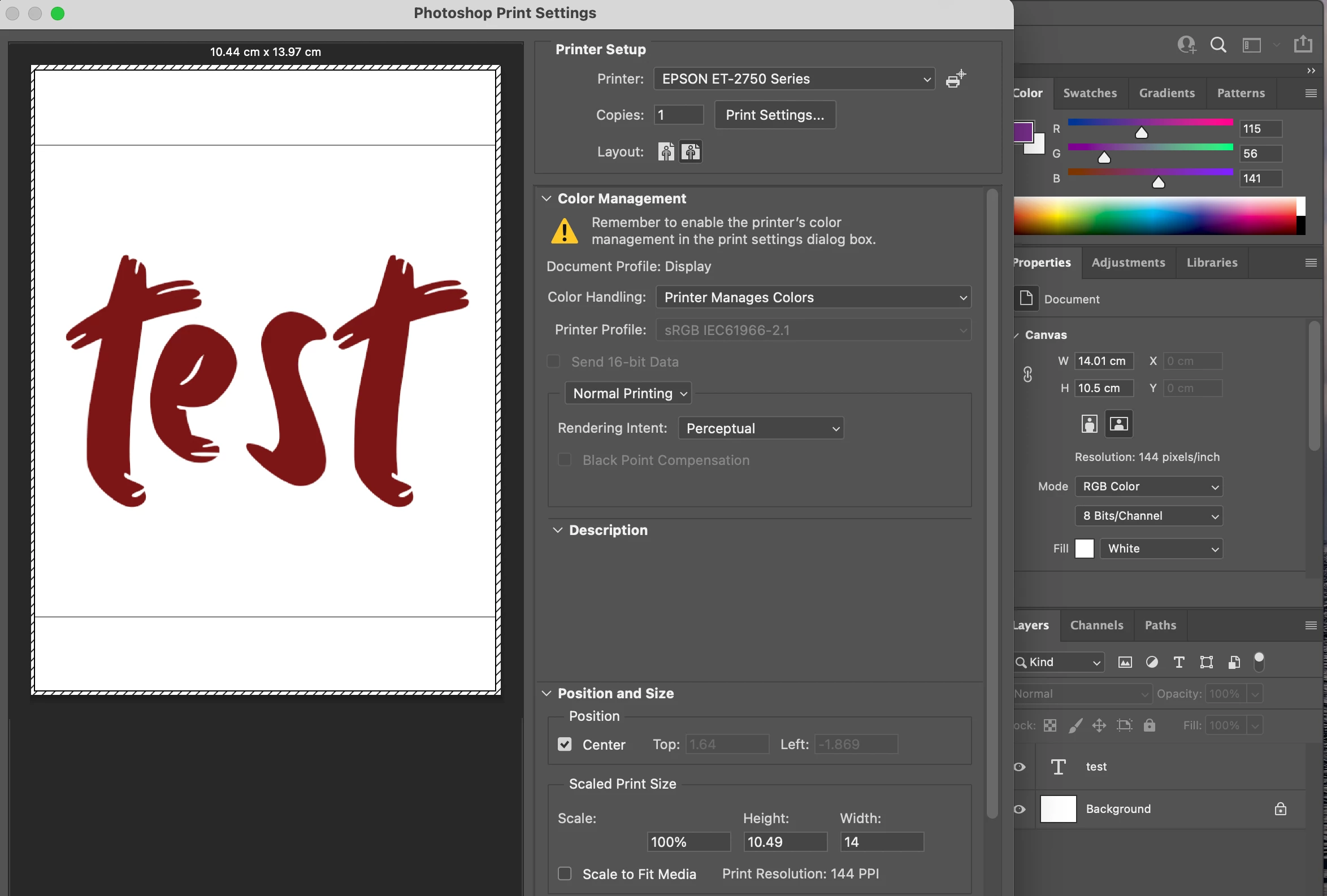
Hi - I'm having issues with Ps 2022 (up-to-date on 23.0.2on Mac Big Sur 11.6) not following the proper orientation. I'm using an Epson ET-2750 (consumer grade inkjet.) I have a canvas set to landscape. When I open the print dialog, portrait orientation is selected but the preview shows the image as landscape. If I click on landscape it switches to portrait (and the image no longer fits.) I'm printing on 140x105cm paper (1/4 US letter) so even when I change the Print Settings to the correct width and height, it still doesn't orient properly. When I attempt to print on the paper (fed landscape), it prints the image incorrectly. I could try to figure out how to "ignore" the wrong settings and turn my paper the other way, but earlier today it was printing normally. So I'd just like to figure out the issue and fix it!


 AdChoices