


Answered
print settings have changed in new version of PS ?
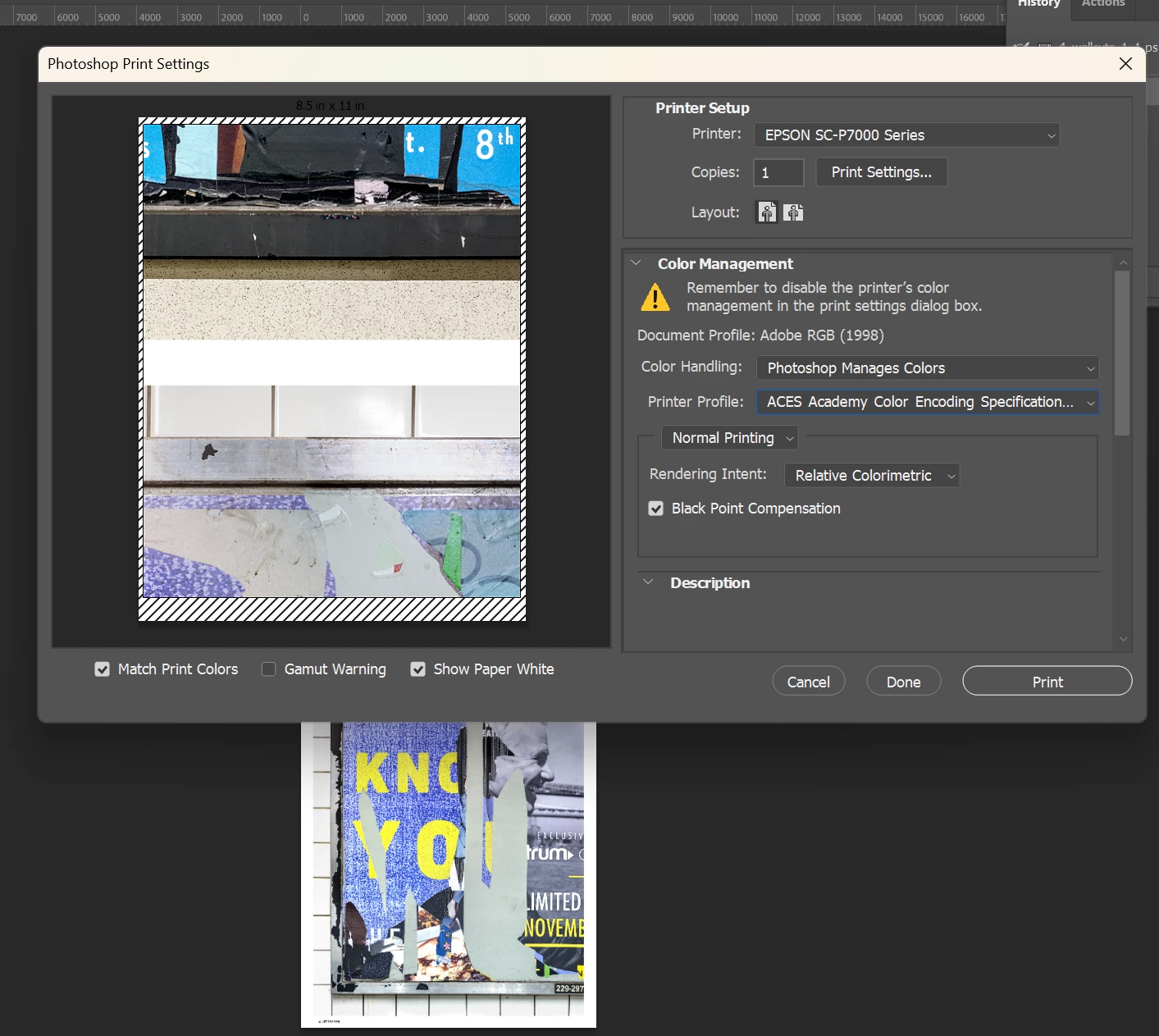
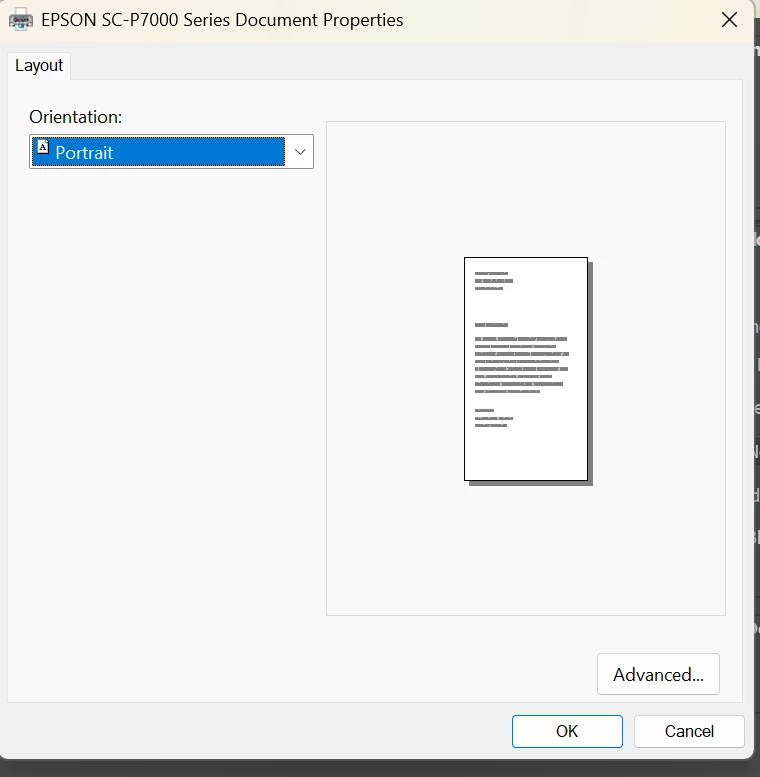
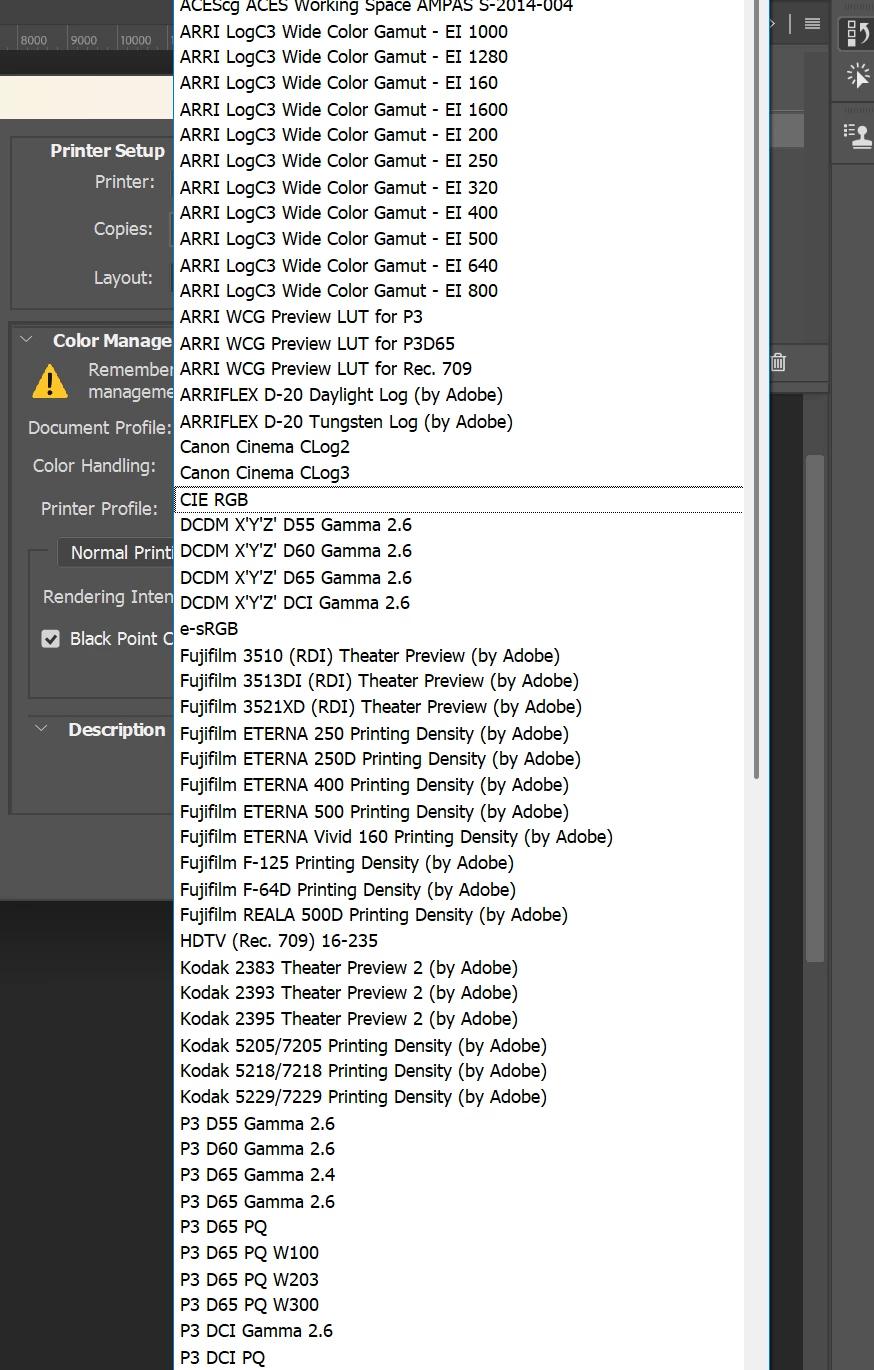
I was going to print from my Epson Surecolor P7000 but am having issues. I need to change the paper size, for starters. I used to do that in the Print Settings tab. When I click on it now I get the dialog box shown in the second screen shot. I need to choose Roll Paper and specify sizes etc. What has happened? I am on a new computer and don’t believe I have printed from it yet. Do I need to install some kind of driver? The drop down list in Printer Profile also does not seem to be showing paper selections and my previously saved profile is not showing. Presumably I need to add that but I’m a little confused since the other selections don’t seem to be printer paper (see screen shot 3). Thanks for any help.

 AdChoices