


Answered
Printer Color Management missing
Hey all
So I am using a Canon Pixma Pro 100s printer, and also Photoshop CC and I used to be able to print using the color management settings in my print dialogue setting box. But I restored my mac laptop and reinstalled Photoshop a month back and now just getting back to printing.
Now, when I open the print settings in photoshop print window, the color option has disappeared and I cannot seem to get the colours right on my prints.
Please see the screenshot to see where the print option would've been and its not there anymore.
Can anyone provide any clue to where its gone or what I might have to do?
Thanks!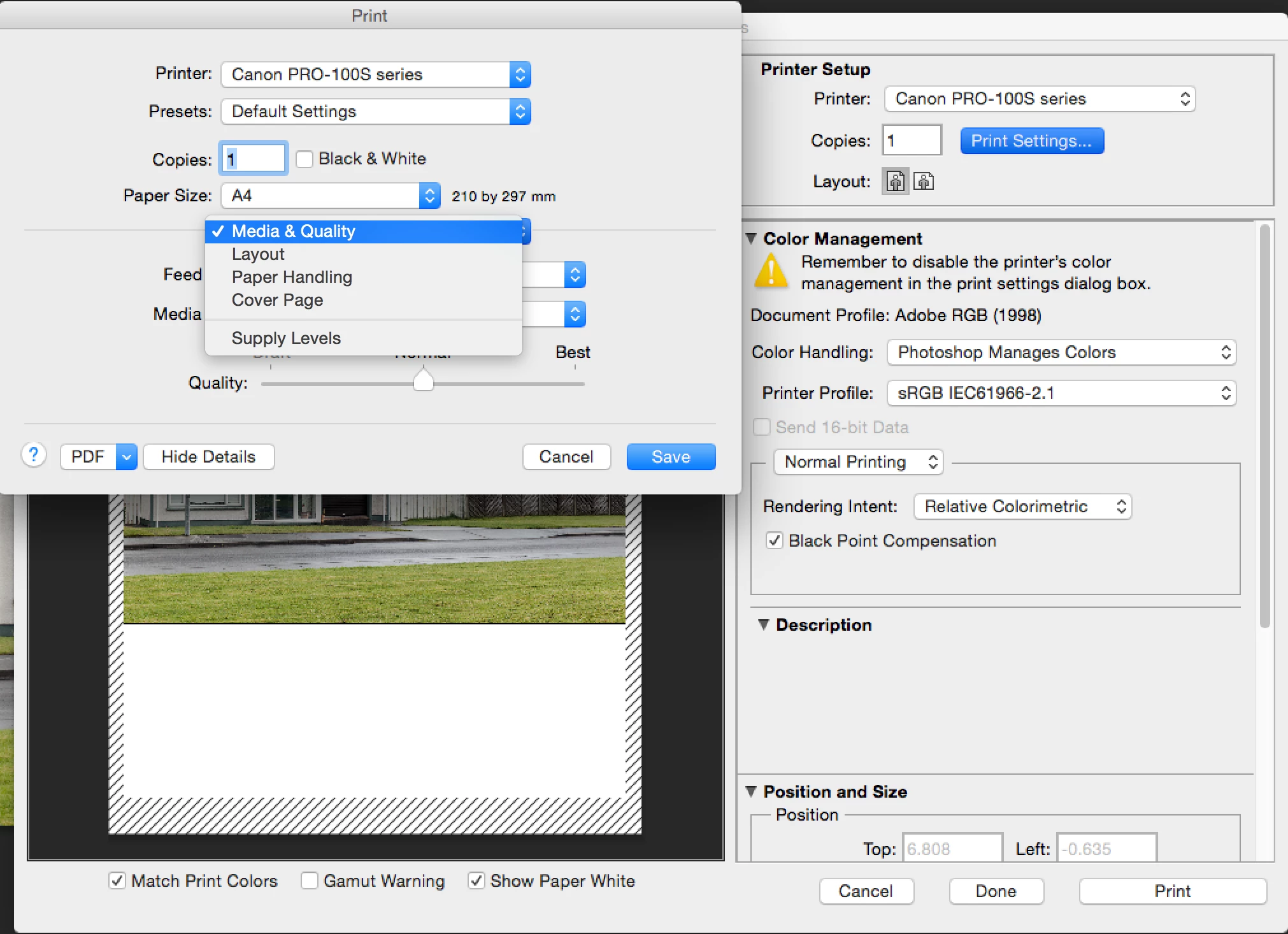

 AdChoices