


Printer Options Missing
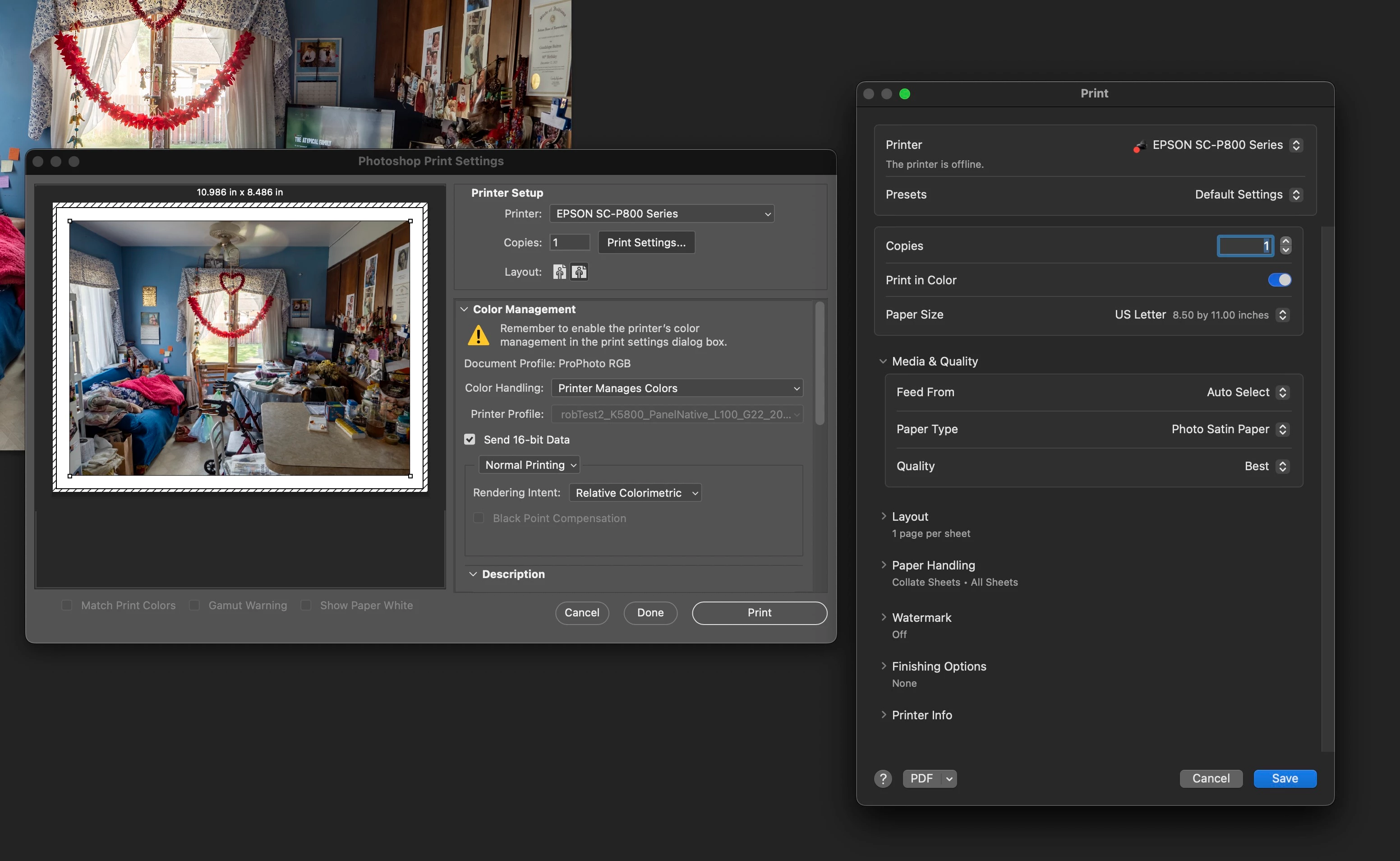
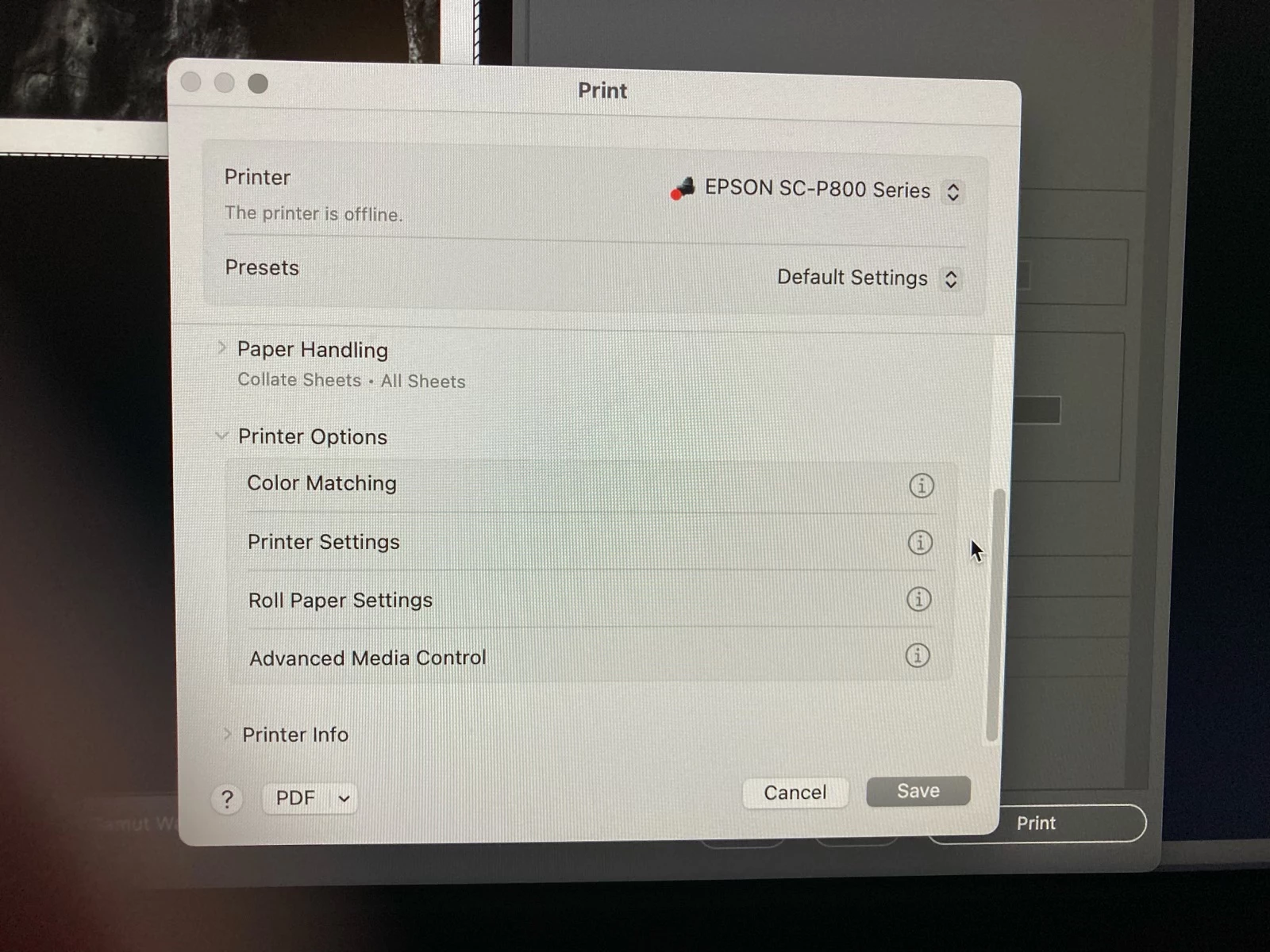
Using MacBook Pro 16", my Print dialog box in Photoshop 2024 v 25.9.1 does not have the “Printer Options” with drop down items of Color Matching, Printer Settings, etc. It has been missing for several versions. When I click on “Print Settings” in the dialog box, a Print dialog box opens with a list of items to set as desired (see first screen capture). However a screen capture from a friend who has an older version of Photoshop 2024 v 25.x.x, shows the item I’m missing (see second image). I have an Epson SureColor P800. I have uninstalled and reinstalled it and I have updated the driver and still no luck. How can I get that “Printer Options” item listed in my Print Settings? Would I have uninstall and reinstall Photoshop, and if so, what is best way to do that?
Thank you in advance.
 AdChoices