
Printing Problem - Dark Blue "Bleeds" in just a portion of Cannon Pro-100 prints
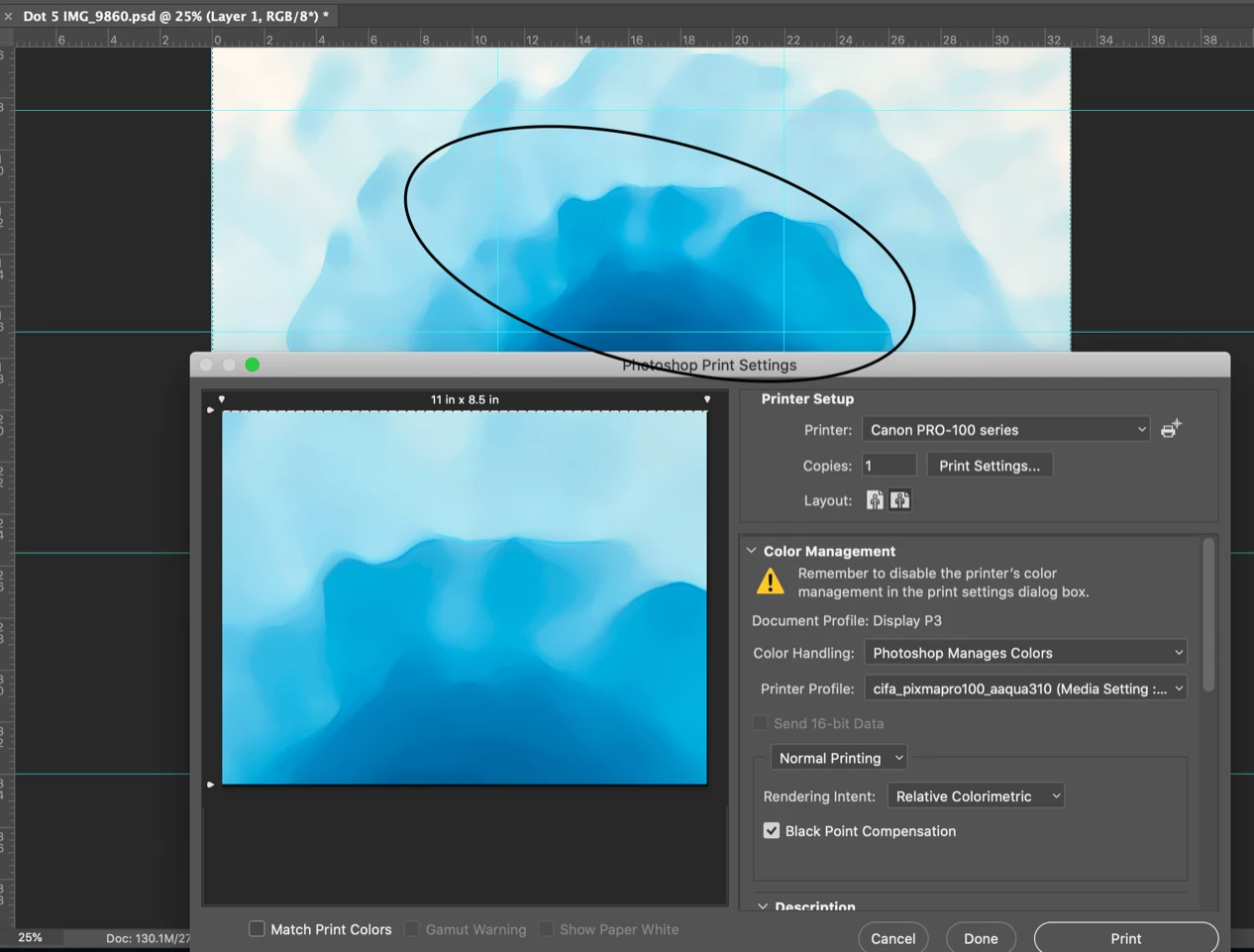
The Adobe Photoshop CC 2017-Print Setting shot is from my MacBook Pro running Catalina OS 10.15.2.
I print sections of each image on 8 1/2" x 11" Canson Infinity Aquarelle Rag Fine Art paper on a Canon Pro-100 printer using Canon ink.
I have made 1000's of prints using this setup and never had this problem before.
Note that the Color Management above shows that Photoshop Manages Colors and the Printer Profile is the specific profile from Canson for the paper I use.
A problem has just started recently and it is a true puzzle. Most of the print comes out fine but in a portion the COLOR is WRONG! The darkest blue in the image seems to "bleed" into the medium color blue. Take a look at the area in the OVAL above and compare it to the Oval area in the next photo. This photo shows a group of the 8 1/2" x 11" prints.

I have tried a few ways to see if I could solve the problem.
- I put in new blue ink - No change the print comes out just the same with "bleeding" dark blue.
- I change the Color Management to Printer Manages Colors. GOOD part - the dark blue does not bleed. BAD part - all of the colors are slightly OFF and washed out looking. This seems to tell me that the "bleeding" dark blue is not a printer problem.
- I printed another recent image with the settings shown above in the first image. Everything looked correct. This image did not have the same dark blue colors, so it might be a problem with the way Photoshop deals with the transition between dark blue and medium blue.
- I created a new image using the same dark and medium blues. I get "bleeding" from the dark blue into the medium blue in just a PORTION of the image. Why???
I hope that somebody has an idea on how to solve this problem.
Thanks.
Jim
 AdChoices