

Problem Saving Large PSD file to PDF
System Specs:
Adobe Photoshop: 27.3.0 20260122.r.13 2d403ec x64 (final: Release)
Windows 11 64 bits
Versión: 11 o posterior 10.0.26100.7623
When I´m trying to save a Large PSD file to PDF the system crashes at 90%, here are some facts about the Issue,
- The iissue seems to be related to the Filesystem
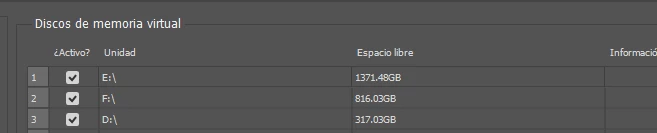
- I just changed the virtual Memory Disks to disk with enough space and change the priority
-
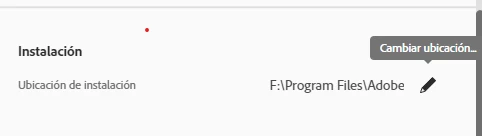
I changed the default installation folder for one SSD with enough space
-
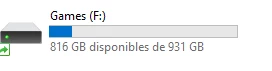
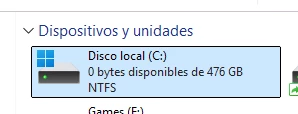
When the file has started to saving, it get stucked at 90% and the Disk C: (the disk C: is not used for the Photoshop installation) becomes fullfilled
-

-
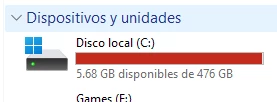
When the free space from Disk C: becomes empty, the Photoshop crashes:
-
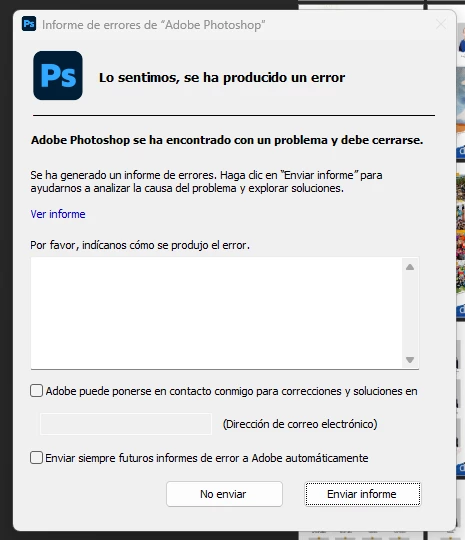
- The PSD file is not stored at C: disk, it is stored at D: Disk. also the file size is about 1.3 Gb
- The PDF destination folder is also on the D: disk, not C:
I dont know what could be happening here, I change all the variables about the installation path, the virtual disks, reinstall the application, restart windows, change the file location, I don’t know what else can I do.
Thanks in advance


 AdChoices