


Problem while rotate + zoom in/out in Photoshop 2020
hello.
I used a translator, so vocabulary selection can be awkward. please understand.
I have been using CS6 so far and recently upgraded to CC 2019, 2020.
But since I used CC version, zoom in/out control got strange.
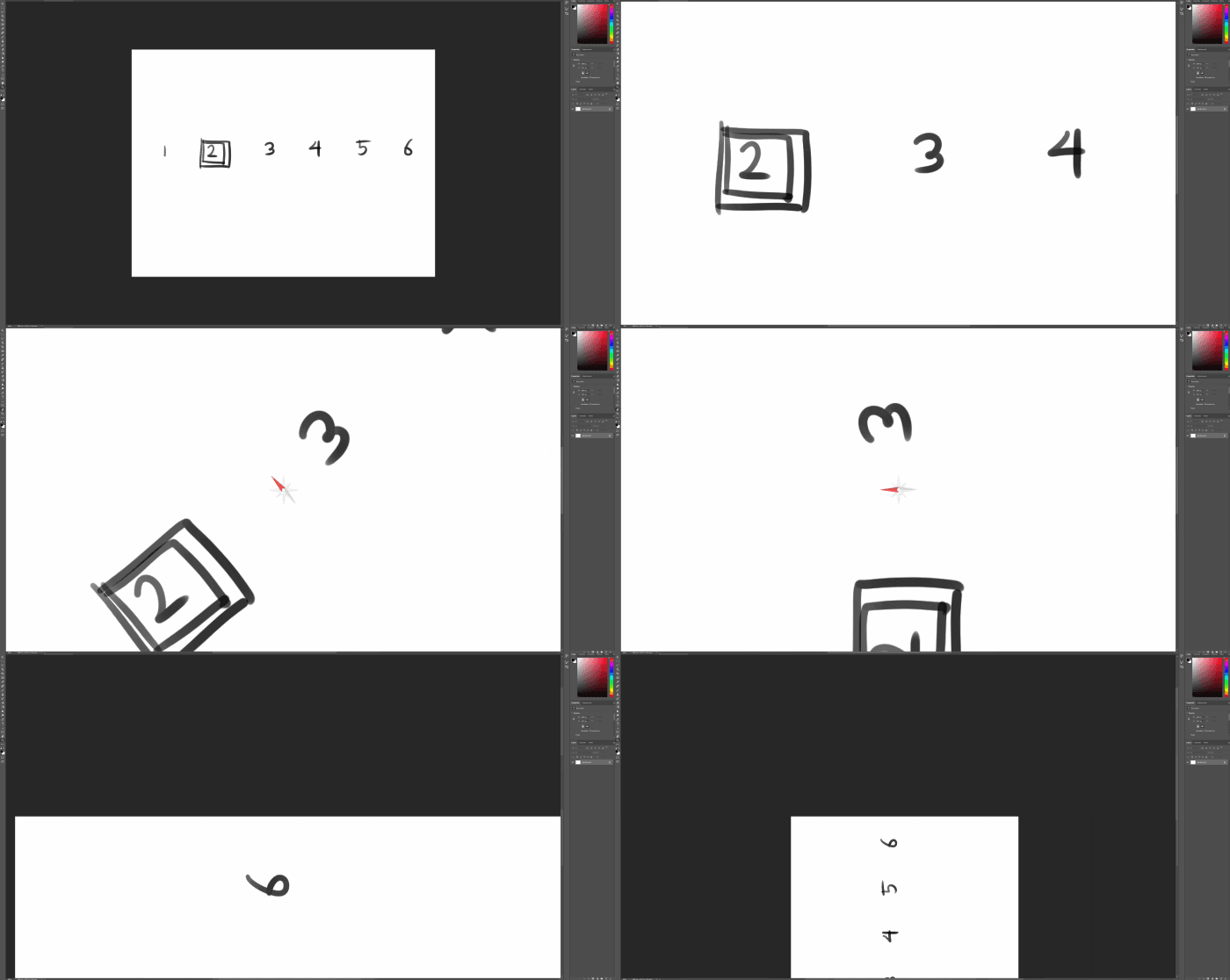
The above picture is when zoomed in / out at position 2.
As I draw in Photoshop, so I often use the Rotation view tool.
zooming in and out without rotating the screen is no problem.
However, if i zoom in or out while rotating the screen using the Rotation view tool,
The position of the screen is forcibly replaced by the corner of the canvas.
the zoom-in position is always relative to the mouse.
even if you rotate the screen, this thing remains the same.
The same happens with the tablet removed.
Because of this, i can't use CC version.
Please help me. I can't find a solution no matter how I find it.
{Thread title edited by moderator}
 AdChoices