
Inspiring
January 2, 2023
Answered

Problem with EXTRAS. i want to desactivate EXTRAS by default

  • January 2, 2023
  • 11 replies
  • 11990 views

Hello,
I have a problem with photoshop. the "extras" are activated as soon as photoshop is opened, so that when I select a layer, a frame appears around it to change its size. I can deactivate the EXTRAS: CTRL+H but they reactivate immediately if I do a CTRL+T for example. I can't find how to disable them by default.

If anyone has a solution, I would appreciate it!

Thank you


Version Adobe Photoshop : 24.1.0 20221206.r.166 be4691b x64
Correct answer jane-e

@thibaultr20691496 


Uninstall/Reinstall is one way to reset the options bar for the Move tool and certainly works! 


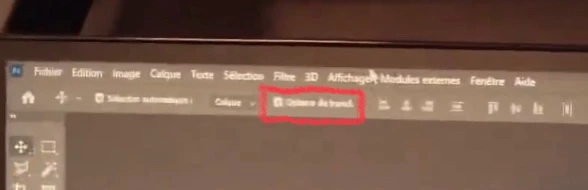
  • You could also uncheck "Show Transform Controls" (marked in red from your video)


    or

  • Reset the Move tool or Reset All Tools to reset the tool options:
    Right-click the Move tool in the options bar (not Tools panel) and choose Reset Tool or Reset Tools.


Try turning on "Show Transform Controls" to watch your issue return, then uncheck it again.

https://photoshoptrainingchannel.com/tips/show-transform-controls/


Jane


11 replies

jane-e
Community Expert
Community Expert
January 2, 2023

@thibaultr20691496 

Ctrl+H (View menu > Extras) hides/shows everything that is checked in View menu > Show. Uncheck items in "Show" and they will not come up with the Ctrl+H shortcut.


I think you may have a different issue. Can you select your Move tool, then look in the options bar and turn off "Show Transform Controls" if it is enabled?


Jane