



Problems with aliasing around selections
My question addresses artifacts resulting from selections.
In the first image, I simply drew a selection rectangle with zero feather. (Anti-alias was grayed-out.) I then used alt-backspace to fill the selection with the foreground color. The edges of the filled selection are perfectly smooth.
Then, I used the pen tool to draw a path, converted the path to a selection (feather radius = 0, anti-aliased checked), then used content aware fill to fill-in the area. The edges of the filled area are (1) not smooth like the original rectangle and (2) are substantially different from one another. The edge furthest to the right shows the most obvious jagged edge.
The second image shows a path, converted to a selection, then filled with the content-aware fill command. Notice the slight jagged edge and white line.
These images are shown at high magnification. However, the artifacts are visible at Print View. More to the point, I would just like to know what causes this aliasing (if that’s what it is) and how to avoid it. Any explanation would be much appreciated.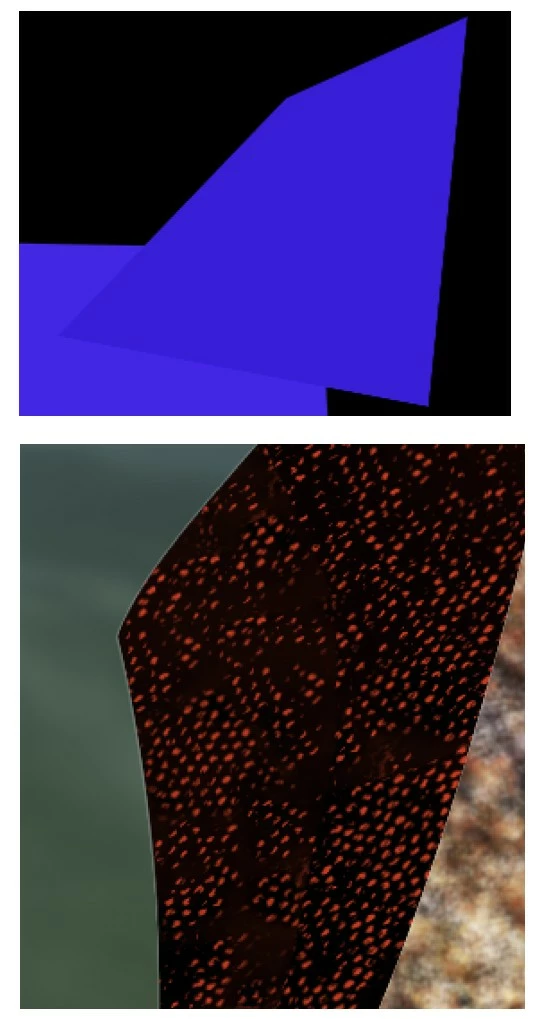
 AdChoices