


Known Participant
January 15, 2017
Question

Processed tif has jagged edges when viewed in CC2015

  • January 15, 2017
  • 2 replies
  • 2035 views

Hi

My first post. Be gentle please.

I'm on a Mac. I'm a photographer.

I shoot on a Hasselblad using their software Phocus.

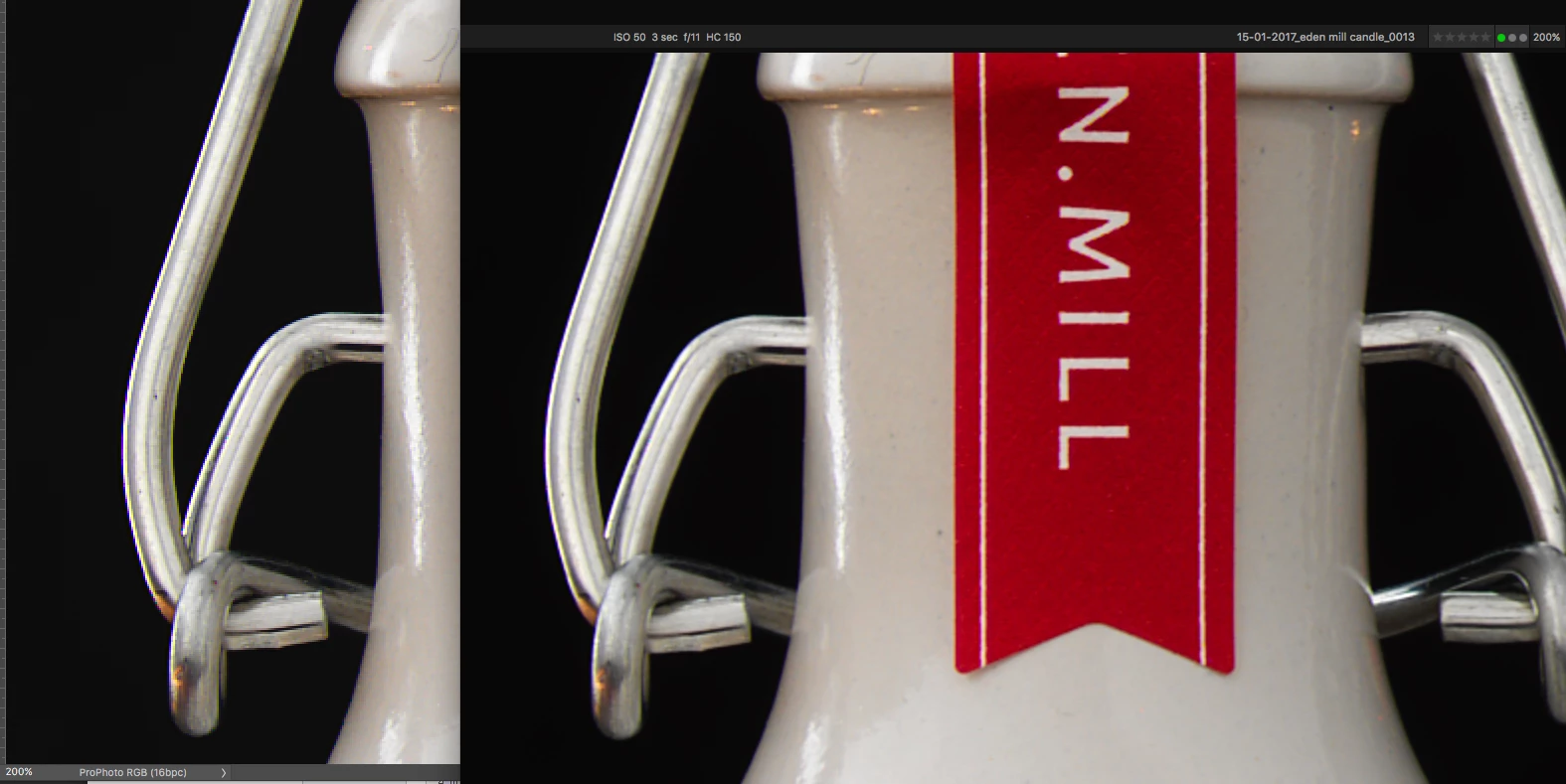
Image looks fine on Phocus. when I save out as a tif, edges have a jagged appearance.

Same happens when saved to a DNG and viewed on ACR.

Any ideas?

I've attached an image, hopefully you'll see what I mean.

Thanks

in advance.

Paul
    This topic has been closed for replies.

    2 replies

    cmgap
    Community Expert
    Community Expert
    January 16, 2017

    The subject line says Processed tif has jagged edges... what does the comparison look like on the unprocessed images. Is there a still a difference?

    gener7
    Community Expert
    Community Expert
    January 16, 2017

    What I notice is that the pixels in the Processed version are much larger than the Unprocessed version, hence the jaggy look.

    300% zoom.  When you have larger pixels, that's less pixels in an inch and a lower resolution.

    So I would ask what are the pixel dimensions before and after?  Is Phocus changing this on Export to Tiff?

    Unprocessed:

    Processed:

    gener7
    Community Expert
    Community Expert
    January 16, 2017

    I'm pretty sure Adobe Camera Raw can directly open Hassleblad files, so can you bypass Phocus and feed the raws direct into Adobe Photoshop? It should let you see if it's something in the Phocus software.

    gener7
    Community Expert
    Community Expert
    January 16, 2017

    Best zoom view is 100%. At 200% you are likely seeing pixelation. That would happen to any file.

    If you are using Photoshop on a Retina Mac, Image Size will be half that of a normal screen. Photoshop defines 100% as one image pixel to one screen pixel and will not "pixel double" the image.

    Gene

    gener7
    Community Expert
    Community Expert
    January 16, 2017

    So what can you do? See this thread for a discussion on this topic and workarounds.

    100% zoom is too small on screen (designers don't get high resolution displays)