



ProPanel and plugins in PS
I’m trying to get back ProPanel into PS- however Stocks and Marketplace aren’t showing in CC.
I'm hoping someone from Adobe or the community can help me resolve an issue with the Creative Cloud desktop app on my Mac.
The Stock & Marketplace tab is completely missing from my Creative Cloud desktop app.
My Creative Cloud navigation currently shows:
Home → Apps → Files → Benefits → Create
There is no Stock & Marketplace option anywhere.
I'm using a Mac and have os version ( 26.6.2 )My Creative Cloud apps themselves are working normally.
I've already tried the following:
- Signed out of Creative Cloud and signed back in
- Quit and restarted Creative Cloud
- Restarted my Mac
- Checked the Creative Cloud account menu
- Checked for Creative Cloud updates
- Checked System Settings → General → Login Items & Extensions
- Checked
~/Library/Application Support/Adobe - The
OOBEremoved this folder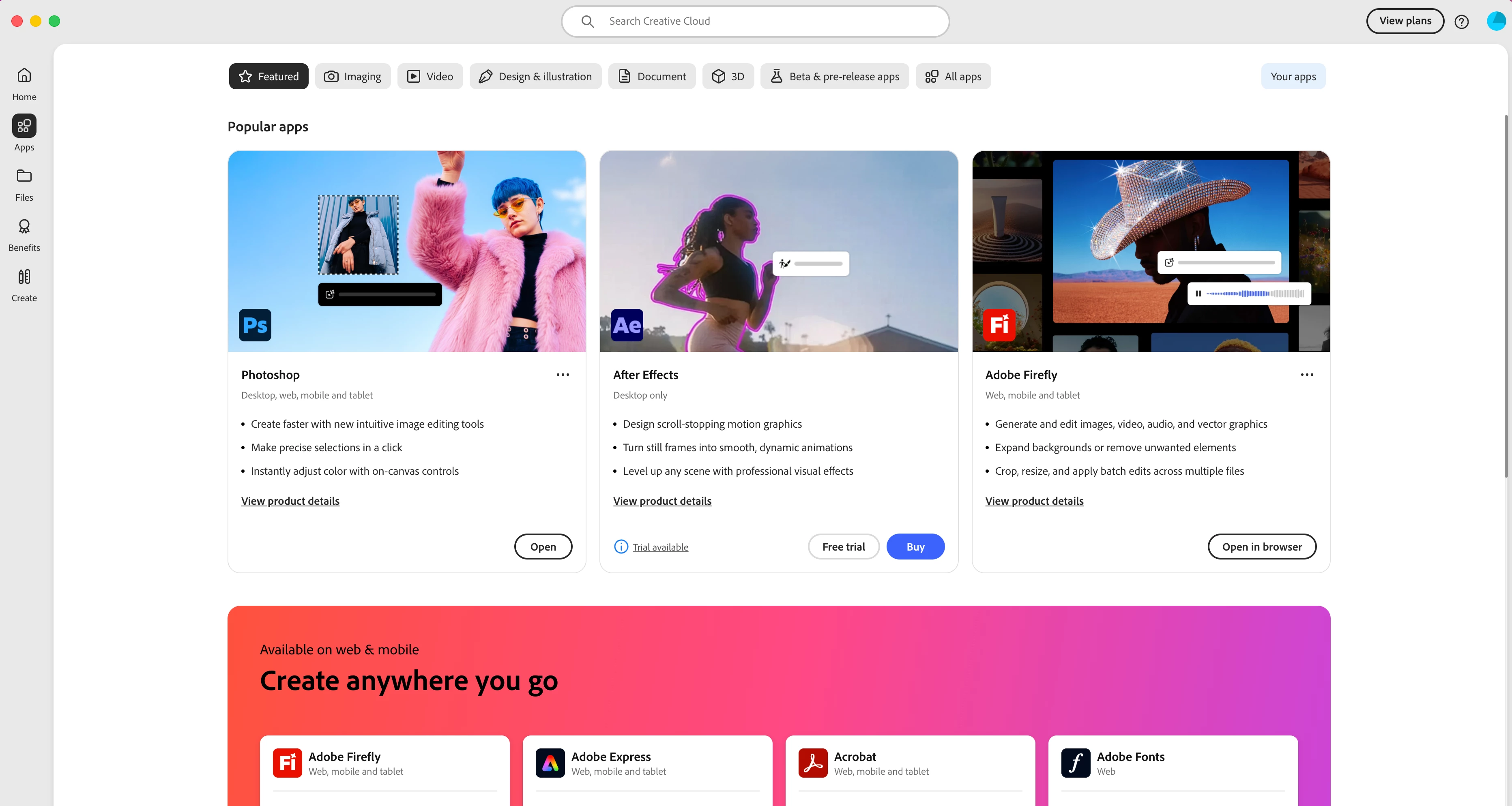
- The
AAMUpdaterfolder isn't present
Adobe's current documentation indicates that Stock & Marketplace should be available in the Creative Cloud desktop app on Mac, so I'm trying to establish why it isn't appearing on my account/app.
Can anyone explain what controls whether the Stock & Marketplace tab appears, and how I can restore it?
Is this potentially an account-side issue, a Creative Cloud configuration issue, or a problem with the current Mac version of Creative Cloud?
I've attached a screenshot showing my Creative Cloud Apps screen and the navigation available to me.
I'd particularly appreciate an answer from an Adobe employee or someone who has resolved this specific issue on macOS.

 AdChoices