
whitesellj
Participant
October 21, 2017
Question

PS 2018 Select and mask crashes

  • October 21, 2017
  • 13 replies
  • 10291 views

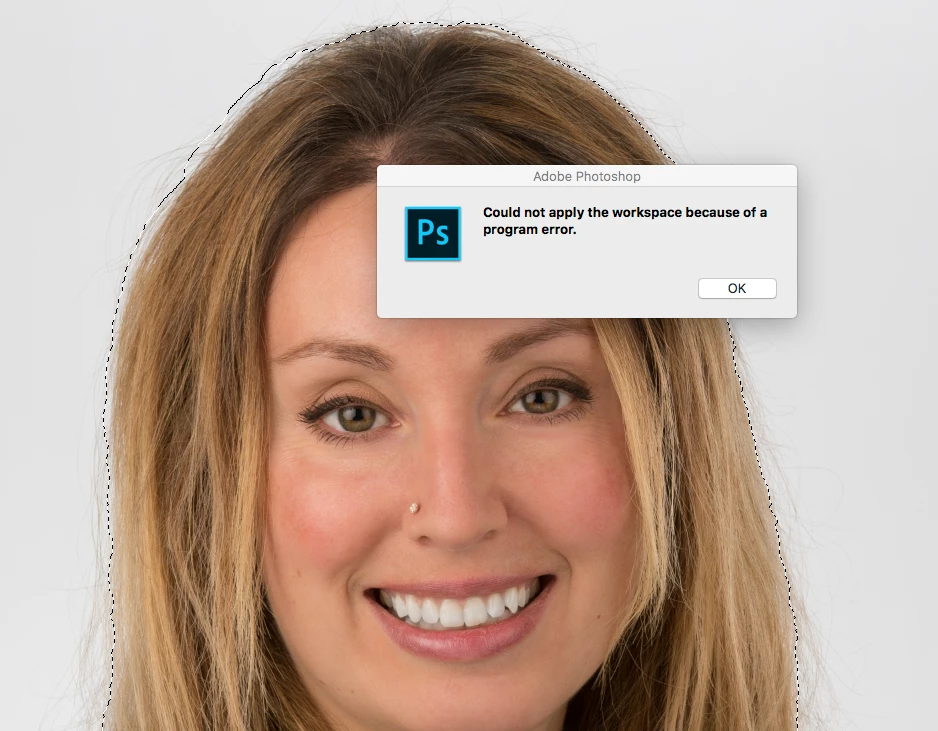
When I make a selection then click the "Select and Mask" button (or right click and choose select and mask) I get the following error:

"Could not apply the workspace because of a program error."

Using macOS Sierra 10.12.6

I've reset the workspace (by removing ~/Library/Preferences/Adobe Photoshop CC 2018 Settings/Workspaces (Modified) and relaunching)

Same error with multiple files.
This topic has been closed for replies.

13 replies

floramc
Community Expert
Community Expert
October 22, 2017

I think this issue was solved in another thread

Program error while trying to select and mask

Roei Tzoref
Legend
October 21, 2017

try this

Participant
October 22, 2017
JJMack
Community Expert
Community Expert
October 21, 2017

That is not really a crash Photoshop caught its error so Photoshop continued to run.  However what the error was  or what cause the error was not provided in the message.  The operation did not work there was an error  you are left the the document open and know there is a programming problem somewhere in Photoshop within select and mask.  Looking at your partial screen capture we can not even know if you selection is within the documents canvas bounds. Or what type of  layer or if any is targeted.

Report bugs at Photoshop Family Customer Community

JJMack
whitesellj
Participant
October 21, 2017

Hi JJMack,

Selection is within document bounds;

The active layer includes the entire selection. It is a layer created from combining all previous layers.

This operation worked without error in the previous version.

Any additional thoughts?

Thanks for your assistance.

JJMack
Community Expert
Community Expert
October 21, 2017

The message seems to indicate that Photoshop could not initialize the workspace switch into the select and mask workspace. Report the bug.

Mack sure your Photoshop system info looks good. No errors and drivers are up to date.

JJMack