peterb86513089
Inspiring
June 27, 2023
Answered

PS 24.6.0 Crop tool: cancel and check buttons missing

  • June 27, 2023
  • 2 replies
  • 1407 views

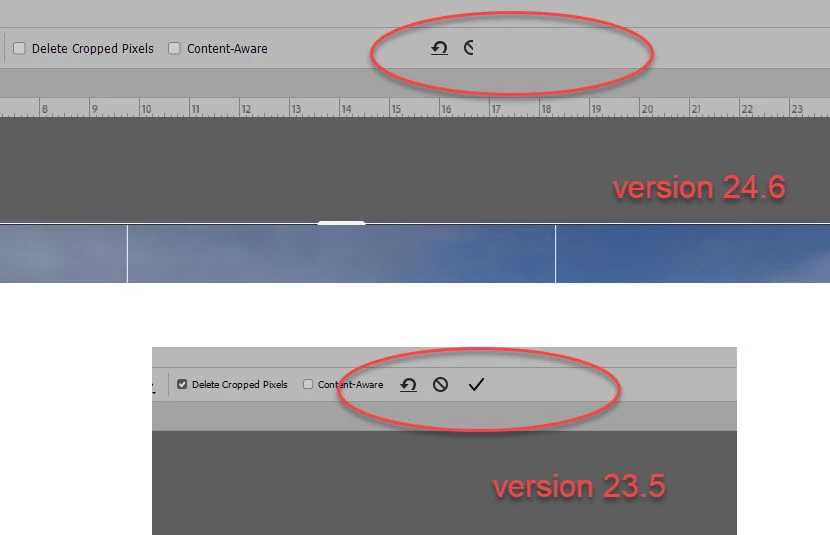
I must be doing something wrong, but if I compare PS 24.6 against 23.5 the crop tool is different (I have both versions installed). I can't find the check mark button to accept the crop. My work around is to right-click the mouse and choose Crop from the menu.
 

Peter
This topic has been closed for replies.
Correct answer Jeff Arola

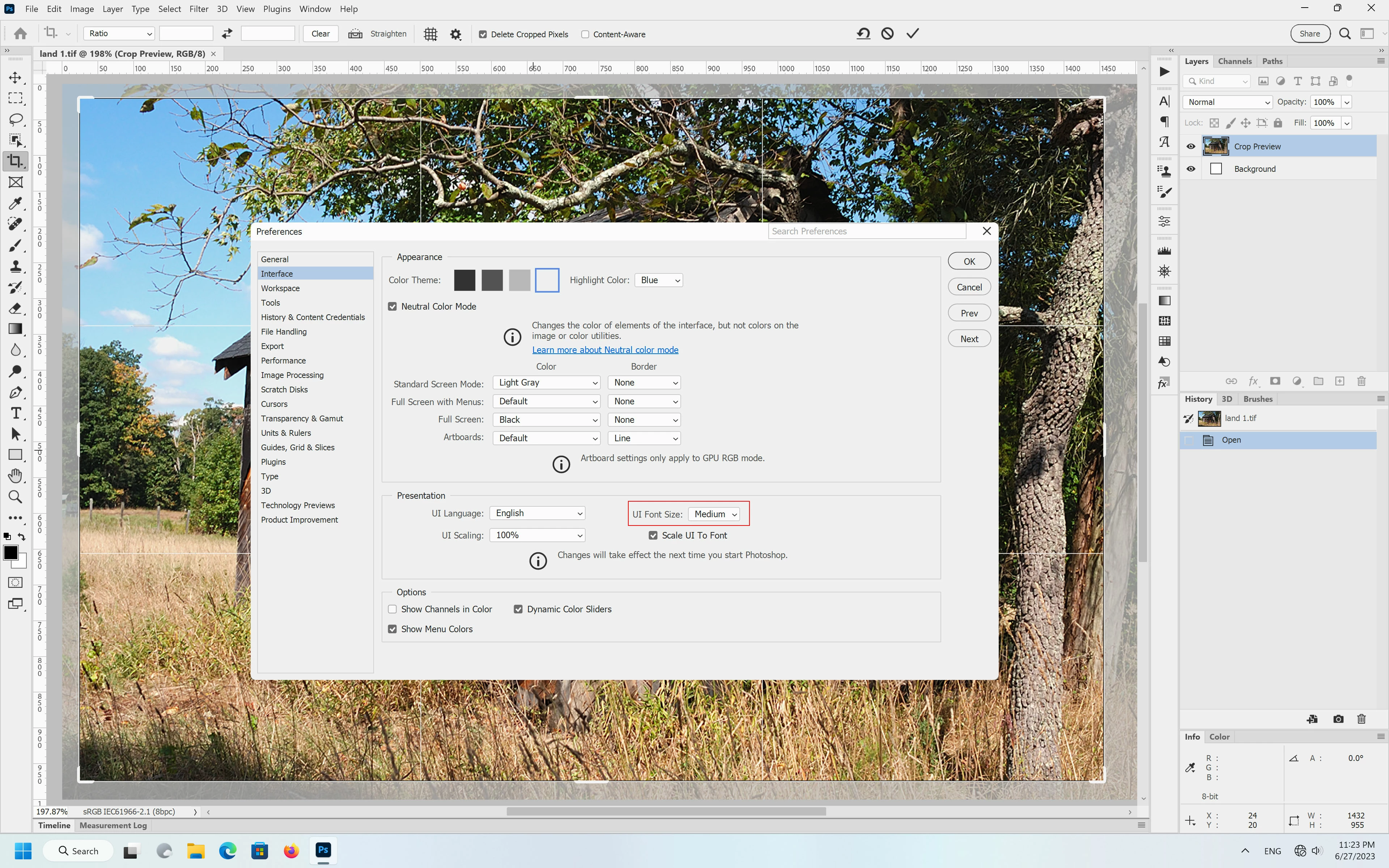
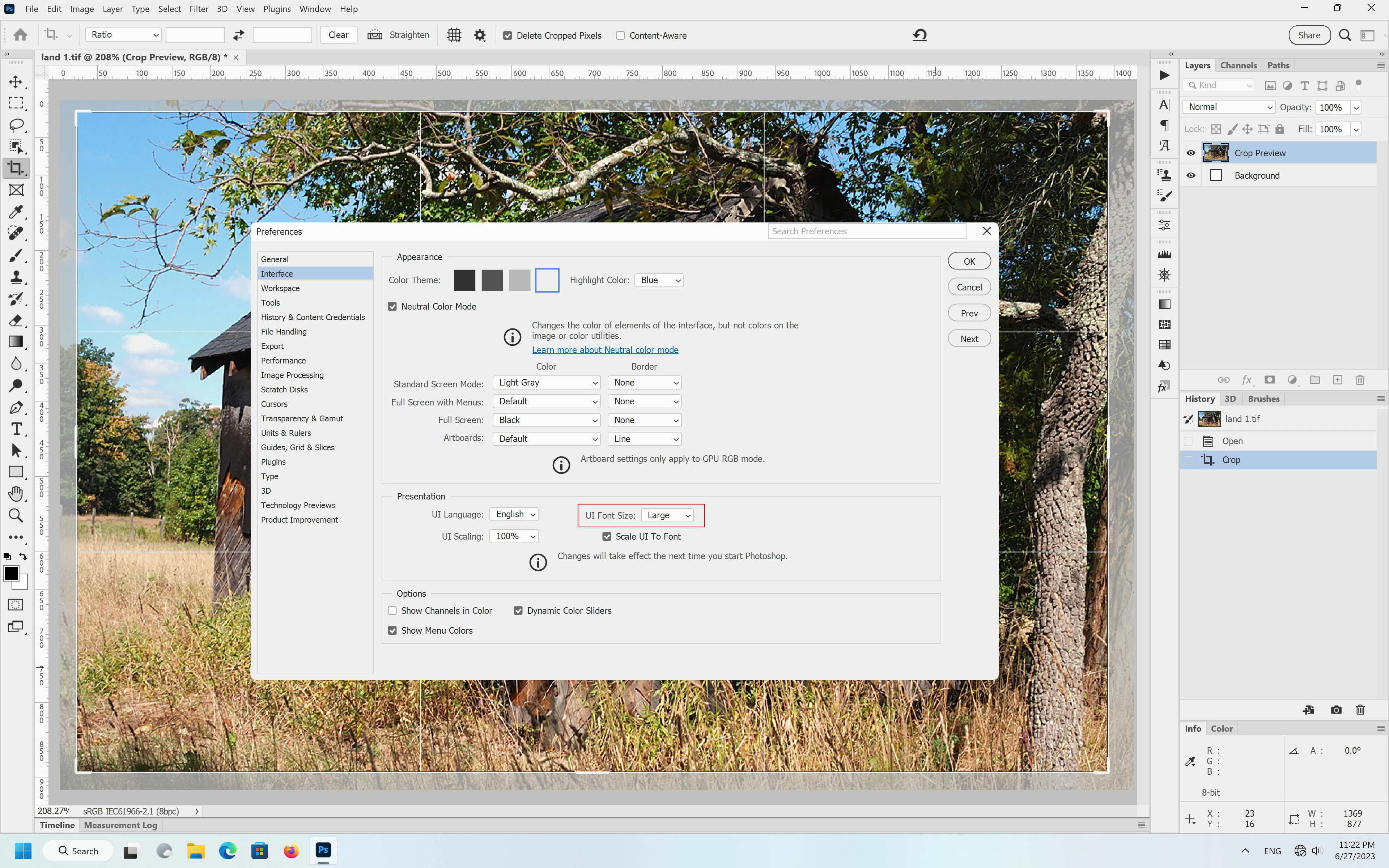
It seems if in Edit>Preferences>Interface one has the UI Font Size set to Large then the Crop Tool Cancel and Check buttons are missing.


If one changes the UI Font Size to something else like Medium, then the Crop Tool buttons are visible again.

(restart photoshop after making any changes to the UI Font Size)


UI Font Size Large


UI Font Size Medium


This seems to be the case on both Mac and Windows versions of Photoshop 2023 (ps ver 24.6)

2 replies

Jeff Arola
Community Expert
Jeff ArolaCommunity ExpertCorrect answer
Community Expert
June 28, 2023

It seems if in Edit>Preferences>Interface one has the UI Font Size set to Large then the Crop Tool Cancel and Check buttons are missing.


If one changes the UI Font Size to something else like Medium, then the Crop Tool buttons are visible again.

(restart photoshop after making any changes to the UI Font Size)


UI Font Size Large


UI Font Size Medium


This seems to be the case on both Mac and Windows versions of Photoshop 2023 (ps ver 24.6)

peterb86513089
Inspiring
June 28, 2023

Jeff,

Yup, that fixed it.

Thanks,

Peter

mglush
Community Expert
Community Expert
June 28, 2023

I don't think you are doing anything wrong--I think you have found an issue that needs to be fixed. One thing you can try is to reset your preferences. Here is a thread that will give you a link to do it manually from Cory Shubert: https://community.adobe.com/t5/photoshop-ecosystem-bugs/i-have-to-reset-preferences-on-ps-and-ps-beta-at-everyuse/idi-p/13870937


Let us know if resetting your preferences fixes the issue or if it still persists.

Michelle