
Inspiring
June 19, 2025
Answered

PS 26.8.0 opened photos don't come to foreground, don't take focus.

  • June 19, 2025
  • 2 replies
  • 317 views

Macbook Pro M1 Max, Apple Sequoia 15.1, PS 26.8.0 


I just upgraded to PS 26.8.0. Now when I double click to open a photo, it remains in the background, covered by other windows. Why are my images not coming to the foreground when I open them? Is there a new setting I'm missing in PS 26.8.0? 


Now every single time I open an image, I have to then click on that image once it's open for it to take focus. If it's completely hidden behind another window, I have to then close or move that window to see the image. The PS application itself takes focus as all the menus appear, but the image I double click to open remains behind whatever images and apps are opened. 
Correct answer melissapiccone

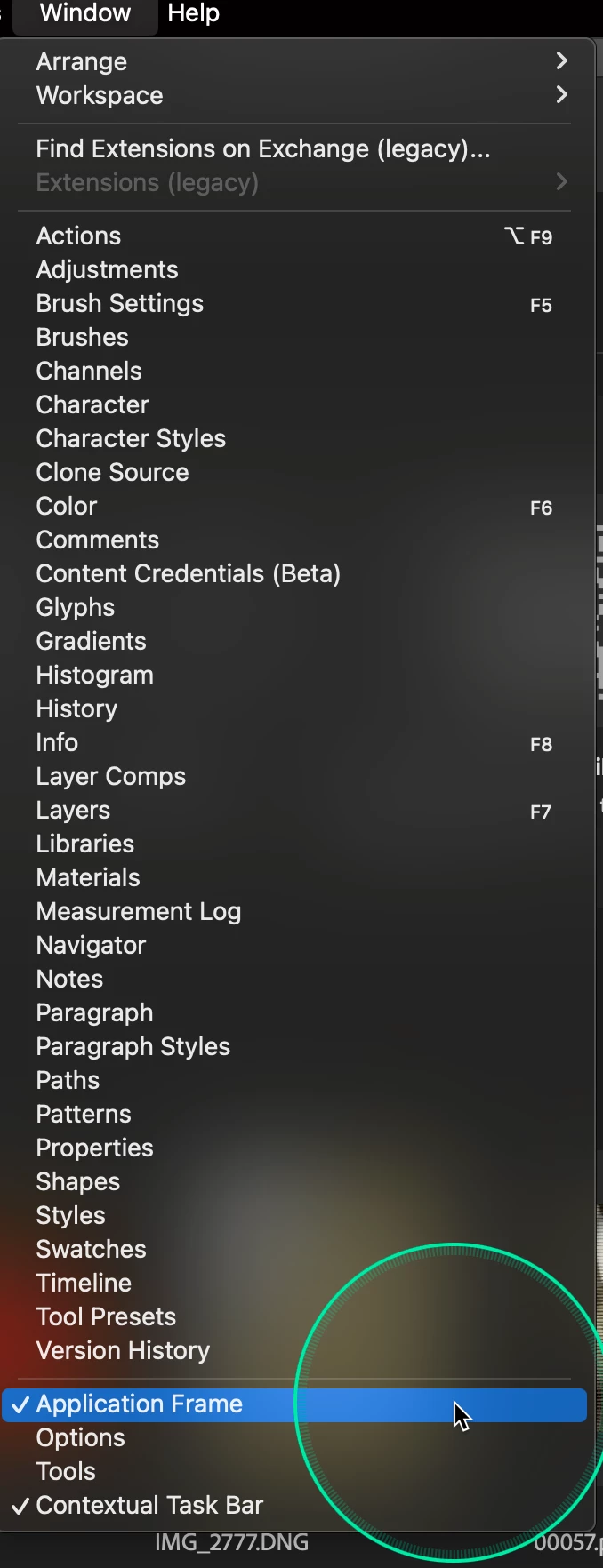
Are you using the application frame? Reset your preferences - see if that works. 

2 replies

MarkCohen
Participant
January 28, 2026

I have the same problem, but setting the application frame does not help. If I try to move any Adobe window it is instantly placed into the back of other windows. I would appreciate help.

MacOS 15.7.3 (Sequoia)

MacBOok Air M2 2023

MarkCohen
Participant
January 28, 2026
melissapiccone
Community Expert
melissapicconeCommunity ExpertCorrect answer
Community Expert
June 19, 2025

Are you using the application frame? Reset your preferences - see if that works. 

Melissa Piccone | Adobe Trainer | Online Courses Author | Fine Artist
Inspiring
June 19, 2025
That worked. Thanks