

Question
PS Automated Batch Process not saving files automatically to destination folder
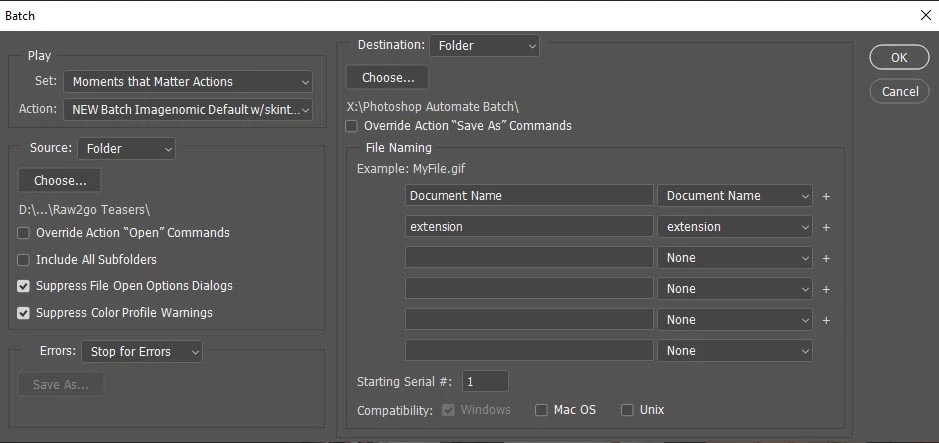
Recently my automated batch process stoped saving files automatically to the destination folder. The action being run does not have a save step since I also run it on files seperately.
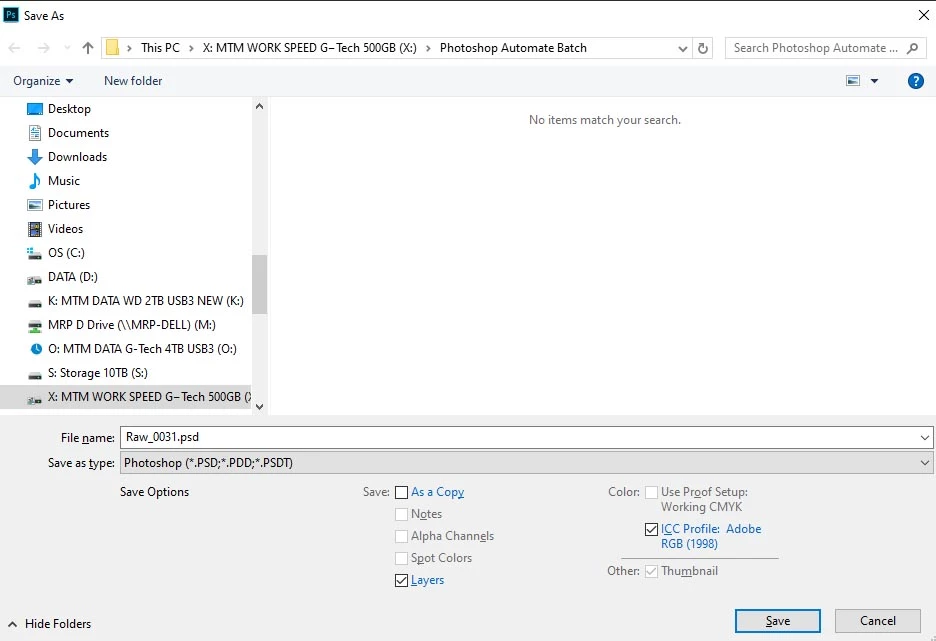
I've tried different actions and made new actions to batch process... and nothing will automatically save to the destination folder. It asks me to click save for each image being batched.
I have tested an action with a save as command at the end to programatically save it to the folder and that works.
Don't know what changed this past week... but something is not right?
System Info:
Adobe Photoshop Version: 20.0.8 20191122.r.92 2019/11/22: 1208122 x64
Operating System: Windows 10 64-bit
Operating System: Windows 10 64-bit
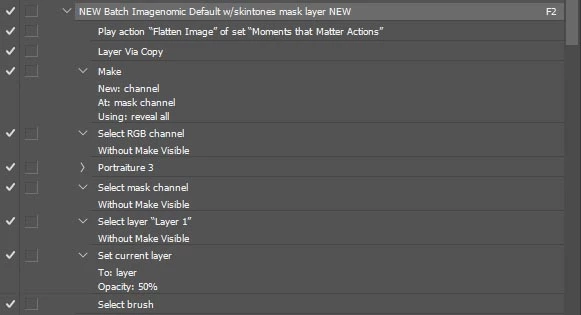
My action
System Info:
Adobe Photoshop Version: 20.0.8 20191122.r.92 2019/11/22: 1208122 x64
Operating System: Windows 10 64-bit
Version: 10 or greater 10.0.18362.329
System architecture: Intel CPU Family:6, Model:14, Stepping:13 with MMX, SSE Integer, SSE FP, SSE2, SSE3, SSE4.1, SSE4.2, AVX, AVX2, HyperThreading
Physical processor count: 8
Processor speed: 3600 MHz
Built-in memory: 65341 MB
Free memory: 41906 MB
Memory available to Photoshop: 59866 MB
Operating System: Windows 10 64-bit
Version: 10 or greater 10.0.18362.329
System architecture: Intel CPU Family:6, Model:14, Stepping:13 with MMX, SSE Integer, SSE FP, SSE2, SSE3, SSE4.1, SSE4.2, AVX, AVX2, HyperThreading
Physical processor count: 8
Processor speed: 3600 MHz
Built-in memory: 65341 MB
Free memory: 41906 MB
Memory available to Photoshop: 59866 MB


 AdChoices