Participant
July 21, 2026
Question

PS brush looks different

  • July 21, 2026
  • 4 replies
  • 60 views

Since my latest update to PS, my brush looks different. It always had a solid curculare line, now it is a jaggy cirsular edge. My settings have not changed. Anyone have this issue or an answer?

    4 replies

    jane-e
    Community Expert
    Community Expert
    July 23, 2026

    @Kallosart, that’s your Brush panel. If your options bar isn’t showing, you can turn enable it from the Window menu. See the screenshot from C.P.


    It looks like it might be a blending mode.


    Jane

    Trevor.Dennis
    Community Expert
    Community Expert
    July 23, 2026

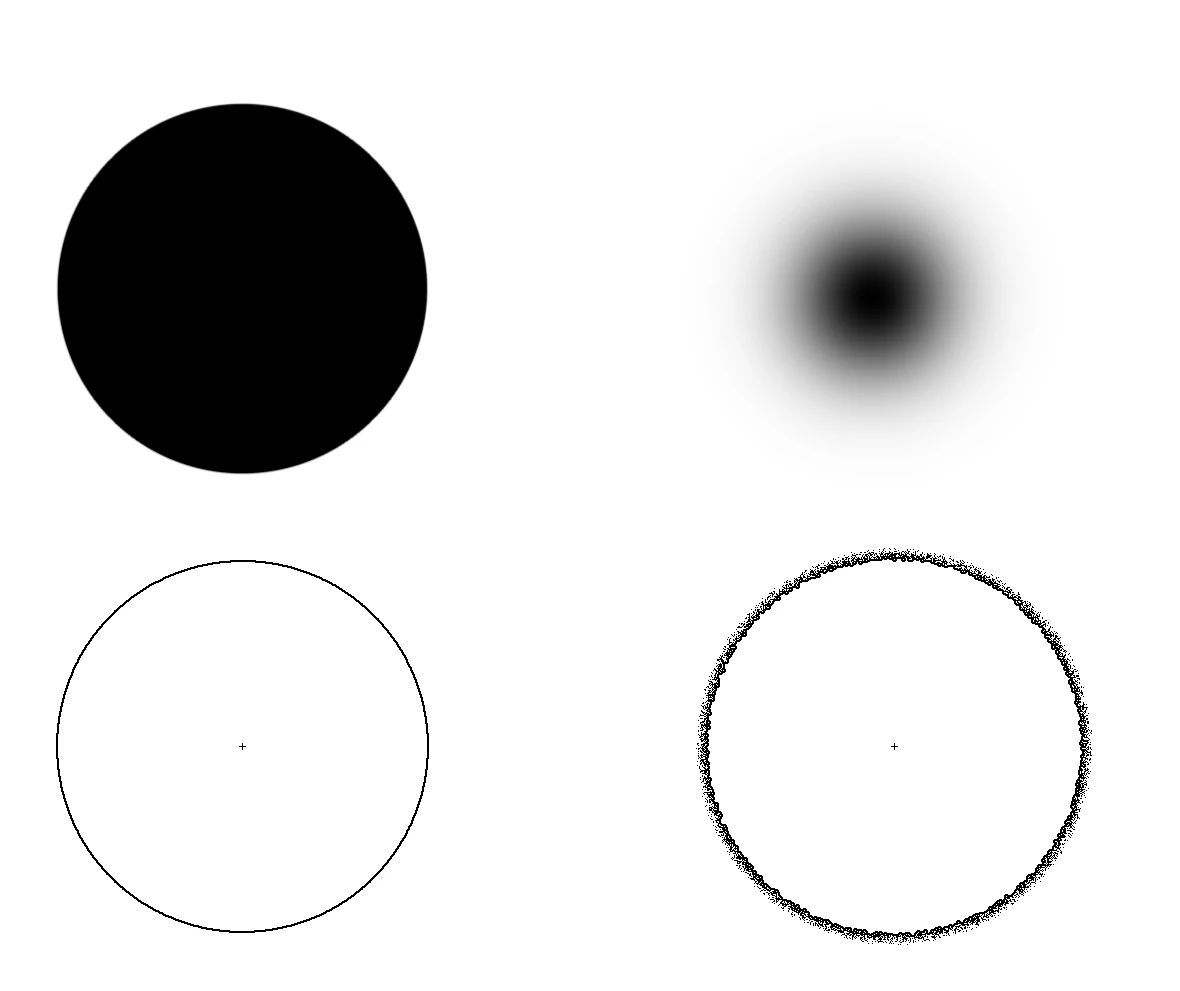
    Your cursor is show that the brush preset is now soft.  It fades towards its outside.

    A fully hard brush shows as a smooth cursor.

    A soft brush has the more ragged cursor.

    Examples below.

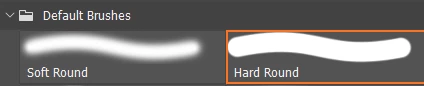
    How they look in the brushes panel


    You can change how hard the brush is by holding down the Alt/Opt key and right mouse button.

    Move the mouse up to make the brush soft and down to make it hard.  

    Left and right to adjust size.


    Is this what is going on?

    jane-e
    Community Expert
    Community Expert
    July 22, 2026

    @Kallosart 


    Can you tell us what you mean by “curculare”? I suspect it’s a type for something.


    I looked it up and Google tried to find “circulaire” instead of “curculare”.

    These are results for circulaire
    Search instead for curculare


    A "circulaire" is a French term that most commonly refers to an official administrative document used by a government ministry to interpret legal texts and ensure consistent application. In retail or marketing, it translates to an advertising circular or weekly flyer, and it can also refer to various modern platforms dedicated to the circular economy and pre-owned goods. 


    Jane

    KallosartAuthor
    Participant
    July 22, 2026

    sorry for the AI grammer correct….was meant to say ‘circuler’….a circle.  attached is a photo of what it looks llike….before it was just a solid circuler.


    jane-e
    Community Expert
    Community Expert
    July 23, 2026

    @Kallosart 

    Can you try this for us? Reset your Brush tool. Right click the brush icon in the options bar (not toolbar) and choose reset tool.

    Jane

    c.pfaffenbichler
    Community Expert
    Community Expert
    July 22, 2026

    Could you please post a screen recording to show the unintended cursor display? 

    What is the exact Photoshop version? 

    KallosartAuthor
    Participant
    July 22, 2026

    thank u for ur interest...i have ver 27.8.0….attached is what I see when painting with brush.