
matthewd488
Participant
February 2, 2025
Question

PS Help: how can i copy a colors and pattern to other parts of image

  • February 2, 2025
  • 1 reply
  • 246 views

New to PS and need some help after getting an error: "could not make a new layer from the selection because the selected area is empty." In the image below I am trying to copy the stone in the middle of the house to the right side of the house below the gable end, around the two windows. I tried to copy the selection and paste but i am getting the error i mentioned. I also tried to use the stamp tool and nothing works. 
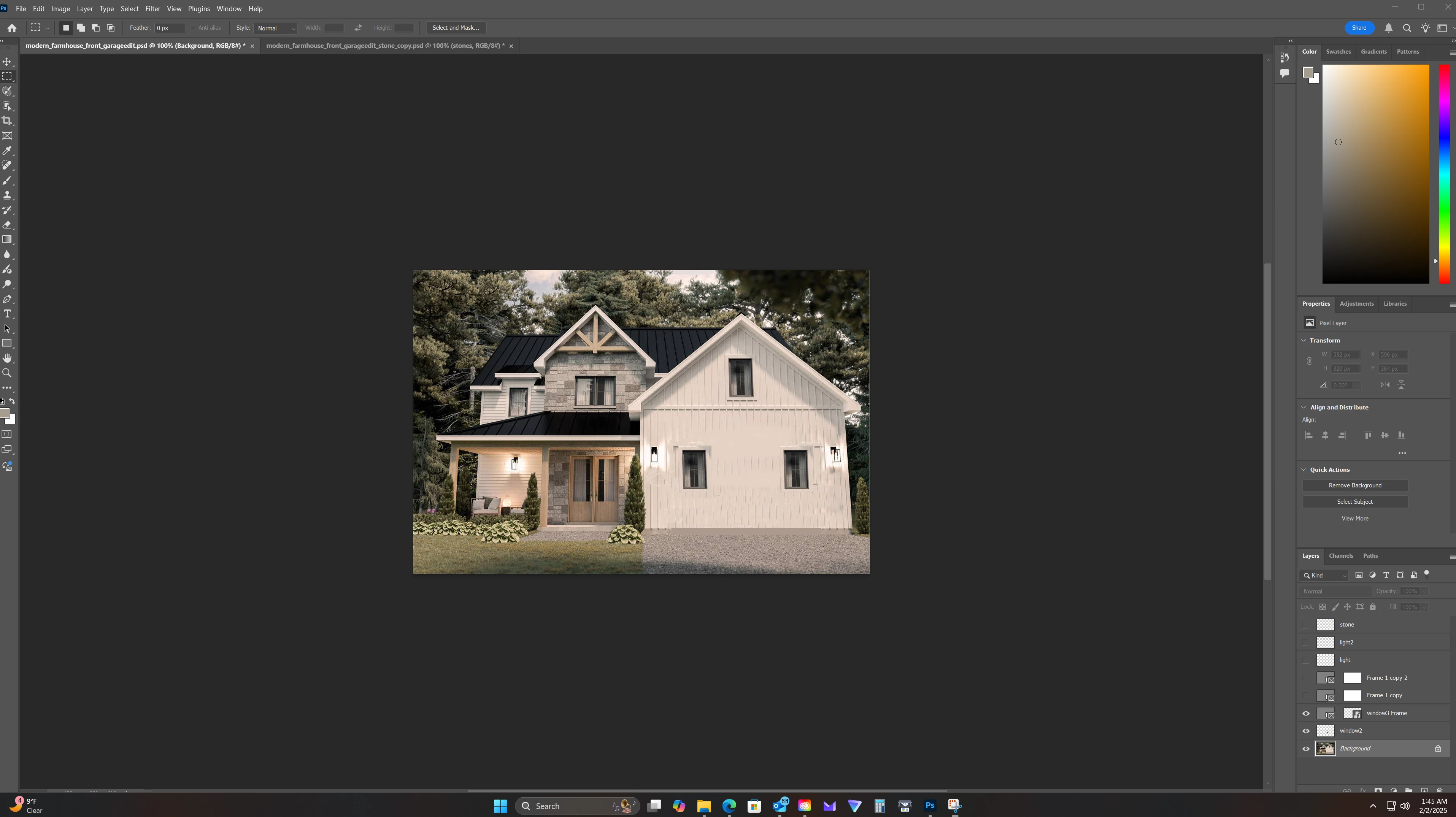
1 reply

@mj
Community Expert
Community Expert
February 2, 2025

Hi @matthewd488 ,


From what you're showing, you have the right layer selected.


A cool way to do this is to use the following:

  1. Ensure that you are on the Bavkground layer.
  2. Make your selection with the Polygonal Lasso Tool.
  3. Create new layer
  4. Choose the Content-Aware Move tool.
  5. Enable Sample All Layers
  6. Drag to the new location
  7. Since it's on its own layer, you'll be able to reshape and position it with the Move tool.


Let us know how you go.

mj

iMSD

Author, Adobe InDesign Masterclass

[spam on signature]