Nico Mutert
Participant
June 24, 2026
Question

PS: Live Shape Control for Rectangle gone

  • June 24, 2026
  • 2 replies
  • 12 views

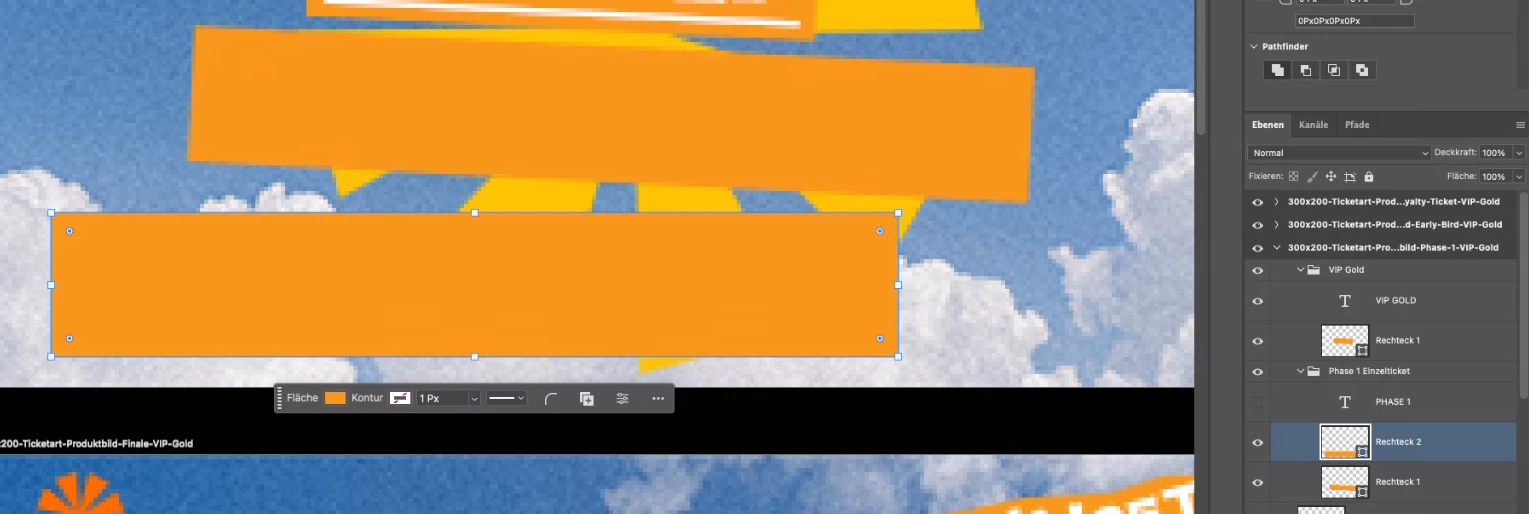
With the rectangle tool I created a rectangle. After like 15 minutes of not working in Photoshop and not changing anything at all the “Live Shape Control”, which shows you handles to stretch the rectangle or round the corners, was not appearing anymore.

When looking into the properties I also don’t find any settings that I can change (I attached screenshots of a “working” rectangle and the “corrupted” rectangle).

How can I repair the corrupted rectangle and make the “Live Shape Control” and the property settings available again? (I’m not talking about a workaround - I’m looking for a fix of this issue)

Kind regards
Nico



[Moved to Photoshop by a moderator]

    2 replies

    c.pfaffenbichler
    Community Expert
    Community Expert
    June 26, 2026

    How exactly did you transform the Shape Layer (as it appears to have been rotated)?  

    Could you have used the Pen Tool or the Direct Select Tool on it? 


    I think someone created a Script to add rounded corners to rectangular Paths a while back (before Live Shapes), but I am not sure whether this accounted for rotated shapes. 


    yamato713108855
    Community Expert
    Community Expert
    June 24, 2026

    This is the Adobe Stock thread.
    Please post topics related to Photoshop in the Photoshop thread.
    We will move this post to the Photoshop thread.

    Nico Mutert
    Participant
    June 24, 2026

    Oh sorry, I guess I clicked the wrong hyperlink.