
Participant
April 24, 2025
Question

PS not working

  • April 24, 2025
  • 3 replies
  • 207 views

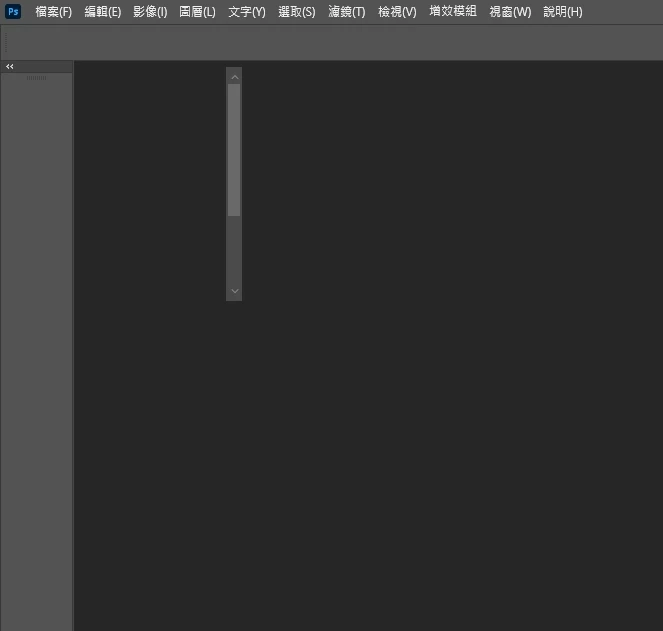
When using Photoshop at work, I encounter the situation shown in the image most of the time. Occasionally it works normally after repeatedly restarting Adobe CC and Photoshop. I've already reinstalled both PS and CC, used the Adobe CC Cleaner Tool, and even manually searched for and deleted residual Adobe-related folders. However, the issue persists after reinstalling. Is there any way to resolve this? Thank you~
 

3 replies

Anshul_Saini
Community Manager
Community Manager
April 24, 2025

Hi @家福236767978oib, what @Ged_Traynor shared is currently the most effective workaround available for this particular issue.


If you’re still frequently encountering the problem, it may be specific to your Windows user profile or system environment. In that case, I recommend either creating a new user account on your computer or, if possible, doing a clean Windows install to fully rule out any system-level conflicts.


Since you’re on a team subscription, another good step would be to contact your team’s admin and request that they open a support ticket with Adobe Technical Support for Teams (https://adobe.ly/42WsrFI). They can take a closer look and help diagnose it in detail.


Let us know how it goes!


Best,

Anshul Saini

Participant
April 24, 2025

I've tried those methods, and they only work occasionally. Is there a permanent solution to completely resolve this issue?

Ged_Traynor
Community Expert
Community Expert
April 24, 2025