


PS telling me my compatible graphics process is incompatible
Hi all, I'm going crazy here.
I have the NVIDIA GeForce RTX 2060 GPU (which is on the list of supported GPUs: Adobe Premiere Pro System Requirements) but I'm getting a message that it's incompatible, a driver update is recommended and Open GL is unavailable.
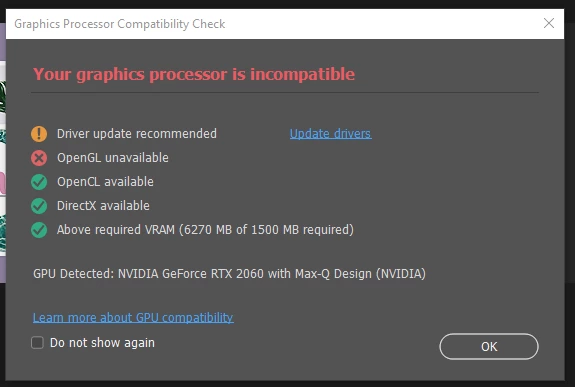
I've checked and the driver is up to date and I don't get this message if I disable my Intel UHD Graphics, but is this the only option? Surely it's more benficial to have 2 GPUs running?
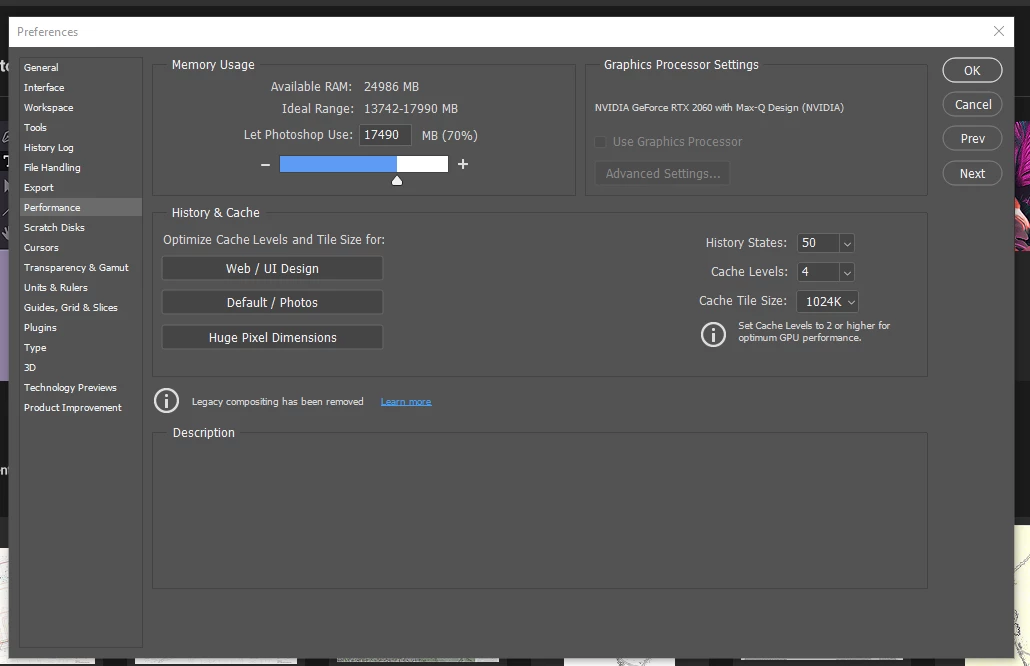
I've tried changing my settings to 'force' PS to use the NVIDIA GPU but still get this message. If Intel UHD Graphics is enabled, then I can't even select "Use Graphics Processor" in Preferences / Performance although it identifies my NVIDIA GPU, as shown below:
Is this typical for Adobe, or could there be a fault with my GPUs? They seem to think they're ok but computer performance begs to differ...
Thanks, Julia
 AdChoices