
Question
PSD-File Preview shows wrong color, but inside Photoshop and when exporting to PDF/X, PNG is correc
Hi,
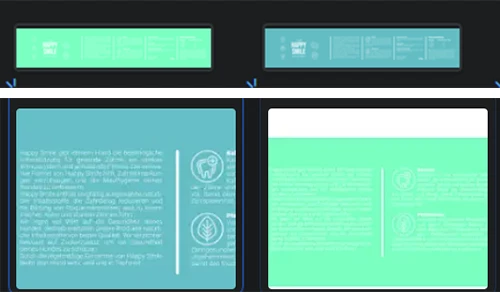
I want to send a design to print (new to creating stuff for print instead of web), so I created a CMYK-Project and everything went fine while working on it. But now I noticed, when I uploaded my PSD-File to OneDrive and Google Drive: the preview is significantly different to the colors of the files I exported as PDF/X and PNG, which are displayed as the correct colors were shown inside the Photoshop-Editor. I selected CMYK when exporting to PDF/X, so I'm really unsure why the .PSD-Preview is a faulty color? (the darker shade in the image is the correct one)
Is that just a faulty preview by OneDrive/GDrive because they can't use the PSD color space or something like that? Does someone know why this is happening?
 AdChoices