
Query about blurred line graphics on coloured backgrounds
I needed to create an image that included blurred lines, and I made this:
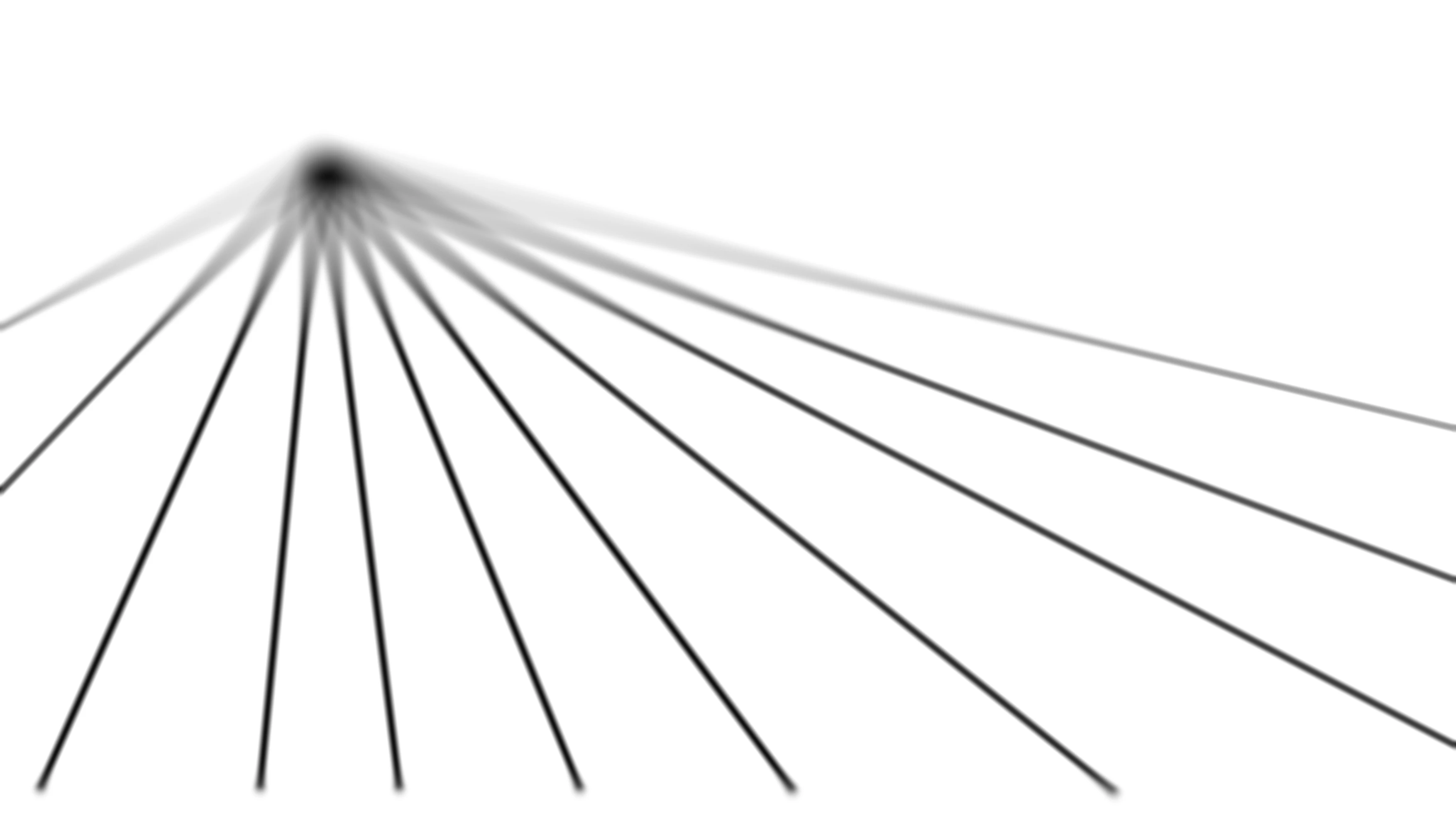
Procedure
– I generated the lines, as paths, in InDesign, because that’s the application I know best, then added the blurring in Photoshop
– I saved the resulting image in the following formats: EPS, JPG, PNG, TIFF, hoping that in at least one of these cases the result could be imported back into InDesign and the transparent background would be retained, and I could then place the graphic onto a dark background (I don't know how to do that in Photoshop)
– This doesn’t work. When imported into InDesign the image appears with a solid white background instead of a transparent one. I tried various effects, such as “darken”, “lighten”, “multiply”, and none are right
– I can't use clipping paths around the lines, because the lines are blurred and need to remain so. Lines with sharp edges won't work for what I need here
Questions
– How does one make coloured, blurred lines and place them on a coloured, non-white background?
– What’s the best way to do this? Should the artwork be made in Illustrator instead? Or Photoshop? Or InDesign? Ultimately the image needs to come back into InDesign so that type can be placed on top of it
Any advice on how best to do this would be much appreciated.
I have: InDesign 2025, Illustrator 2025, Photoshop 2024, on Mac OSX Ventura 13.4



 AdChoices