



🔎 Quick Tip : How to use content aware fill in Photoshop

Content Aware Fill
Did you know Content aware fill is a great and powerful tool to remove unwanted objects from your image and seamlessly fill the selected portions from other parts of the image. If done correctly, you can make the image look as if the objects were not even there to begin with.

Quick steps to use Content Aware Fill
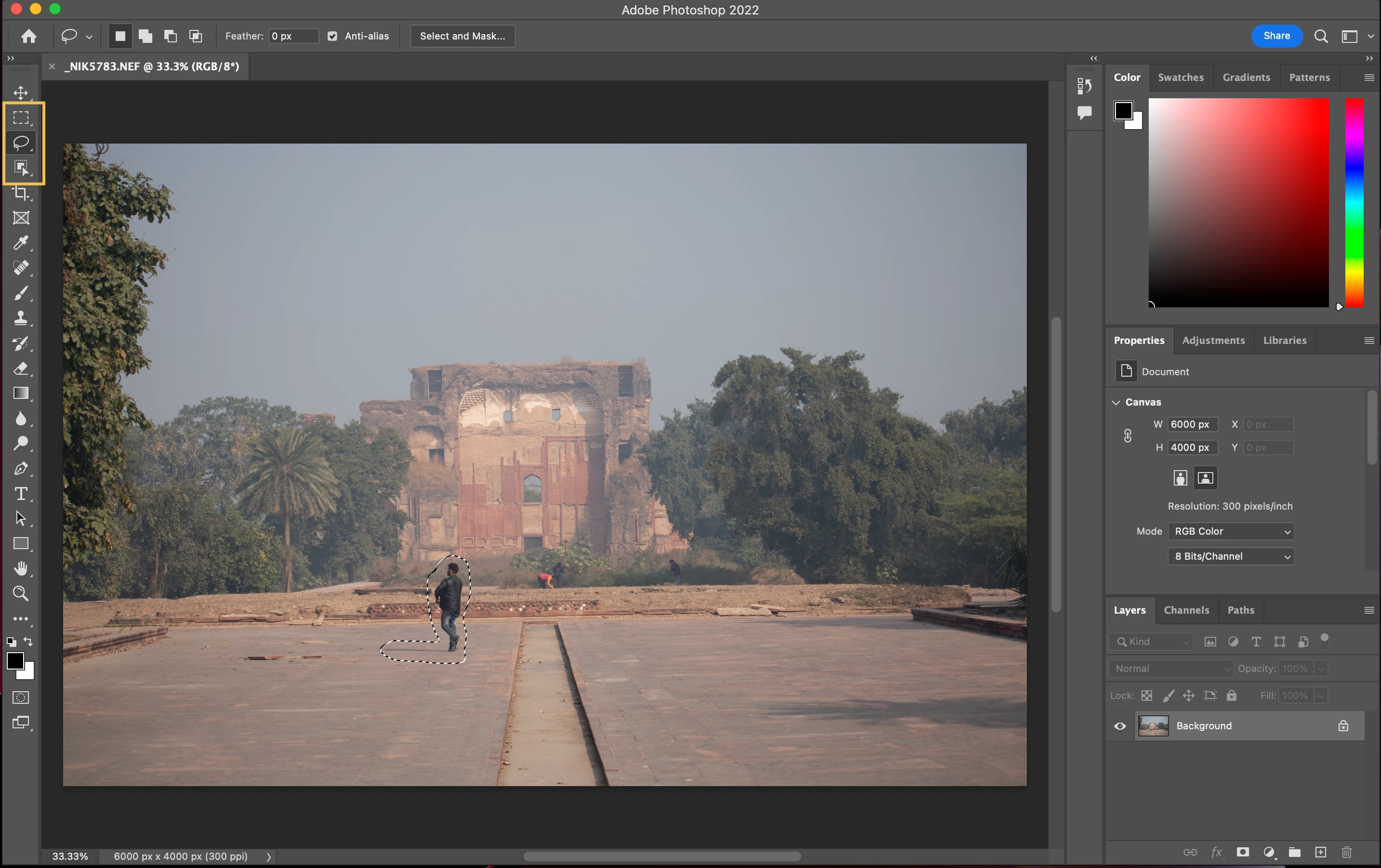
❶ Select the object
Make a quick selection of the object you want to remove using one of the wide range of selection tools available in Photoshop. You can use Select Subject, the Object Selection Tool, or even any of the Marquee tools.
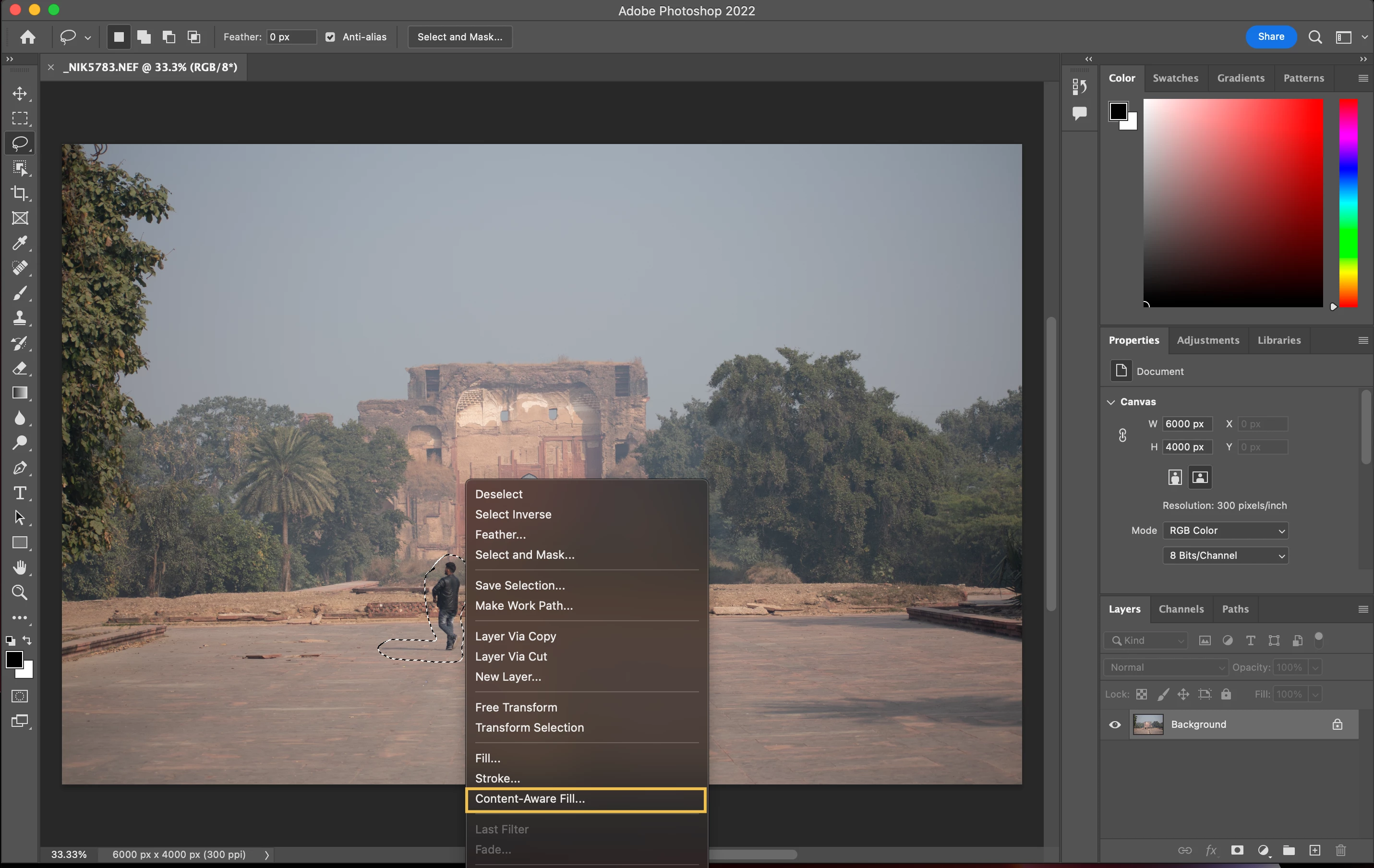
❷ Open Content-Aware Fill
- Right-click the selection and choose Content-Aware Fill from the drop-down menu
- Choose Edit > Content-Aware Fill
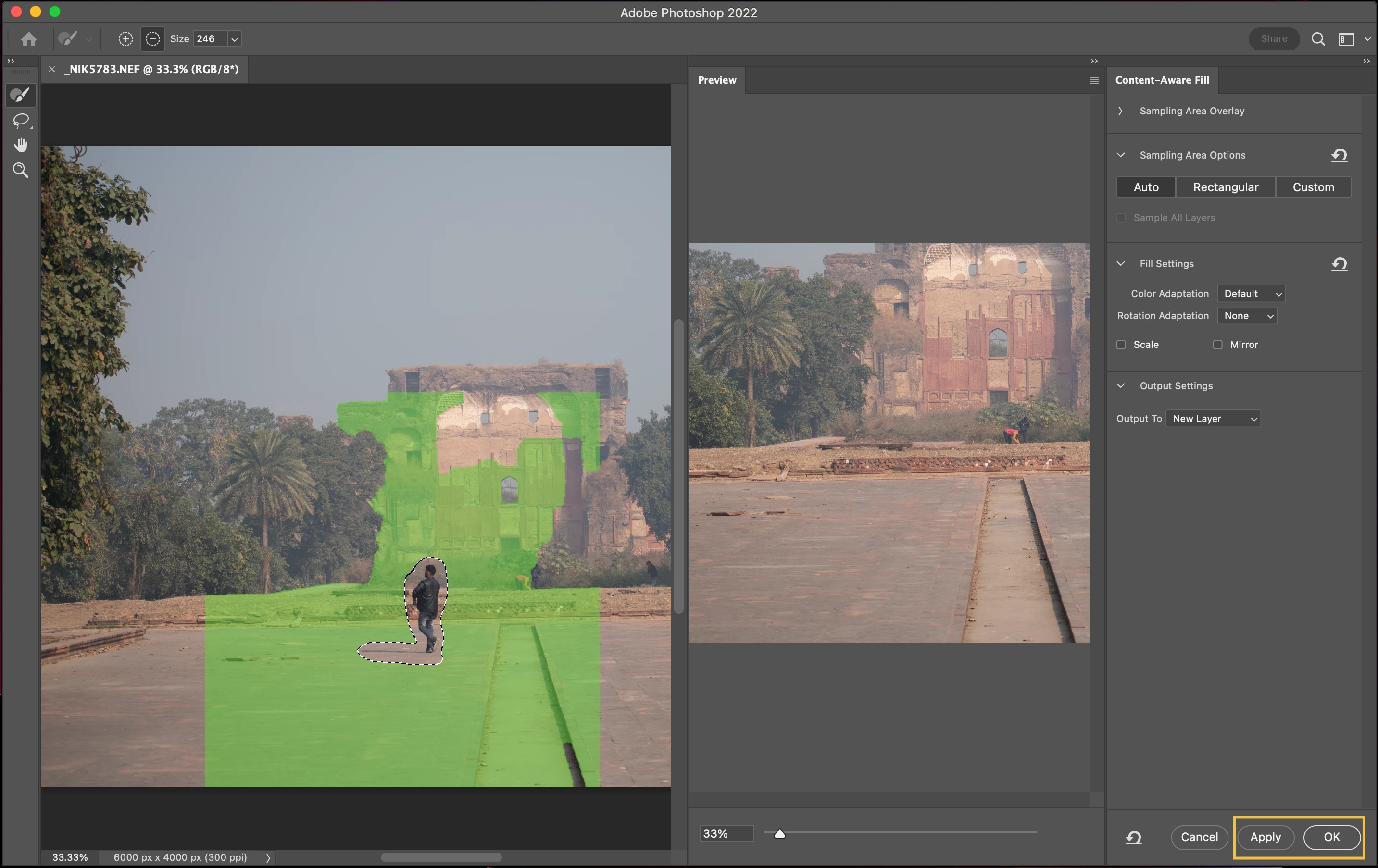
Remove objects from photos with Content-Aware
If you want to learn more about Photoshop in little bite-sized chunks, visit the Quick Tips home page.
 AdChoices