

🔎 Quick Tip: Photoshop Layer shortcuts

Layer Shortcuts
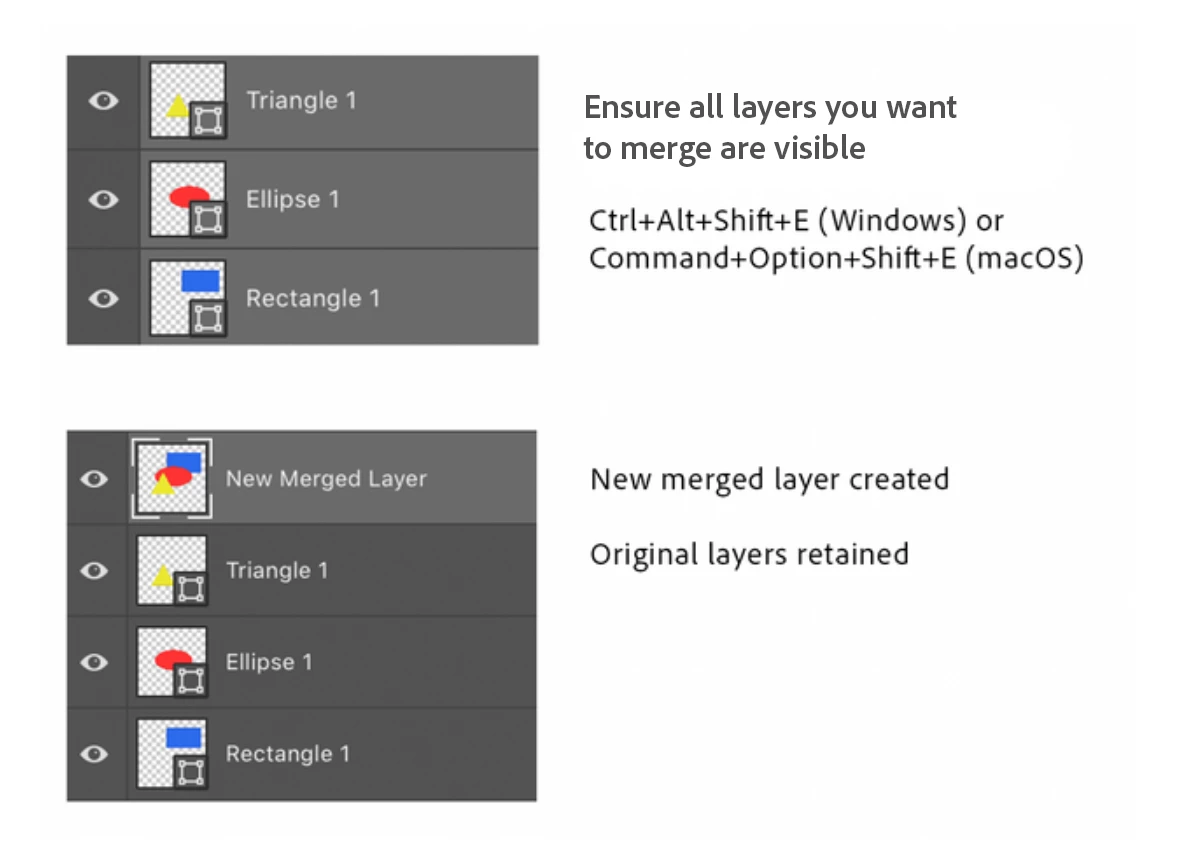
Did you know there is a super useful Photoshop shortcut that creates a new layer containing the merged content of visible layers? If you want to create a new merged layer but still want to retain all of the original layers, turn off visibility for the layers you don't want to have included and choose Ctrl+Alt+Shift+E on a PC or Command+Option+Shift+E on a mac. This will create a new layer above the top selected layer that contains the merged content of the visible layers.
Here are a few other handy layer shortcuts and some helpful links you may want to visit to learn more about layers. If you have a favorite layer shortcut, feel free to add a comment to this post to share with others.
|
Action |
Windows |
mac OS |
|
Duplicate layer |
Crtl+J |
Command+J |
|
Group selected layers |
Ctrl+G |
Command+G |
|
Move layer to top of list |
Shift+Ctrl+] |
Shift- Command -] |
|
Send layer to bottom of list |
Shift+Ctrl-[ |
Shift- Command -[ |
|
Merge all layers |
Ctrl+E |
Command+E |
|
Merge visible layers |
Ctrl+ Shift+E |
Command+ Shift+E |
|
Merge visible layers to new layer |
Ctrl+Alt+Shift+E |
Command+Option+Shift+E |
Note for Mac, Command = ⌘
Related links:


 AdChoices