Participant
March 14, 2020
Answered

Rainbow Gradient

  • March 14, 2020
  • 2 replies
  • 56738 views

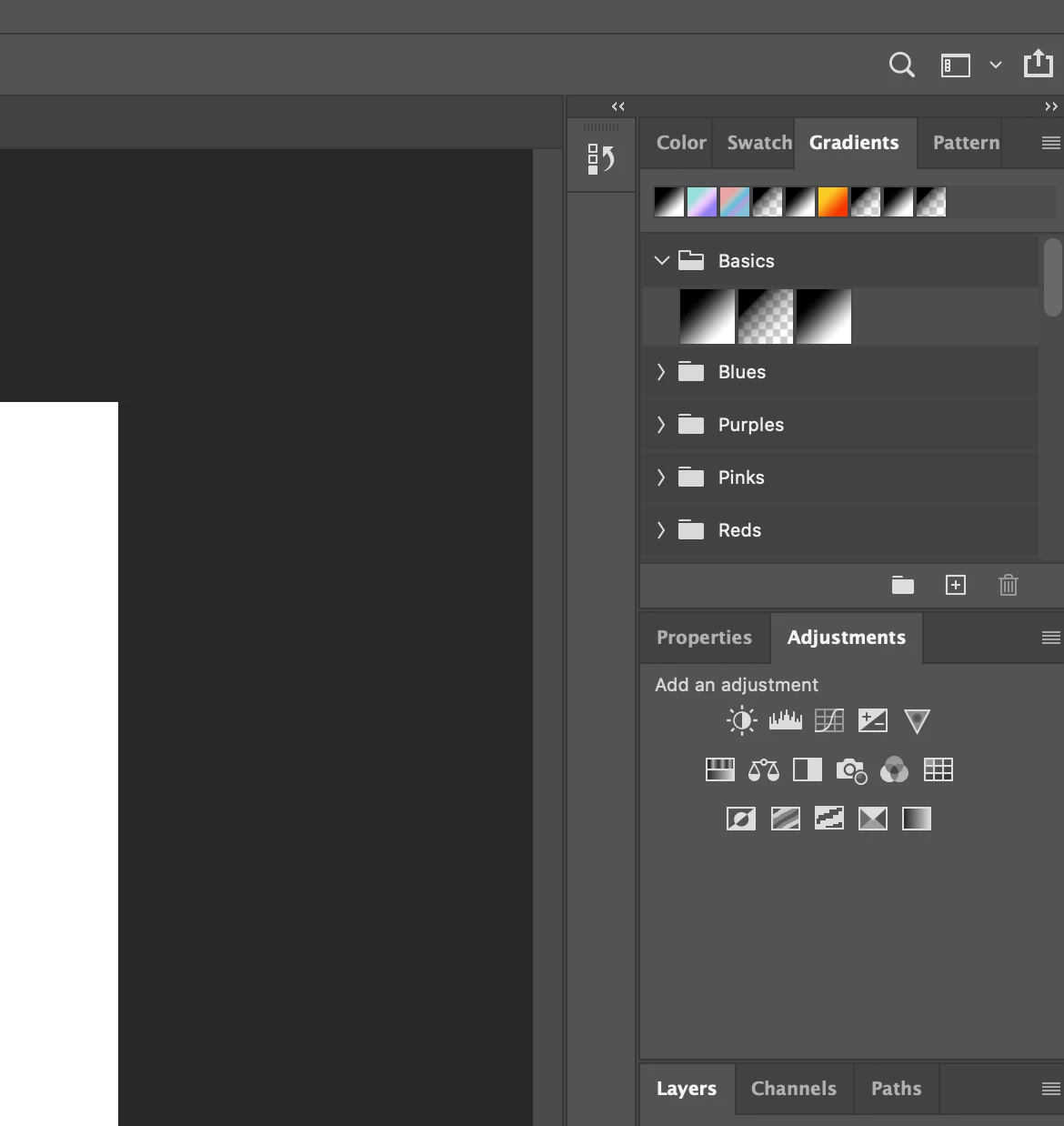
Not sure why my gradients panel in photoshop looks completely different than anyone elses. I wanted to use the rainbow gradient, but it doesn't seem to exist for me. Did photoshop get rid of it?

    Correct answer Semaphoric

    In the Gradient panel menu, select "Legacy Gradients".

    2 replies

    Participant
    April 4, 2021

    I HATE THE RAINBOW GRADIENT!!!! Why has Photoshop suddenly decided

    THAT would be my default??? How do I get out of this unicorn nightmare?????

    davescm
    Community Expert
    Community Expert
    April 5, 2021

    The best way to ask questions on the forum is not to jump on the end of a year old closed thread and start shouting.

    That aside, the gradient is "sticky"so should hold the last used gradient. If it does not on your system try:

    a. Resetting the tool


    or


    b. Resetting Preferences - Preferences > General >Reset Preferences on Quit then click OK and close and restart Photoshop


    Dave

    Semaphoric
    Community Expert
    SemaphoricCommunity ExpertCorrect answer
    Community Expert
    March 14, 2020

    In the Gradient panel menu, select "Legacy Gradients".

    Participant
    March 23, 2020

    Awesome thank you!

    Participant
    October 3, 2020

    Hello, i also miss the rainbow gradient, but i dont have the "legacy gradients" in the latest version of my PS.


    Any ideas?