
mattg82421713
Participant
April 17, 2020
Answered

Randomly losing pressure sensitivity with Photoshop

  • April 17, 2020
  • 13 replies
  • 9221 views

First off, let me say that I know this has been brought up before (usually when using Wacom tablets) but has never had a solid fix. I have had this issue on and off with Photoshop with multiple Wacom devices and now a Huion Kamvas Pro 20 (2019). I've also had this issue when using various PCs using different Windows OSs. I believe some people also had this issue on Mac. The only constant there has been between all of this time is that it's always when using Photoshop.
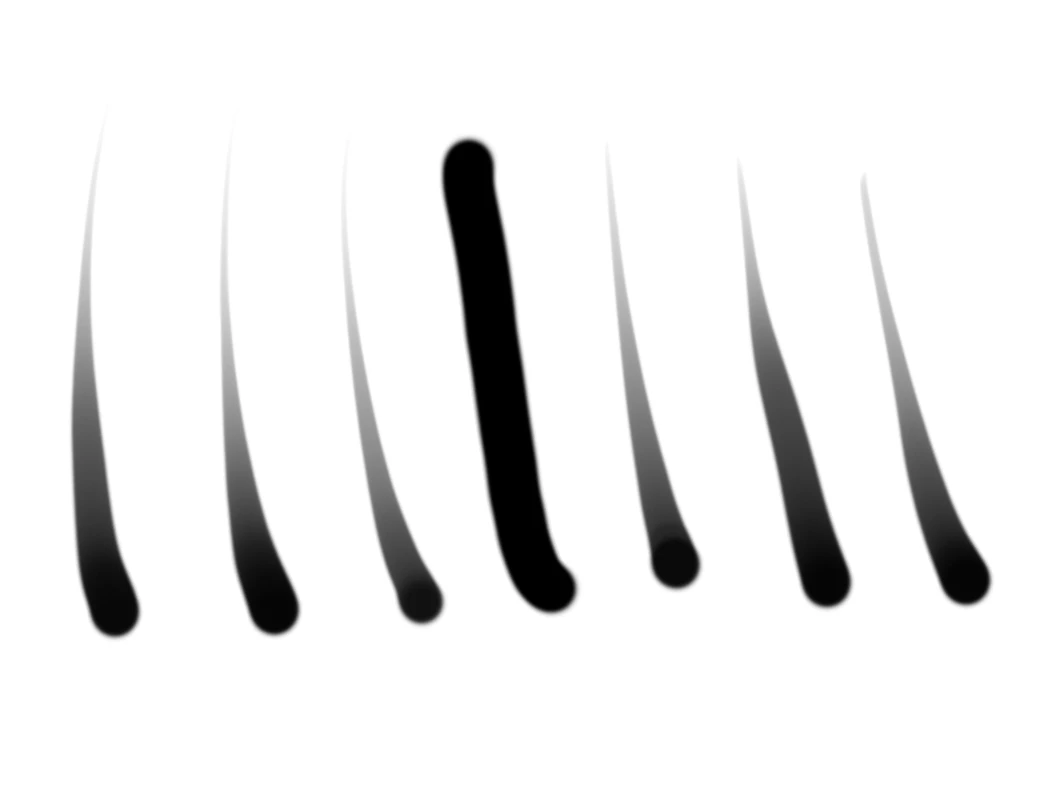
 

My drivers are up to date. Photoshop CC is on version 21.1.2.


This is very clearly an issue with Photoshop. Some temporary workarounds have been found with Wacom tablets but none with Huion to my knowledge. Maybe someone out there can finally figure out what exactly is causing this and even how to finally fix it.


13 replies

Participant
December 1, 2023

have the same ossue, bit on PC, with last couple of Photoshop updates! when will yhis be fixed?

im a professional illustrator and have used photoshop for over 30 years, but this issue has me looking for alternatives, Adobe!

Follow me on bluesky
Participant
March 22, 2022

Photoshop 23.2.2 has done it again... i can't wait for the next update

davidb24339642
Participant
August 5, 2021

20 years I have been using photoshop, and in 20 years this problem has not been fixed.  100% of the time I open corel painter, the tablet works fine.  It's about 50/50 with photoshop.  Adobe is such a small company, they can't keep up with the big names out there.  It's a shame.

Participant
September 7, 2020

the link basically opens numerous fixes. which one is it? 

Participant
July 21, 2020

This fixed my problem. 
Open the Wacom tablet properties and the Pen tab  set the slider for 'Tip Double click distance' to minimum/off..... That whould solve the isssue

Mechiavel
Participant
January 29, 2021

This helped me! Thank you so much!

Participant
June 2, 2020

Sadly this didn't fix the issue for me. I am using PS 21.1.3 on a fully up to date Windows 10

chad.rolfs
Community Manager
Community Manager
June 2, 2020

@maartenl46045620 Do you have "PSUserConfig.txt" in your Photoshop preferences folder?  I'm wondering if you're using WinTab.

Participant
June 8, 2020

I do have that file, opening it shows this:

# Use WinTab
UseSystemStylus 0


PECourtejoie
Community Expert
Community Expert
May 19, 2020
varnertown
Participant
May 30, 2020

I'm having this same problem of random loss of my brush sensitivity. I have updated to the latest version of PS 21.1.3 but it didn't fix it! I'm running the latest Mac Catalina 10.15.4 and my wacom driver is up to date. Any other ideas other than having to reinstall and older version of PS? 

chad.rolfs
Community Manager
Community Manager
May 30, 2020

Cause of this issue (Pressure sensitivity loss on Mac): changing focus away from Photoshop and then back.


Workaround to avoid this or restore sensitivity without relaunch:  If you switch focus back to PS by using the stylus to paint, you'll experience this. Instead, switch focus back to PS via CMD+Tab.
Also, if you run into this, using the eraser end of the stylus will restore pressure sensitivity.


Bug fix for this should be out in the next Photoshop update.

Participant
May 11, 2020

Having the same issue. reinstalled my wacom driver, same issue persists. Very frustrating to the workflow. 😞 it seems theres no fix for it so just gotta ride it out until an update/bug fix? Is there any idea when that might be?

PECourtejoie
Community Expert
Community Expert
May 11, 2020

Some users re-installed CC 2019 as an interim measure.

https://helpx.adobe.com/be_en/download-install/using/install-previous-version.html

Participant
May 16, 2020

what version edition is that? the previous one durectly b4 this one?

chad.rolfs
Community Manager
Community Manager
April 20, 2020

Yep, we have a bug on that and fixing ASAP!

PECourtejoie
Community Expert
PECourtejoieCommunity ExpertCorrect answer
Community Expert
May 19, 2020
Participant
September 7, 2020

This link opens numerous list of fixes. Which one is it?

Amelia.R
Participant
April 20, 2020

I have also started to encounter this issue with the 21.1.2 version of Photoshop and I'm using Wacom Tablet (Bamboo Fun Pen and Touch) . This has never happened before and the issue does not persist outside of photoshop so I assume it has to do something with the newest update...