


Participant
October 8, 2026
Question

Recently my photoshop has started changing the opacity of a layer whenever I try to delete color selected sections.

  • October 8, 2026
  • 4 replies
  • 29 views

When I color select and delete what I have selected, the selected portion of the layer just changes opacity. My fuzziness is set to zero, and it never did this before this week, so I don’t know what’s going on.
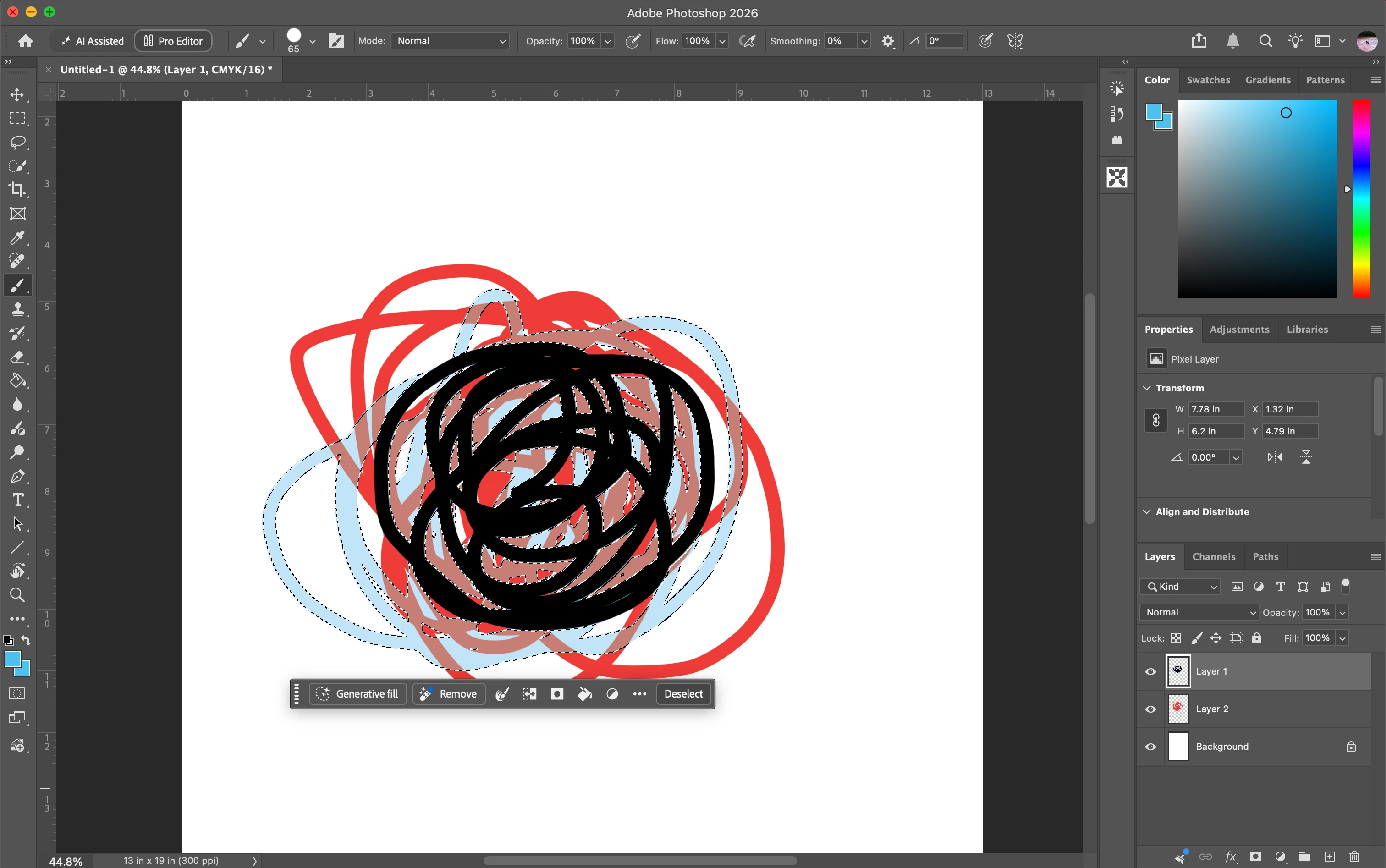
This was a test demonstration^ the original blue was the color of the swatch.

4 replies

c.pfaffenbichler
Community Expert
Community Expert
October 9, 2026

By »color select« do you mean Select > Color Range? 

If so please check the resulting Selection by switching to Quick Mask Mode (Q) and hiding the composite Channel – is the selected area white or just gray? 

Claire H.
Community Manager
Community Manager
October 8, 2026

Hi ​@onionbasedentree , Welcome to the Photoshop Community forum! I was unable to recreate this behavior, so we could use a few more details. Can you send your system info, a screen recording of the issue, and a numbered list of the exact steps needed to replicate it? You can find your system info by going to Help > System Info, copying and pasting it into a text file, and attaching it here. Thanks! ^CH

Participant
October 9, 2026

Hey Claire,

I’ve attached the screen recording (youtube link) and system info below! Here are the steps:

New Layer > Brush tool > Color Select > Delete


Thanks so much!

Screen Recording

Participant
October 9, 2026

adding the text file again just in case that one did’t work