Inspiring
August 2, 2026
Answered

Recently the side panel of Path Blur went missing. How can I get it back?

  • August 2, 2026
  • 4 replies
  • 65 views

Recently the side panel in Path Blur went missing so I am unable to modify path blur to what I want

 

    Correct answer Conrad_C

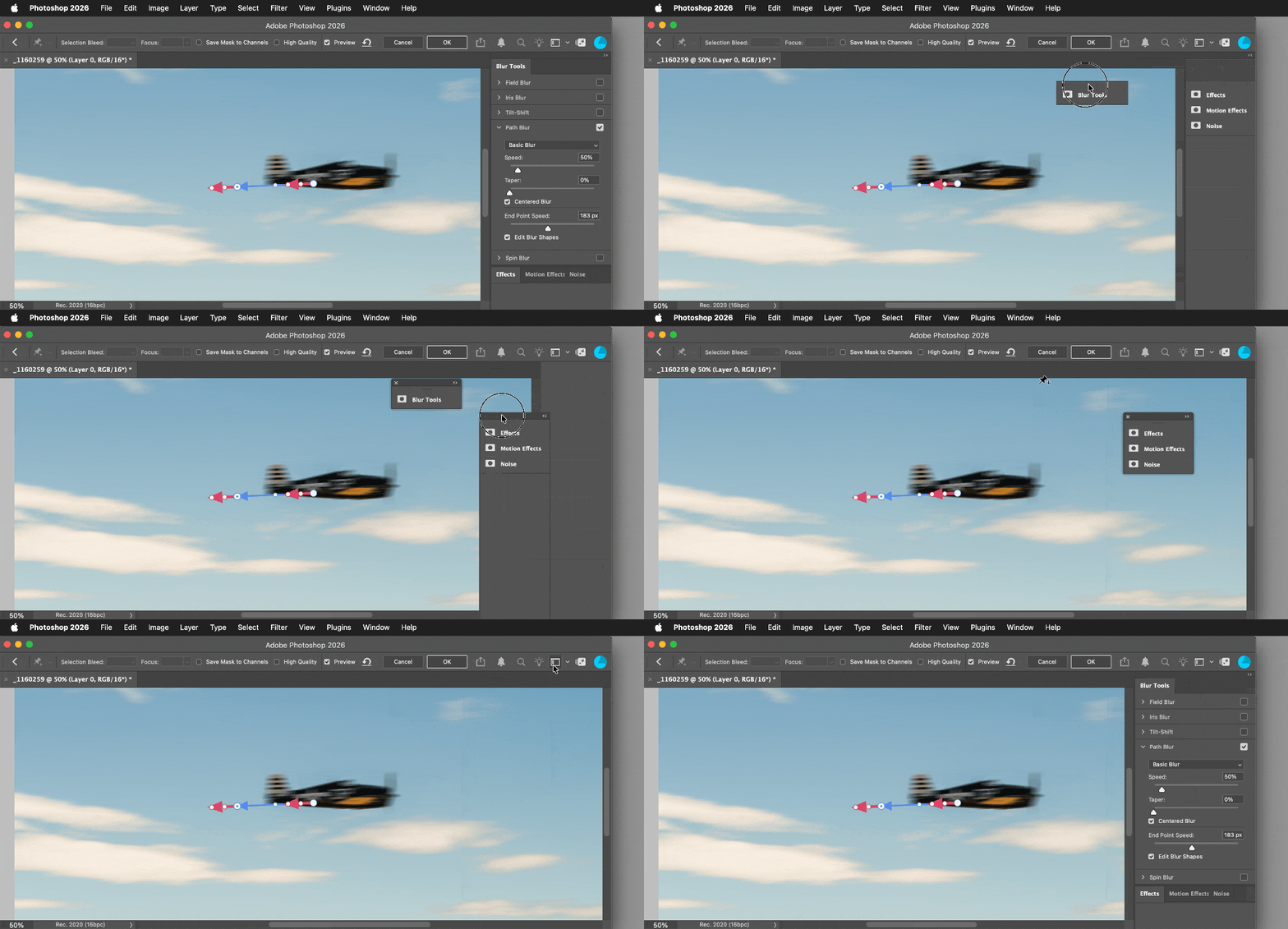
    If the entire panel stack is missing, watch the demo below to see how to reset it.

    The first part of the demo shows how you can collapse, tear off, and completely close the panels in the stack. The second part shows that if the panels were completely closed (intentionally or accidentally) click the Choose a Workspace button at the top and choose Reset Blur Gallery, and that restores the panel stack.


    4 replies

    Conrad_C
    Community Expert
    Conrad_CCommunity ExpertCorrect answer
    Community Expert
    August 3, 2026

    If the entire panel stack is missing, watch the demo below to see how to reset it.

    The first part of the demo shows how you can collapse, tear off, and completely close the panels in the stack. The second part shows that if the panels were completely closed (intentionally or accidentally) click the Choose a Workspace button at the top and choose Reset Blur Gallery, and that restores the panel stack.


    Inspiring
    August 3, 2026

    Oh thank you!  That worked!


    Ged_Traynor
    Community Expert
    Community Expert
    August 2, 2026

    @Redhartotter are you referring to this panel


    Inspiring
    August 3, 2026

    That’s the panel I am referring to but my workspace is different. I do not have the blur tools as a seperate palette. This has only happened recently.  When I chose Path Blur those options would appear on the side of the workspace similar to when you use select and mask.  Now this is not happening and I cannot modify the path blur to my specifications.