ML2travel
Known Participant
Sep 28, 2026 12:20 PM UTC
Question

Recents bugs with ACR and Photoshop 27.9.0

Immediately following the recent MacOS update Golden Gate 27.0 new bugs appear with ACR and PS 27.9.0 including masking issues in ACR and Photoshop freezing.

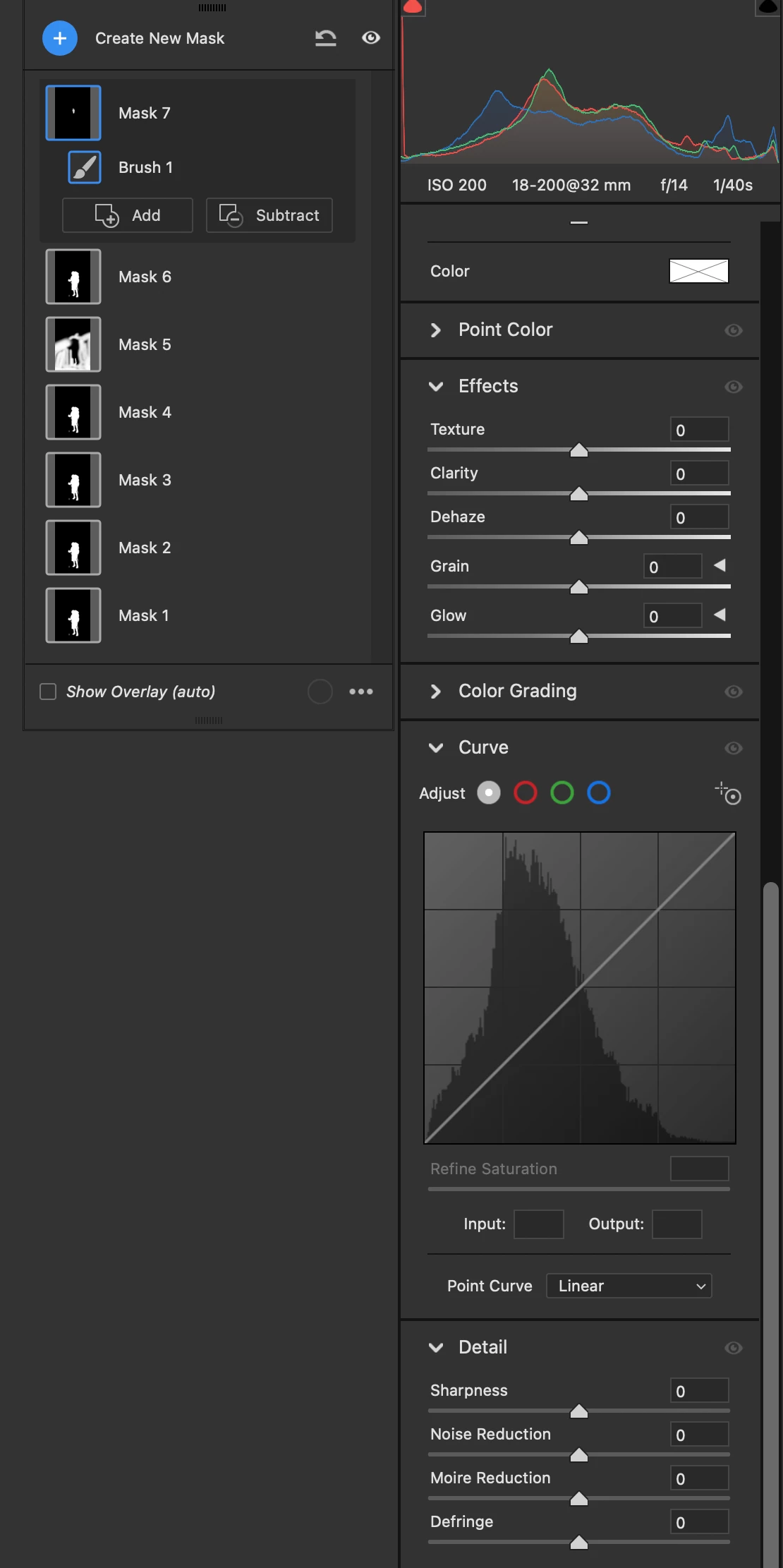
Regarding ACR, when I attempt to create a mask by right clicking on the icon, the program repeatedly doesn’t allow me to select a specific mask instead selecting one for me, one that’s completely unrelated to my workflow. This happens with nearly every image, sometimes four or five times, before I’m able to create the mask I want.

Regarding ACR, the program occasionally freezes and I’m not able to access any menus at all, including Save Image. I can only force quit the program. 

Any suggestions? Can I delete PS 27.9.0 and load an earlier version that works ?
 

    4 replies

    ML2travel
    ML2travelAuthor
    Known Participant
    Sep 30, 2026 1:58 PM UTC

    Today’s ACR update 18.7 did nothing to address this problem. 

    Translate
    Anshul_Saini
    Community Manager
    Community Manager
    Nov 18, 2026 7:50 PM UTC

    Hi ​@ML2travel,

    Apologies for the delayed follow-up, and thank you for your patience. I understand how frustrating this has been, especially since resetting Camera Raw preferences and updating to version 18.7 haven't resolved the issue.

    I reviewed your screenshot and noticed that Camera Raw displays the error "No subject detected, couldn't find a subject to select."

    Since newer versions are now available, could you please update to Photoshop 28.0, Camera Raw 19.0, and macOS 27.2.1, then check whether the issue persists?

    If you're still experiencing the problem, could you please clarify a few things?

    1. When the error appears, are you intentionally selecting Select Subject, or does Camera Raw attempt to select a subject when you choose a different masking option?

    2. Does this happen with all images or only specific RAW files?

    3. Does Camera Raw still freeze, or is the issue now limited to masking?

    Additionally, please share your complete Photoshop System Info by navigating to Help > System Info > Copy. Paste the information into a text document and attach it to your reply.

    These details will help us narrow down the cause and investigate further.

    Thanks again for your patience!

    Best,
    Anshul Saini

    Translate
    Srishti Bali
    Community Manager
    Community Manager
    Sep 28, 2026 5:25 PM UTC

    Hi ​@ML2travel 


    Thanks for reaching out and reporting this issue. Before installing a previous version, I’d suggest resetting the Camera Raw preferences to see if that resolves the issue:

    • Open Photoshop and go to Photoshop > Preferences (or Settings on newer macOS versions).
    • Press and hold the Option key on your keyboard.
    • While holding the Option key, click Camera Raw in the menu.
    • Click Yes when prompted with “Delete the Camera Raw Preferences?”

    If the issue persists after resetting the preferences, please share a short video demonstrating the issue. It would also be helpful if you could share your system information by going to Help > System Info, copying the full details, and pasting them here.

    This information will help us replicate the behavior in-house and investigate further.

    Translate
    Thanks, Srishti Bali | Community & Engagement Strategist, Digital Imaging | Adobe
    ML2travel
    ML2travelAuthor
    Known Participant
    Sep 28, 2026 8:28 PM UTC

    I deleted and reset my preferences, still having the issue with masking though now I only receive an error message.


    Translate