Participating Frequently
November 28, 2023
Answered

red transparant mask layer in photoshop

  • November 28, 2023
  • 1 reply
  • 640 views

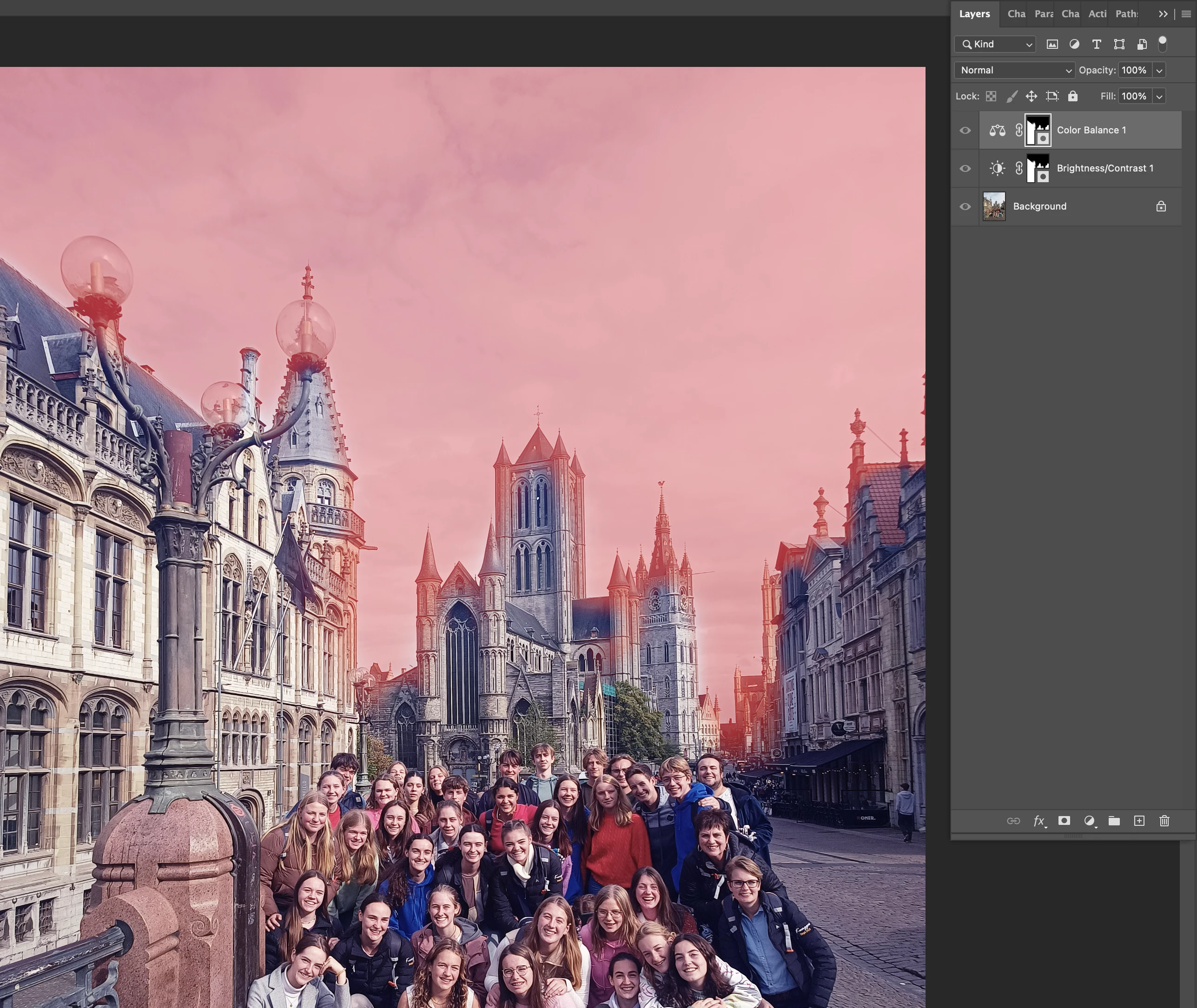
Sometimes I see (by accident) the layermask as a red transparant layer. (see screenshot) What's the shortcut to see this (macOS)? Or where in the menu can I find this? I searched online, but the shortcuts that I find won't work.

Thank you.
 

This topic has been closed for replies.
Correct answer jane-e

@Nick Lambrecht 


You're welcome, and I'm glad this fixed it for you. 😊


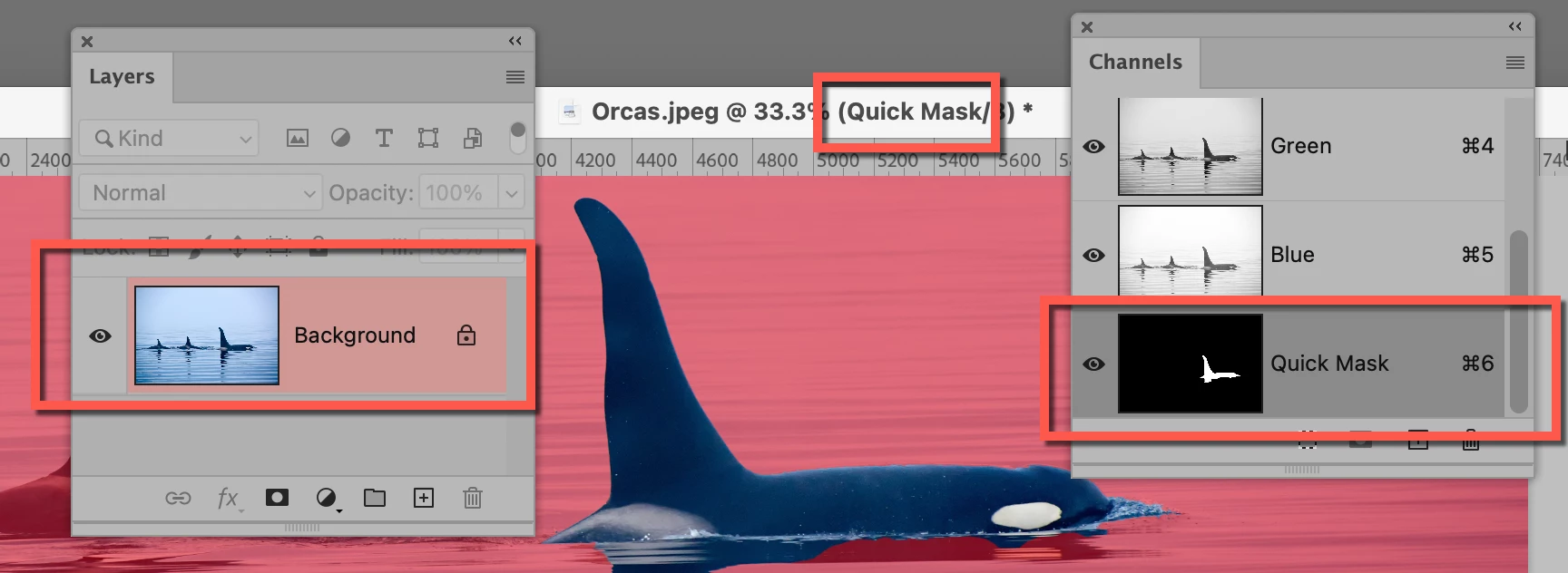
If it had been Quick Mask ("Q"), we would have seen three things:

  • The layer would have red shading
  • The title bar would say "Quick Mask"
  • The Channels panel would have a channel called "Quick Mask"


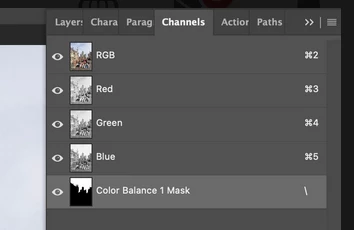
One more thing: in your screenshot, the Color Balance 1 Mask is the active channel in addition to being visible. Click on RGB to make it the active channel before proceeding. You may have already done this, but I'm covering my bases! 😊


Jane


1 reply

AxelMatt
Community Expert
Community Expert
November 28, 2023
My System: Intel i7-8700K - 64GB RAM - NVidia Geforce RTX 3060 - Windows 11 Pro 25H2 -- LR-Classic 15 - Photoshop 27 - Nik Collection 8 - PureRAW 6 - Topaz Photo AI
jane-e
Community Expert
Community Expert
November 28, 2023

@Nick Lambrecht 


Can you show your Channels panel? One possibility is that you have an alpha channel with visibility enabled.


If that's not it, show a screenshot that includes your Status bar (bottom) and options bar & document tab (top).


Jane


Participating Frequently
November 28, 2023

Yess, finally. That's the solution!

When I click on a mask, go to the channels, then there's a new cahnnel.

When click on the eye then the red layer apears. See screenshot below.

Now I have to find a way to change the shortcut to make that layert visible.

shift + option + : doesn't work in Photoshop.
Thank you so much.