Answered
remove this window
i've recently upgraded my adobe apps and i'd like to get this window to not appear any more.
there used to be a way to get files to open without this window, can it be done again in the new version?
thank you.
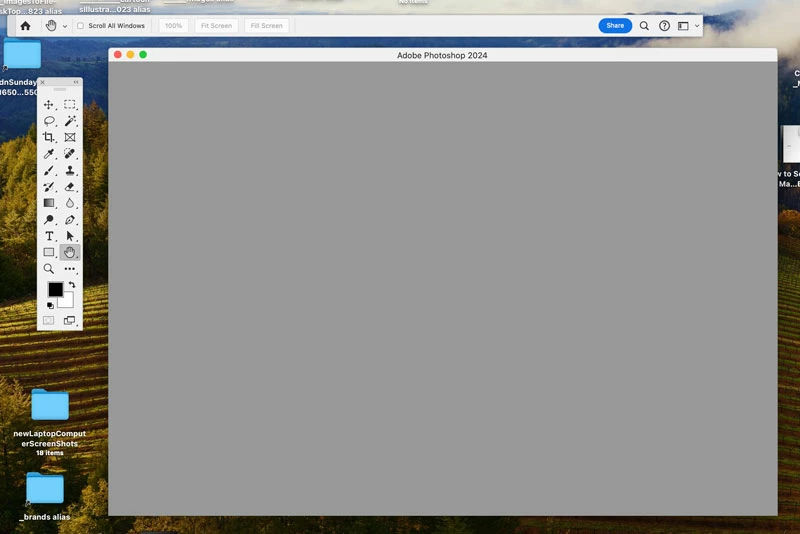

i've recently upgraded my adobe apps and i'd like to get this window to not appear any more.
there used to be a way to get files to open without this window, can it be done again in the new version?
thank you.
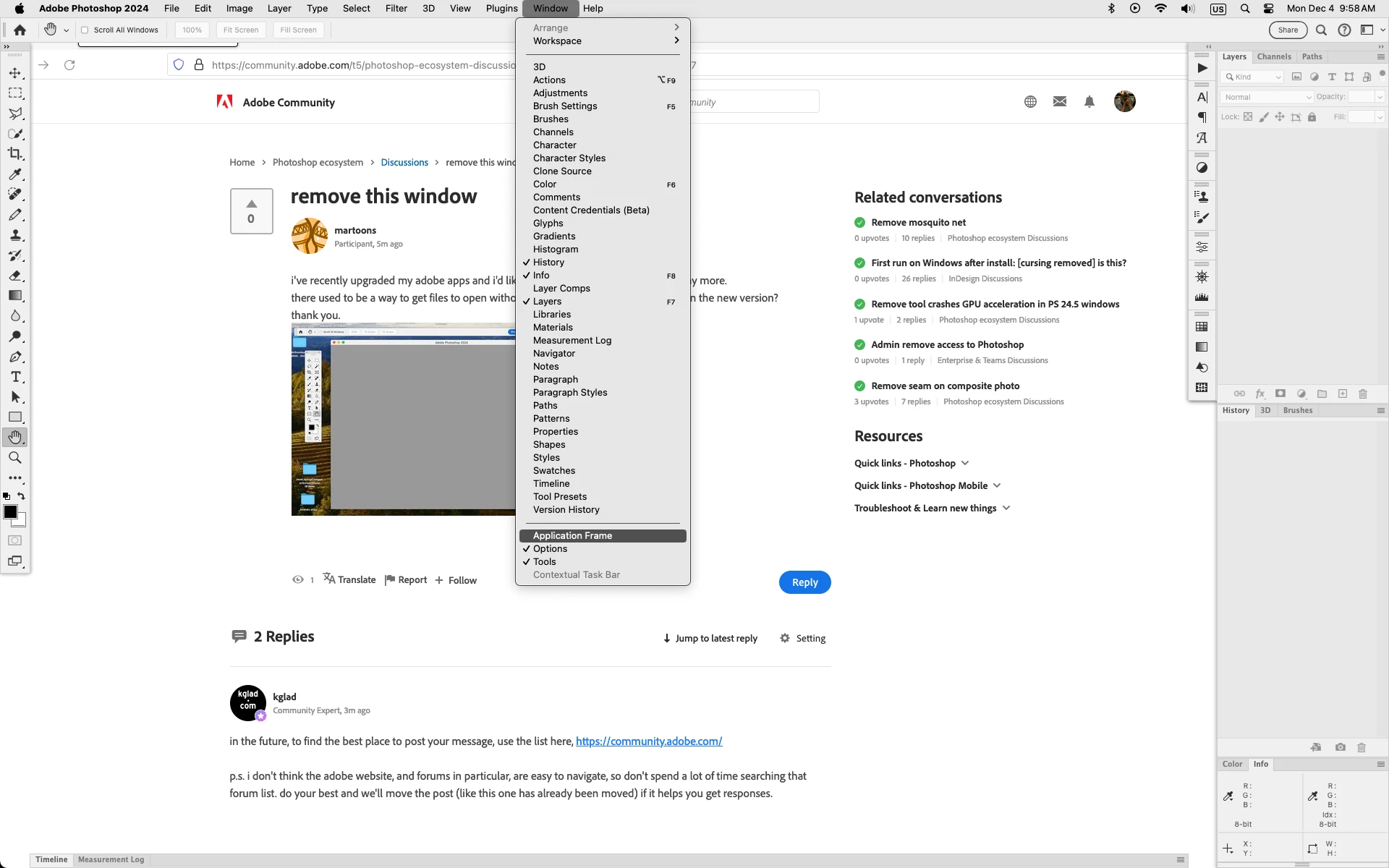
In photoshop go to Window and uncheck Application Frame
Already have an account? Login
No account yet? Create an account
Enter your E-mail address. We'll send you an e-mail with instructions to reset your password.


 AdChoices