
Participating Frequently
January 2, 2025
Answered

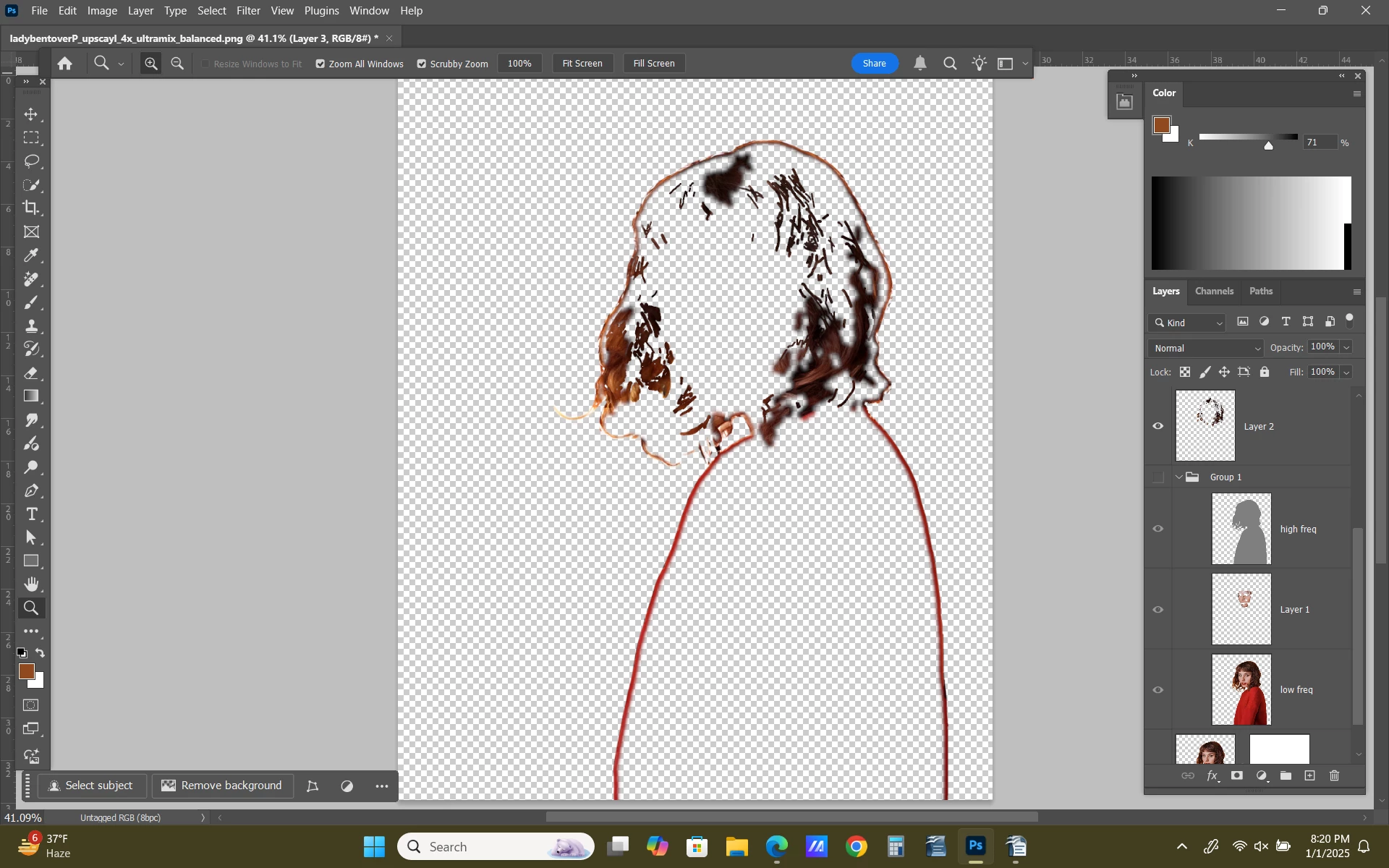
Remove Tool creating outline around subject of colors in image

  • January 2, 2025
  • 4 replies
  • 559 views

When I use the Remove Tool it now creates an outline around my subject (my image consists of a subject with a transparent background) in the colors of the image. It doesnt matter where i use the tool on the image or what I remove, even if it is just a tiny spec, it creates this outline.  As you can see on my file I was using the remove tool to correct strands of hair and it created an entire outline around the subject.  I have been using Photoshop for over 2 years and never had this issue before but it has been ongoing for a few weeks now. 

Photoshop Version 26.2 on Windows 11. 

Any ideas of where to start trying to find answers? 

Thanks for any help
Correct answer c.pfaffenbichler

Show the Background Layer or, if none exists, create a Layer beneath the clipped Layer amd fill it with white. 

4 replies

Participating Frequently
January 31, 2025

Thank you so much that worked!

I'm sorry for the late reply. 

c.pfaffenbichler
Community Expert
c.pfaffenbichlerCommunity ExpertCorrect answer
Community Expert
January 3, 2025

Show the Background Layer or, if none exists, create a Layer beneath the clipped Layer amd fill it with white. 

Participating Frequently
January 3, 2025

Thank you for your reply, however I am editing subject files with transparent backgrounds. 

c.pfaffenbichler
Community Expert
Community Expert
January 2, 2025

Make the Background Layer visible before using the Remove Tool.