

Answered
Remove Tool very slow and freezing Photoshop
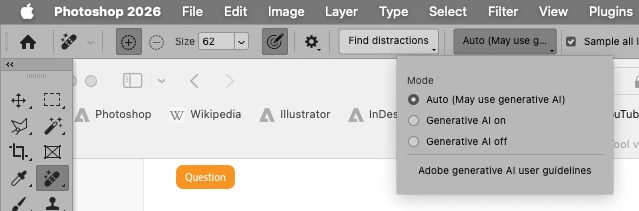
In the latest version of Photoshop, since yesterday, the Remove Tool has been working very slowly, sometimes causing Photoshop to freeze. My system is up to date, and I have plenty of available memory. Everything else works fine, and other Adobe programs run smoothly. Previously, everything worked correctly, and the Remove Tool was fast and problem-free. I sought help via chat and even downloaded the screen-sharing application, but it didn't help; my problem was not resolved. My laptop is a MacBook M4 Pro. Please help me fix this so the tool works correctly and I can continue working.


 AdChoices